Operating InstructionsFacsimile Reference (option) <Advanced Features>
255
E
EE
E
Press the {
{{
{Start}
}}
} key.
After printing the list, the display will return
to step
D
.
Note
❒ To cancel printing a list, press [Cancel].
The display will return to step
D
.
F
FF
F
Press the {
{{
{User Tools/Counter}
}}
} key.
The initial display is shown.
Transfer Report
For the Requesting Party to be able to receive
Transfer Result Reports from the Transfer Sta-
tion, the Requesting Party must program the
number of the telephone line their machine is
connected to in their own machine. ⇒ p.82
“Transfer Request”
Be sure to insert a pause after the area code.
For example, if you are in the United States and
your fax number is 212-1234567, program the
following:
• 1212-1234567
You can program the fax number for each line
(G3, G4).
Limitation
❒ You cannot program or edit Transfer Report
when using a line (during communication).
Program or edit after communication.
Note
❒ Up to 16 digits are available for G3.
❒ Up to 29 digits are available for G4.
A
AA
A
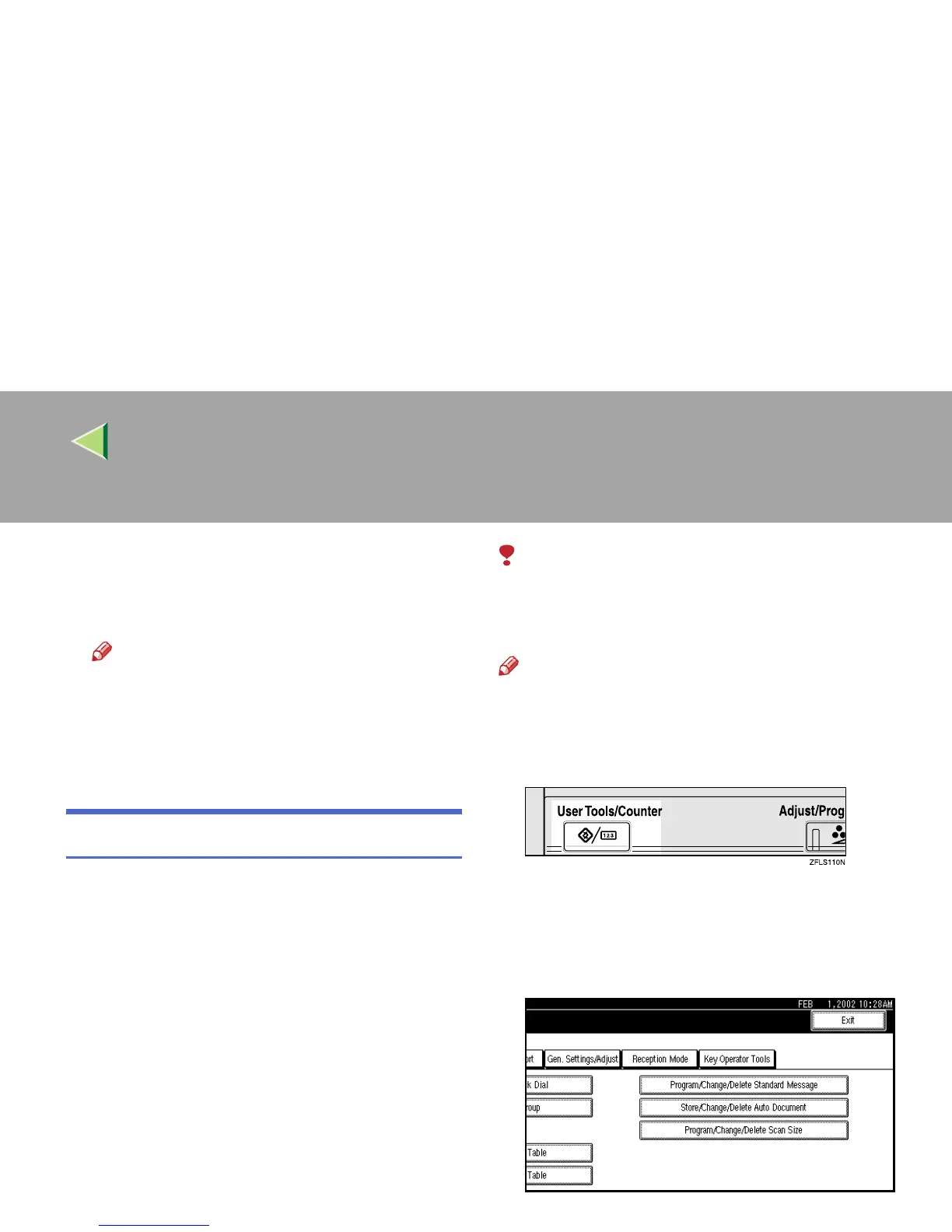
Press the {
{{
{User Tools/Counter}
}}
} key.
B
BB
B
Press [Facsimile Features].
The Facsimile Features menu is shown.
C
CC
C
Select [Key Operator Tools].



 To Next Page