Operating Instructions Maintenance Guide 2 Copier System Edition
30
Loading Paper
Load paper and change the paper size in Tray 1,
Tray 2 and the optional Paper Feed Unit by fol-
lowing the procedures below.
Important
❒ Tray 1 uses 11 × 8
1
/
2
K paper exclusively.
Load only 11 × 8
1
/
2
paper at all times.
❒ 2000-sheet Large Capacity Tray uses 11 × 8
1
/
2
K paper exclusively. Load only 11 × 8
1
/
2
paper at all times.
❒ If you want to load A4 K paper in Tray 1 and
optional 2000-sheet Large Capacity Tray,
contact your sales or service representative.
Reference
See p.12 “Paper Sizes” concerning paper to
be loaded in the paper tray and optional Pa-
per Feed Unit.
Loading Paper in Tray 1
Important
❒ Tray 1 uses 11 × 8
1
/
2
K paper exclusively.
Load only 11 × 8
1
/
2
paper at all times.
❒ If you want to load A4 K paper in Tray 1, con-
tact your sales or service representative.
A
AA
A
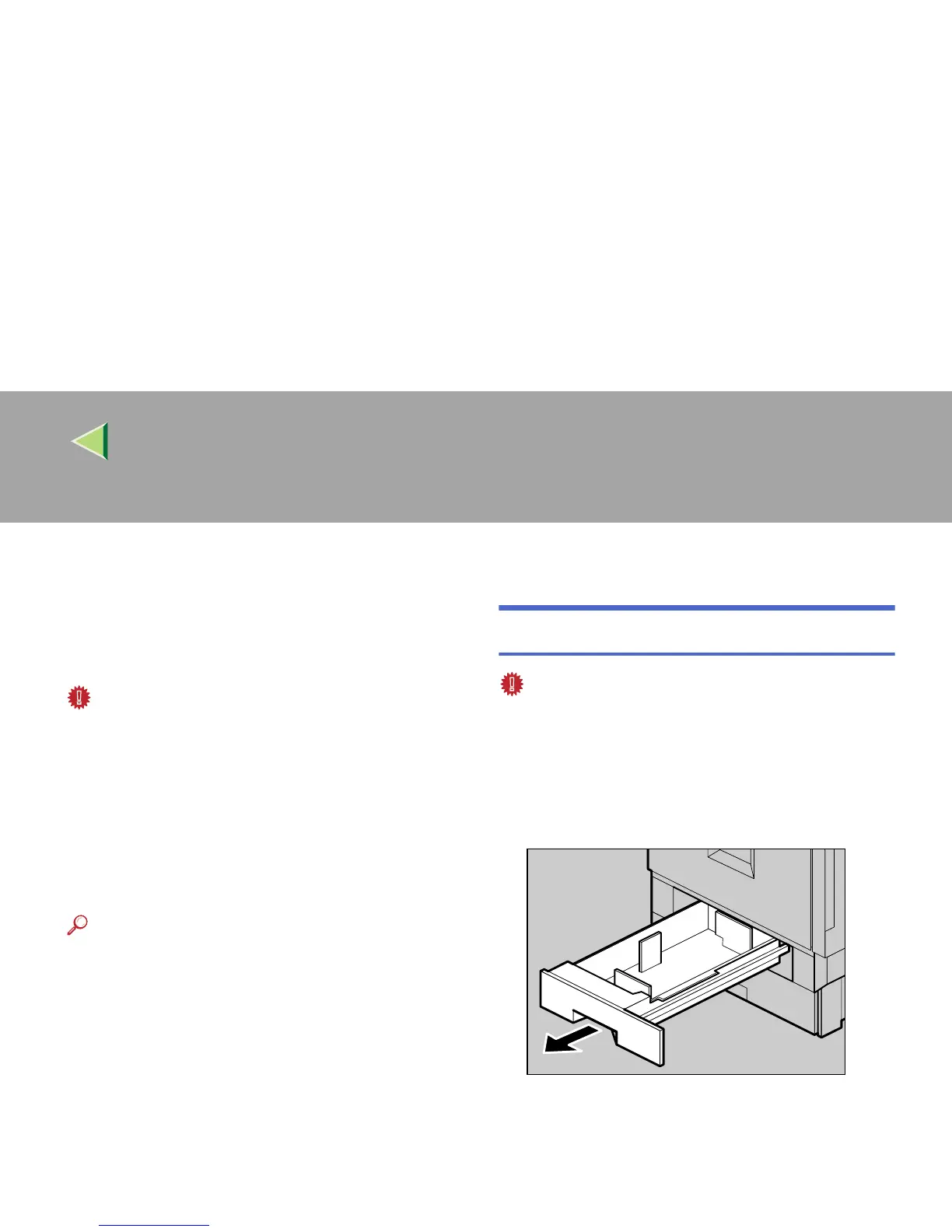
Pull out the paper tray slowly until it stops.
ZDJH003J



 To Next Page