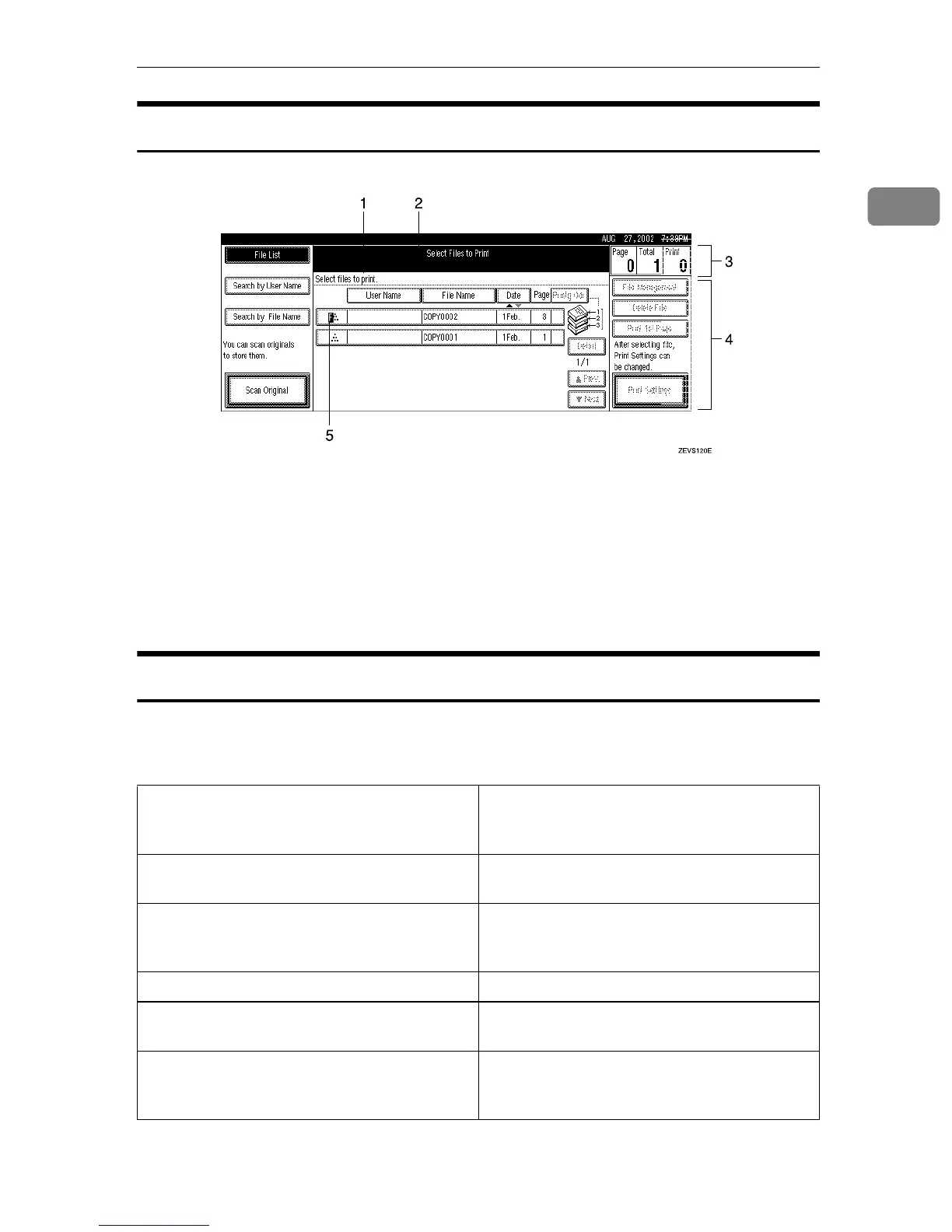
Display panel
11
1
Initial Document Server Display
1. Operational status or messages
2. The current settings are dis-
played.
3. Displays printed pages, set pages,
and print job pages read into memo-
ry.
4. Displays necessary keys for the
Initial Document Server Display.
5. Displays stored mode.
Common Key Operation
The following keys can be used in all screens.
❖
❖❖
❖ Key explanations
[
OK
] Acknowledges a selected function or entered
values, and then returns to the previous
screen.
[
Cancel
] Deletes a selected function or entered values,
and then returns to the previous screen.
[U
UU
U
Prev.
][T
TT
T
Next.
] Moves to the previous page or the next page
when all the functions cannot be displayed on
one page.
[
OK
][
Yes
] Closes message screens.
[
Clear
] Clears entered values and does not change the
screen.
[
Exit
] After setting the selected function or entering
a value, the panel display returns to the previ-
ous screen.



 To Next Page