Operating InstructionsFacsimile Reference (option) <Advanced Features>
141
2-Sided Printing
You can have a received message printed on both
sides of the paper. You can turn this function on
or off with the Reception Mode. ⇒ p.198 “Re-
ception Mode”
Limitation
❒ To use this function, all pages of the received
document must be of the same size—inform the
sending party of this beforehand if necessary.
You must also have paper set in your machine
of the same size as that sent by the sending par-
ty (A4→A4, 8
1
/
2
"×11"→8
1
/
2
"×11" are typical ex-
amples, whether A3 and B5 sizes are correctly
scanned in will depend on the fax machine).
This machine will correctly scan in A3L, B4L,
A4KL, B5KL, A5KL(11"×17"L,
8
1
/
2
"×14"L, 8
1
/
2
"×11"KL, 8
1
/
2
"×5
1
/
2
"KL).
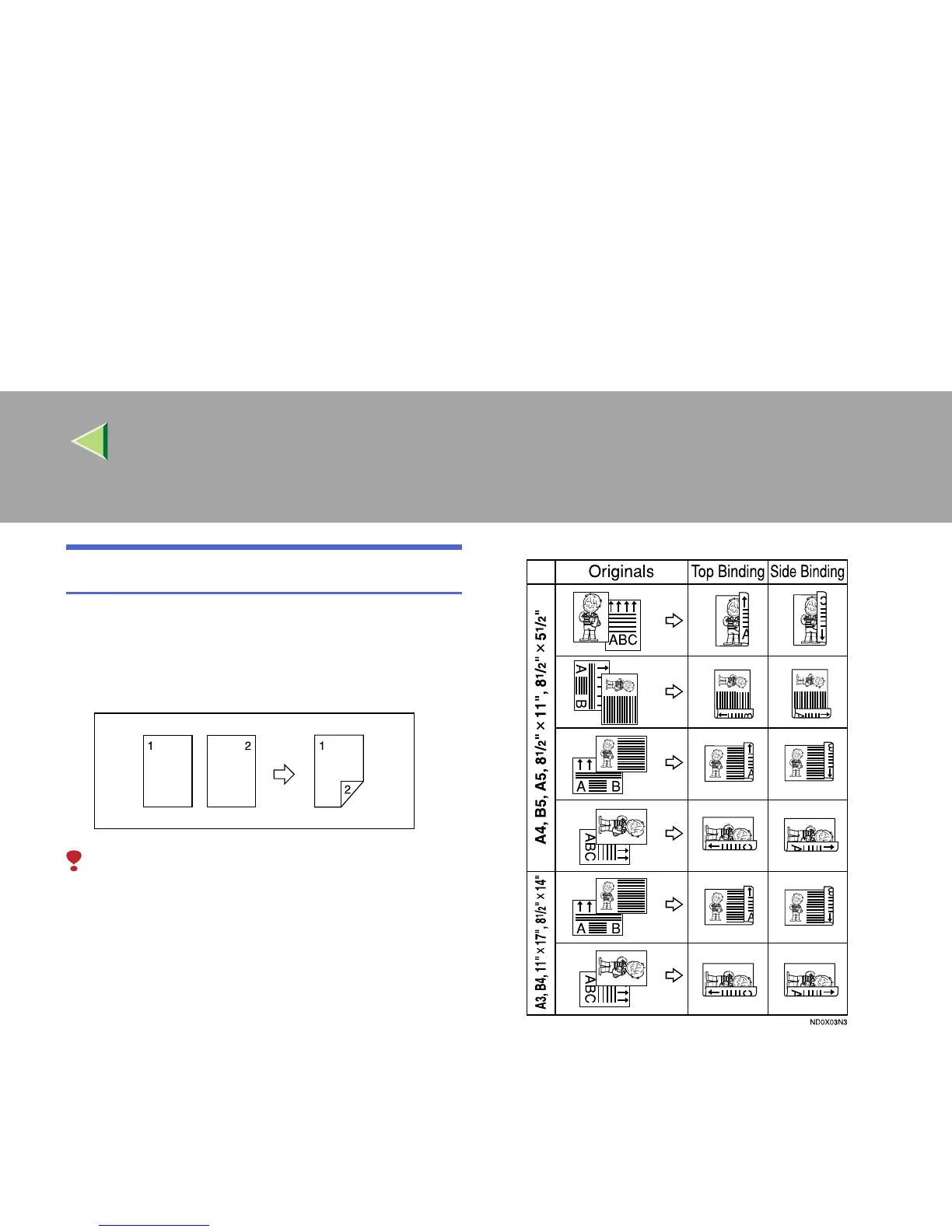
The following table shows the results that can
be achieved when sending and receiving using
this machine.
❒ This feature works only when all pages are of
the same width and are received into memo-
ry.
❒ The machine will use Memory Reception for
2-Sided Printing.
❒ This feature cannot be used with Combine 2
originals.



 To Next Page