Getting Started
32
2
Test Print
Test print in order to check that the printer prints normally. Test printing checks
the printer actions, and does not test the connection to the host computer.
This section describes how to print the configuration page as an example.
A
AA
A
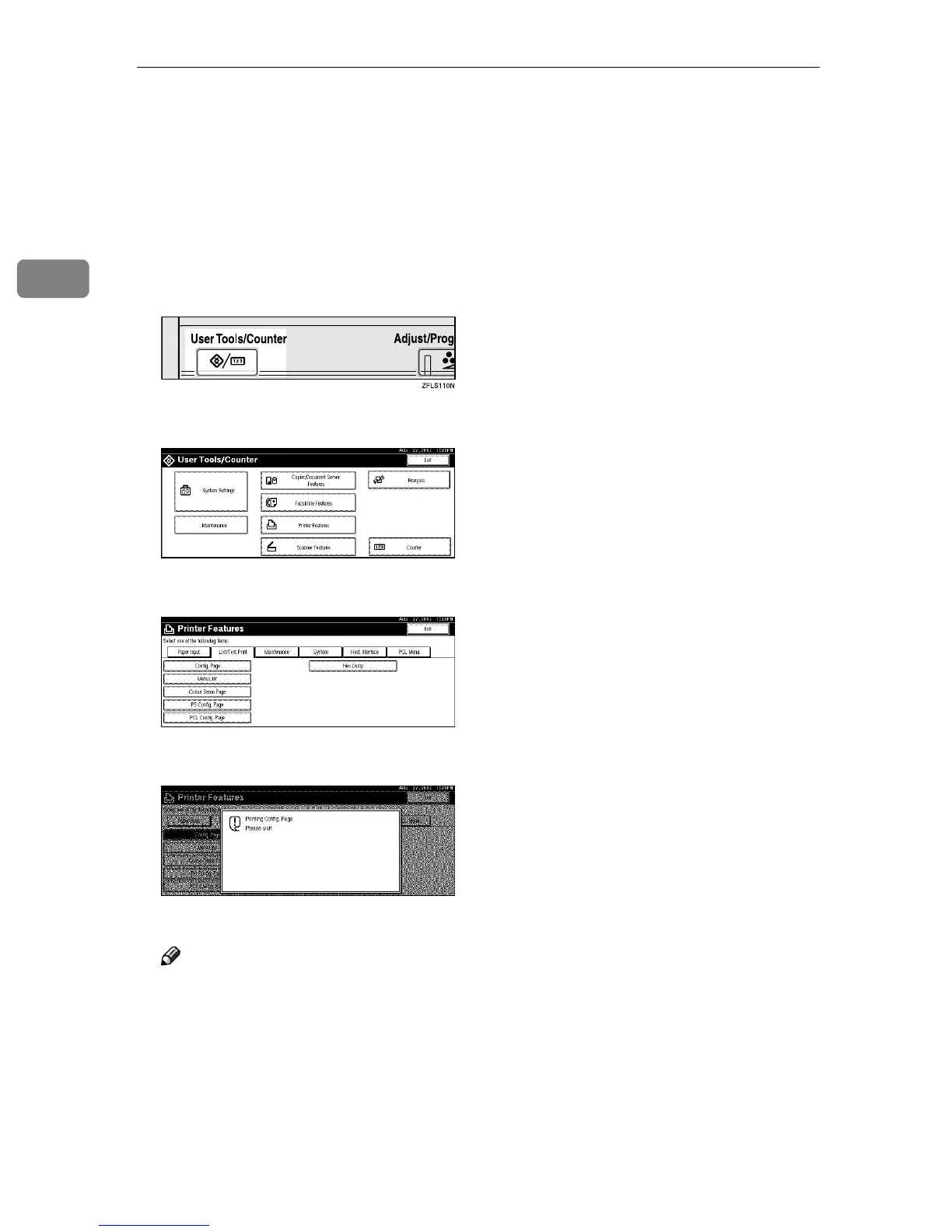
Press the {
{{
{User Tools/Counter}
}}
} key.
"User Tools/Counter" appears on the panel display.
B
BB
B
Press [Printer Features].
C
CC
C
Press [List/Test Print].
D
DD
D
Press [Config. Page].
The configuration page is printed.
Note
❒ If printing is not normal, check to see if an error message is shown on the
panel display. If there is an error message, see "Troubleshooting" in Main-
tenance Guide 2 Copier System Edition.
❒ For more information about the configuration page, see "Interpreting the
Configuration Page" in Administrator Reference 2 Copier System Edition.
E
EE
E
Press the {
{{
{User Tools/Counter}
}}
} key.
The initial display is shown.



 To Next Page