Operating InstructionsFacsimile Reference (option) <Advanced Features>
101
D
DD
D
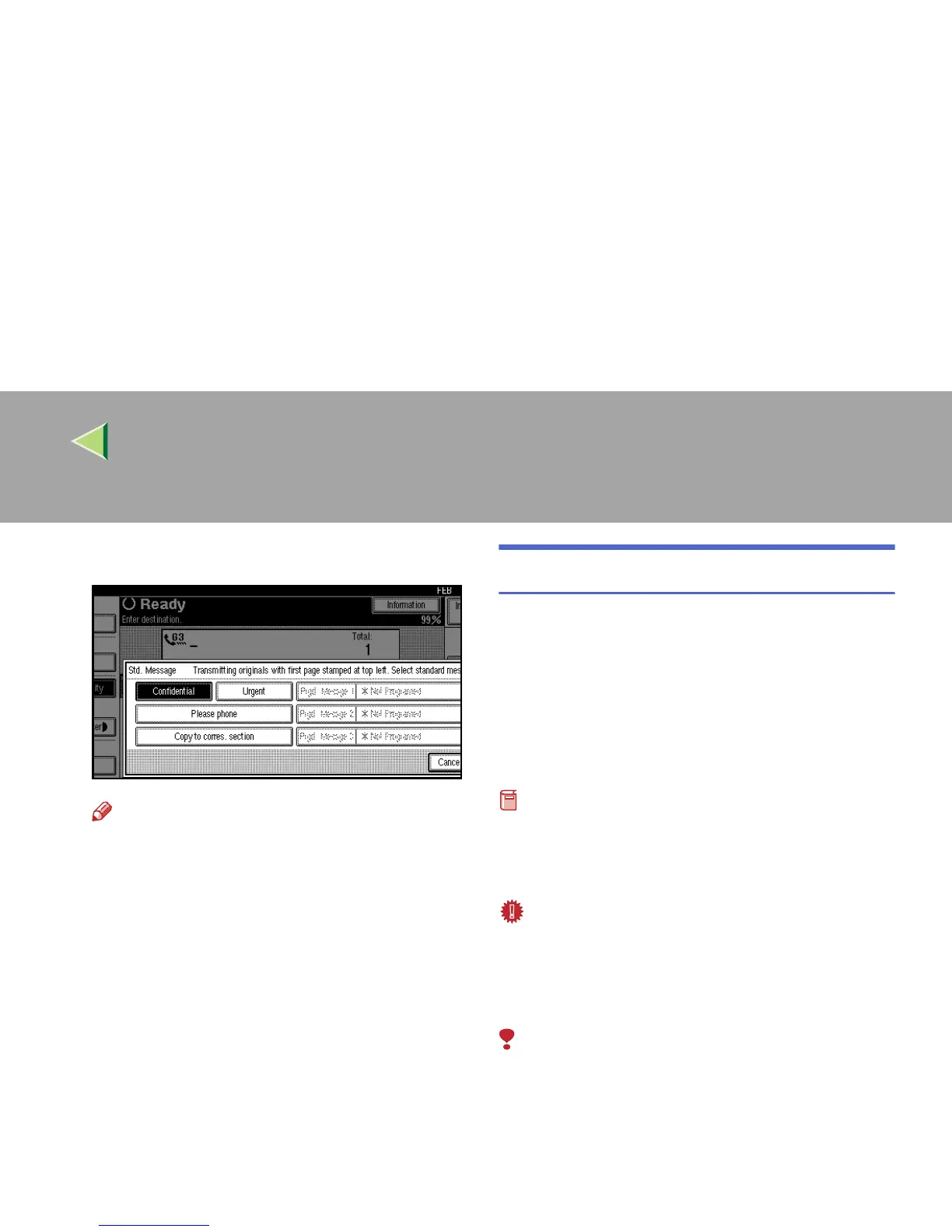
Select the standard message to be stamped.
Note
❒ Programmed standard messages are
shown in the keys. If there are none pro-
grammed, the message “*Not Programed”
is shown.
❒ The machine cannot stamp multiple stan-
dard messages.
E
EE
E
Press [OK].
The [Std. Message] is highlighted, and the se-
lected standard message is shown.
F
FF
F
Press [OK].
G
GG
G
Dial, and then press the {
{{
{Start}
}}
} key.
Sending an Auto Document
If you often have to send a particular page to peo-
ple (for example a map, a standard attachment or
a set of instructions), store that page in the mem-
ory as an Auto Document. This saves rescanning
the document every time you want to send it.
You can fax an Auto Document by itself, or at-
tach it to a normal fax message.
Preparation
❒ You need to program an Auto Document. ⇒
p.179 “Storing and Changing an Auto Docu-
ment”
Important
❒ Whenever you store or change an Auto Doc-
ument, we recommend that you print the Auto
Document list for reference. ⇒ p.187 “Re-
ports/Lists”
Limitation
❒ You can attach one Auto Document to each
transmission.



 To Next Page