73
4. Troubleshooting
Adjusting Volume
You can change the volume of the fol-
lowing sounds the machine makes.
❖
❖❖
❖ On Hook Mode
Sounds when the {
{{
{On Hook Dial}
}}
}
key is pressed.
❖
❖❖
❖ At Transmission
Sounds when the machine sends a
message.
❖
❖❖
❖ At Reception
Sounds when the machine receives
a message.
❖
❖❖
❖ At Dialing
Sounds after pressing the {
{{
{Start}
}}
}
key until the line connects to the
destination.
❖
❖❖
❖ At Printing
Sounds when a received message
has been printed. ⇒ Chapter 5,
“Print Completion Beep” in the
Advanced Features manual
Limitation
❒ Adjusting Volume is not available
with the optional G4 line or the op-
tional Extra G3 line.
Note
❒ You can adjust the On Hook vol-
ume when you press the {
{{
{On Hook
Dial}
}}
} key. ⇒ Chapter 4, “On Hook
Dial” in the Advanced Features
manual
A
AA
A
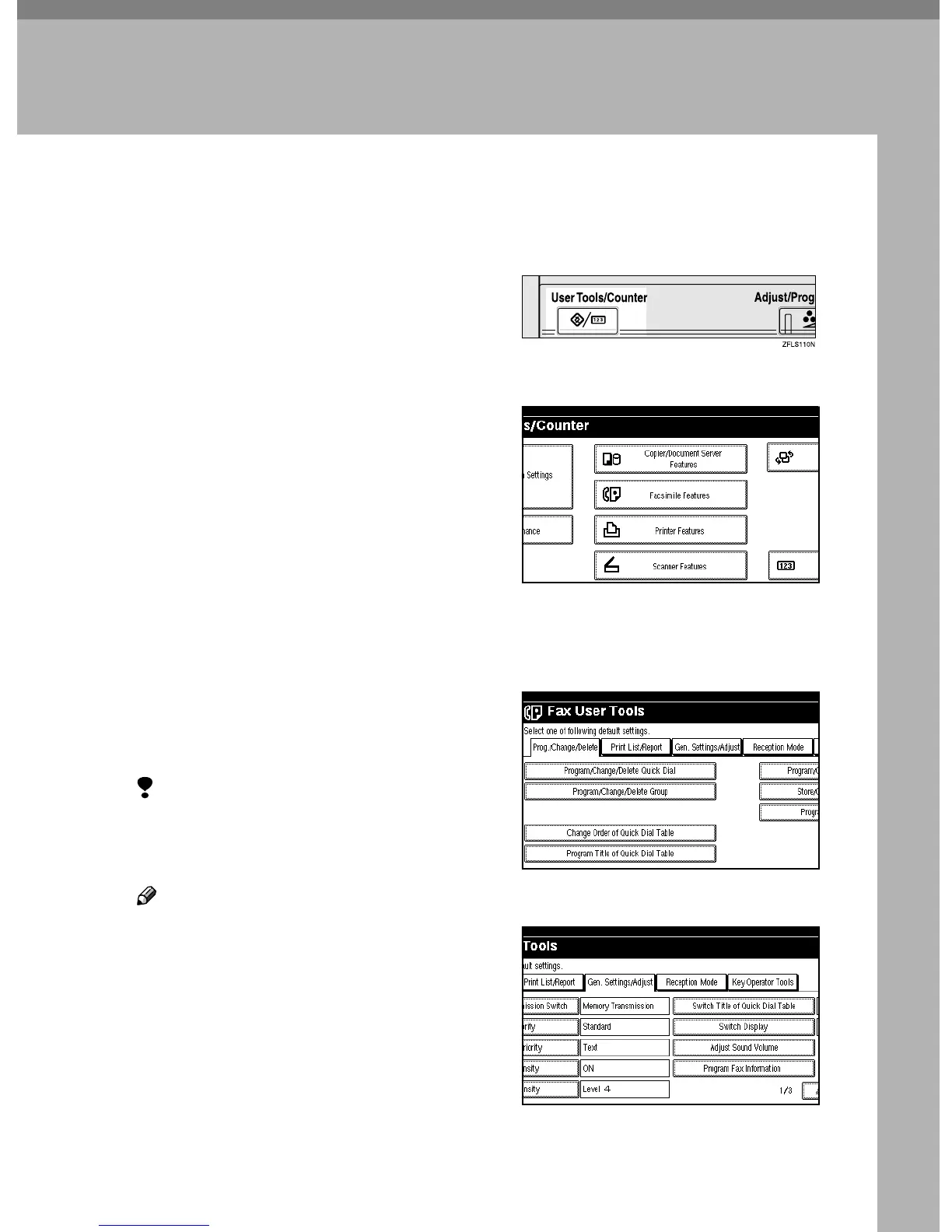
Press the {
{{
{User Tools/Counter}
}}
} key.
B
BB
B
Press [Facsimile Features].
The Facsimile Features menu is
shown.
C
CC
C
Press [Gen. Settings/Adjust].
D
DD
D
Press [Adjust Sound Volume].



 To Next Page