Getting Started
16
2
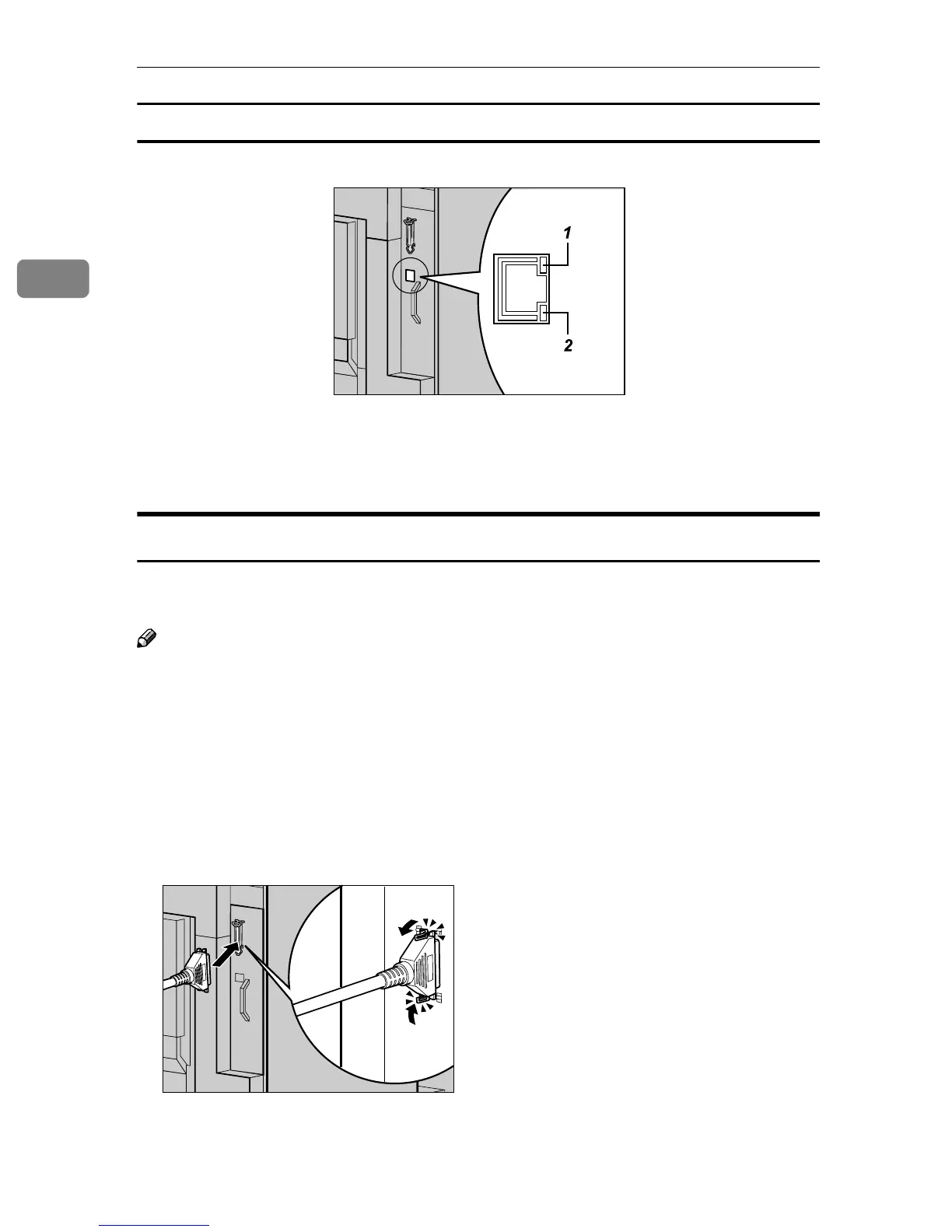
Reading the LED lamps
1. Yellow: Lights up when
100BASE-TX is being used. Turns
off when 10BASE-T is being used.
2. Green: Lights up when the printer
is connected properly to the net-
work.
Parallel Connection
Use an interface cable to connect the printer to the host computer with a parallel
connection. The parallel interface cable is not provided with the printer.
Note
❒ Printer's parallel connection is a standard bidirectional interface. It requires a
standard 36-pin parallel cable compliant with IEEE 1284 and a parallel port
available on the host computer.
❒ Use shielded interface cables. Using a cable other than a shielded cable could
result in radio interference noise.
A
AA
A
Turn off the printer and host computer power.
B
BB
B
Connect the cable to the Parallel Port on the right side of the printer, and
then fasten with both clasps.
ZDJH032J
ZDJH033J



 To Next Page