Initial Settings and Adjustments
49
3
I
II
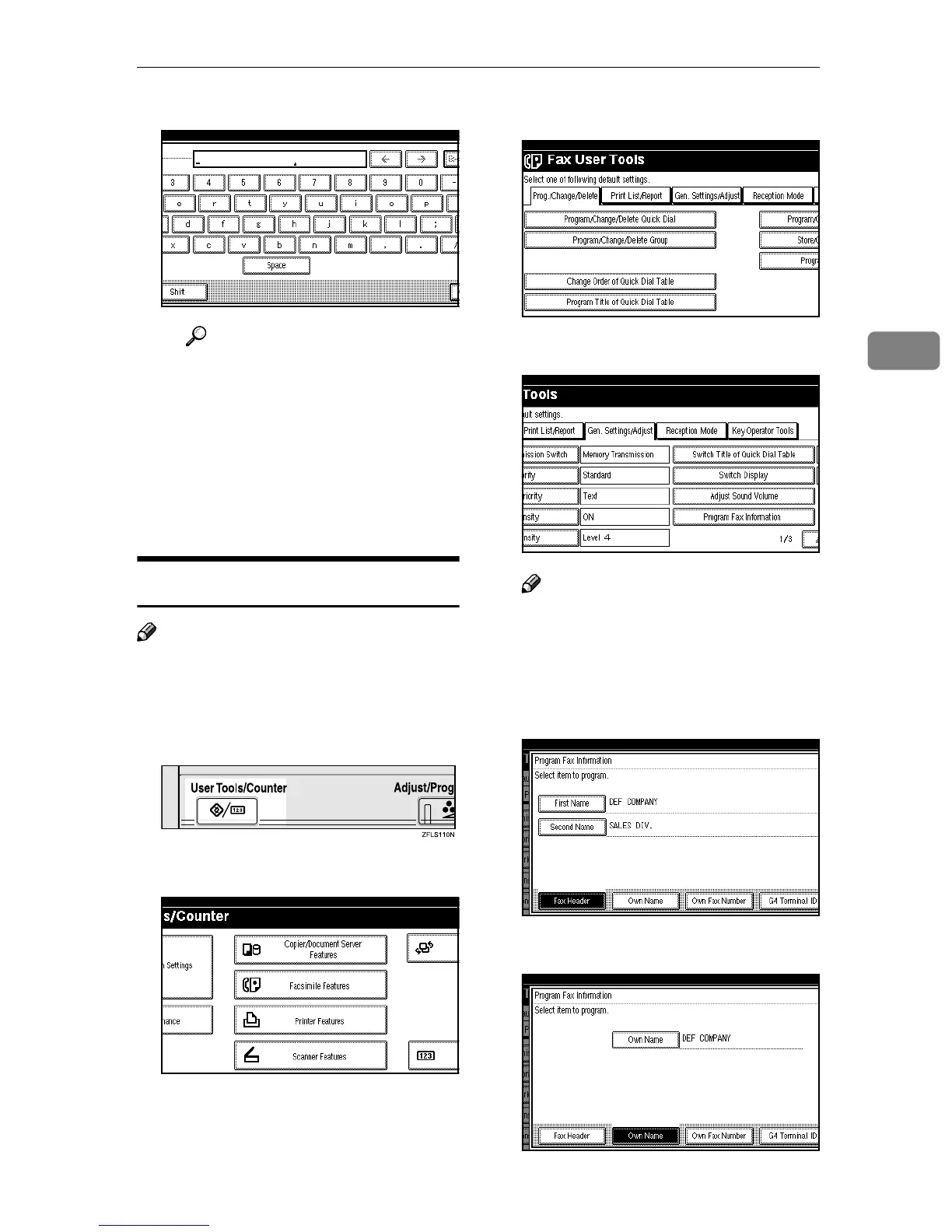
I Enter a terminal name.
Reference
⇒ p.71 “Entering Text”
J
JJ
J Press [OK].
F
FF
F
Press [Exit].
G
GG
G
Press the {
{{
{User Tools/Counter}
}}
} key.
The machine will return to standby
mode.
Editing
Note
❒ The following procedure explains
how to edit Own Name as an ex-
ample.
A
AA
A
Press the {
{{
{User Tools/Counter}
}}
} key.
B
BB
B
Press [Facsimile Features].
The Facsimile Features menu is
shown.
C
CC
C
Press [Gen. Settings/Adjust].
D
DD
D
Press [Program Fax Information].
Note
❒ If “Program Fax Information” is
not shown, press [U
UU
U Prev.] or [T
TT
T
Next].
E
EE
E
Press [Fax Header], [Own Name] or
[Own Fax Number] for editing.
F
FF
F
Press the item you want to edit.



 To Next Page