Operating InstructionsFacsimile Reference (option) <Advanced Features>
179
F
FF
F
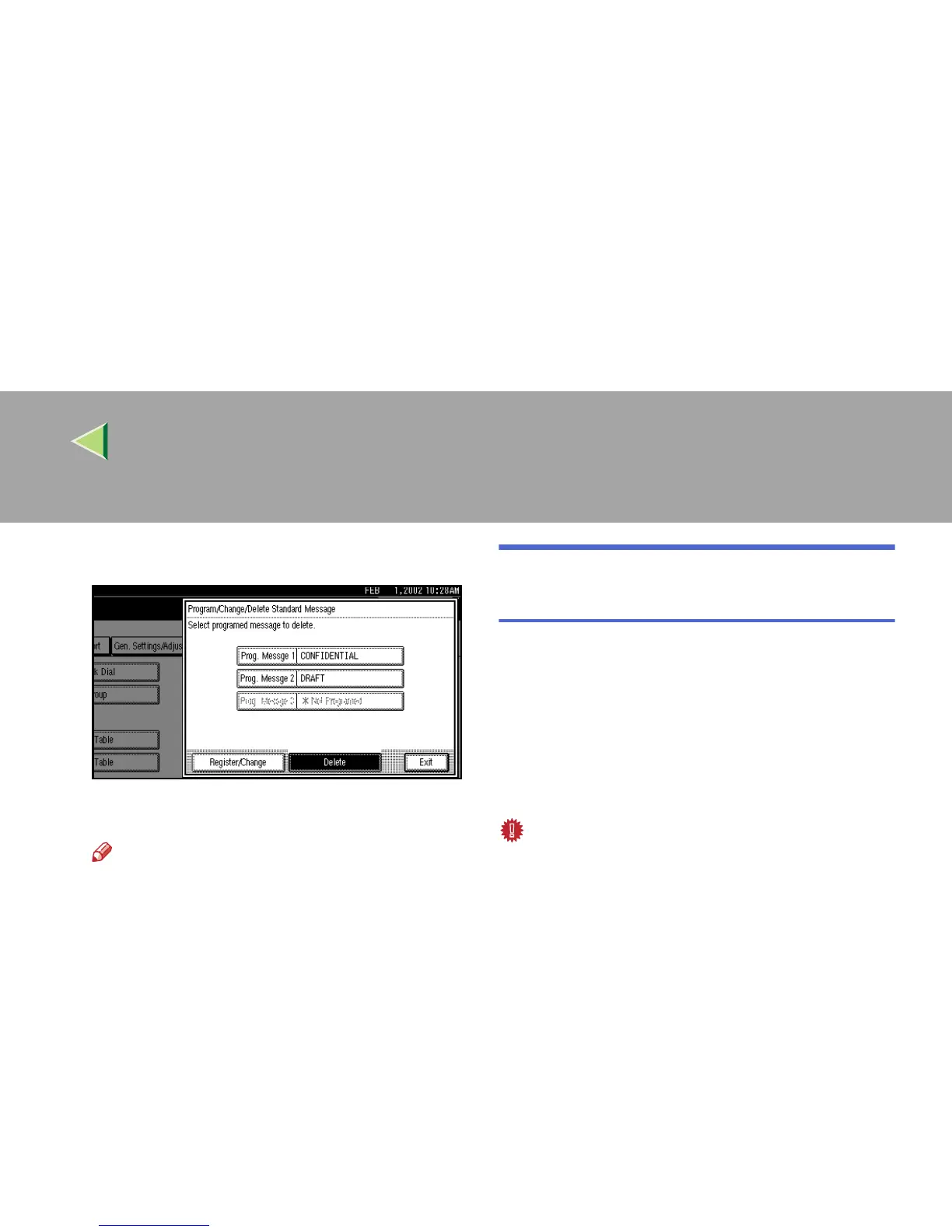
Select the message that you want to delete.
G
GG
G
Press [Delete].
Note
❒ To delete another message, repeat from
step
F
.
❒ To cancel a deletion, press [Do not Delete].
The display will return to step
F
.
H
HH
H
Press the {
{{
{User Tools/Counter}
}}
} key.
The initial display is shown.
Storing and Changing an Auto
Document
If you often have to send a particular page to peo-
ple (for example, a map, a standard attachment, or
a set of instructions), you can store that page in
memory as an Auto Document. This saves rescan-
ning the original every time you wish to send it.
Use the following procedure to program a new
Auto Document or overwrite an existing one.
Important
❒ You can store up to 6 Auto Documents (18 with
the optional Expansion Memory installed).
Each Auto Document can contain one page.
❒ You can store the following items in an Auto
Document:
• Originals (Max 6 Documents; when the op-
tional Fax Function Upgrade Unit is in-
stalled, maximum 18 documents, only one
page per file).
• Scan settings (Resolution, Original Type,
and Image Density)
• Irregular Scan Area
• Document name (up to 16 characters)
❒ We recommend that you print the Auto Docu-
ment list and keep it when you program or
change an Auto Document. ⇒ p.187 “Re-
ports/Lists”



 To Next Page