Sort/Stack/Staple
45
1
❖
❖❖
❖ Inch version
When using the Rotate Sort, Staple, or
Punch functions, the capacity may be
reduced.
Sort
The optional hard disk unit (40 GB) is re-
quired.
Copies can be assembled as sets in se-
quential order.
Limitation
❒ You cannot use the Bypass Tray
with this function.
Note
❒ When the optional 2 Tray Finisher
is installed, you can switch to or
from the Rotate Sort function with
the User Tools. ⇒ “Select Stack or
Rotate sort”, Advanced Features
manual
❒ Regardless of the output tray set-
tings, which automatically be-
comes the shift sort, the copies will
be delivered to the finisher's shift
tray, when the optional 2 Tray Fin-
isher is installed.
❒ The paper sizes that can be used in
the Rotate Sort function are as fol-
lows:
❒ To use the Rotate Sort function,
two paper trays with pages identi-
cal in size and different in direction
(KL) are required.
Reference
For the maximum tray capacity of
the optional 2 Tray Finisher is in-
stalled. ⇒ “Options”, Administra-
tor Reference 2 Copier System
Edition
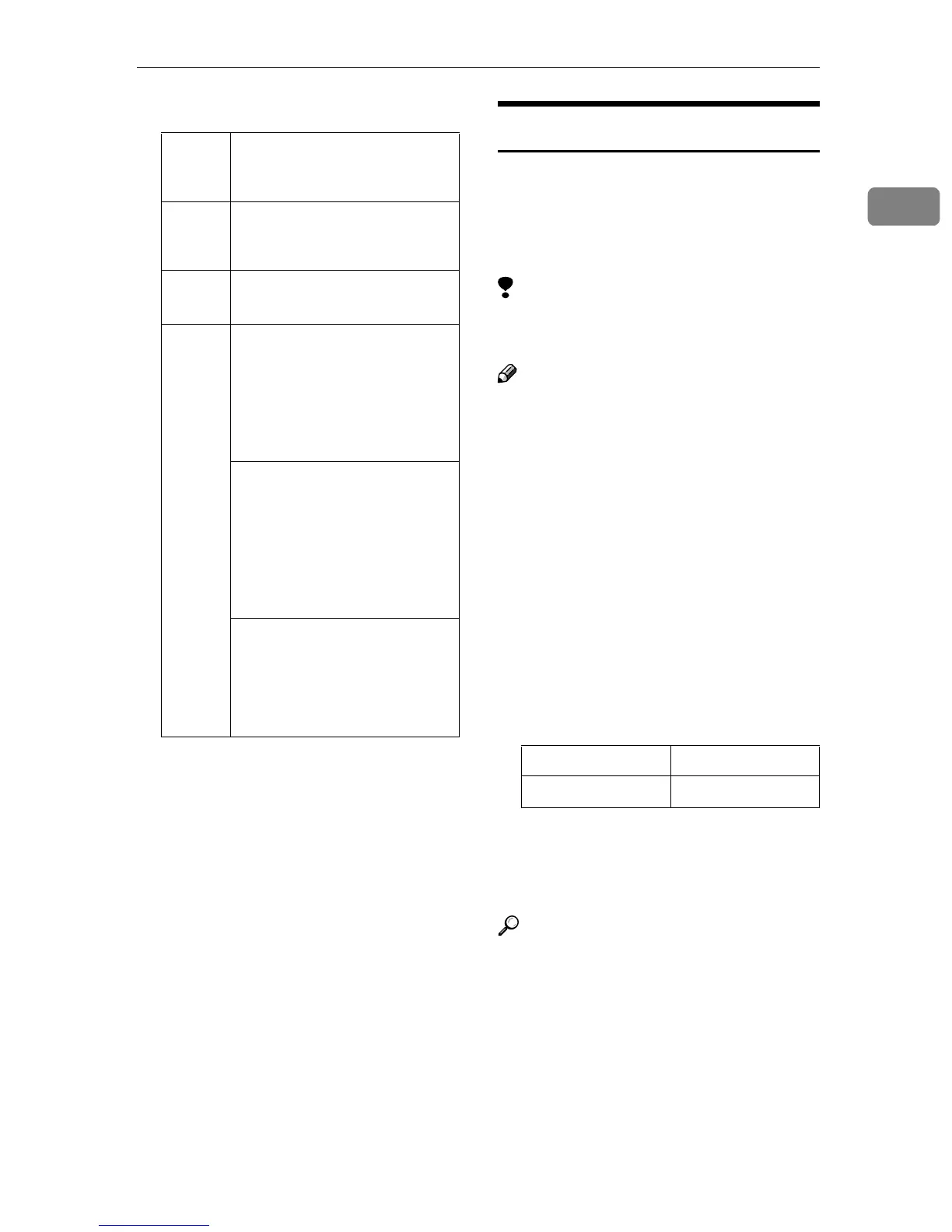
Stan-
dard
Tray
500 sheets (20 lb.)
Exter-
nal
Tray
100 sheets (20 lb.)
Multi-
bin
• Tray 1: 100 sheets (20 lb.)
• Tray 2: 250 sheets (20 lb.)
Op-
tional 2
Tray
Finish-
er
Finisher Shift Tray 1:
8
1
/
2
" × 11"K: 500 sheets (20
lb.)
11" × 17"L, 8
1
/
2
" × 14"L,
8
1
/
2
" × 11"L: 250 sheets (20
lb.)
Finisher Shift Tray 2:
8
1
/
2
" × 11"K: 1500 sheets (20
lb.) (Large capacity mode:2000
sheets (20 lb.))
11" × 17"L, 8
1
/
2
" × 14"L,
8
1
/
2
" × 11"L: 750 sheets (20
lb.)
Staple Tray:
8
1
/
2
" × 11" or smaller: 50
sheets (20 lb.)
8
1
/
2
" × 14" or larger: 30 sheets
(20 lb.)
Metric version A4KL, B5KL
Inch version
8
1
/
2
" × 11"KL



 To Next Page