Operating InstructionsFacsimile Reference (option) <Advanced Features>
115
B
BB
B
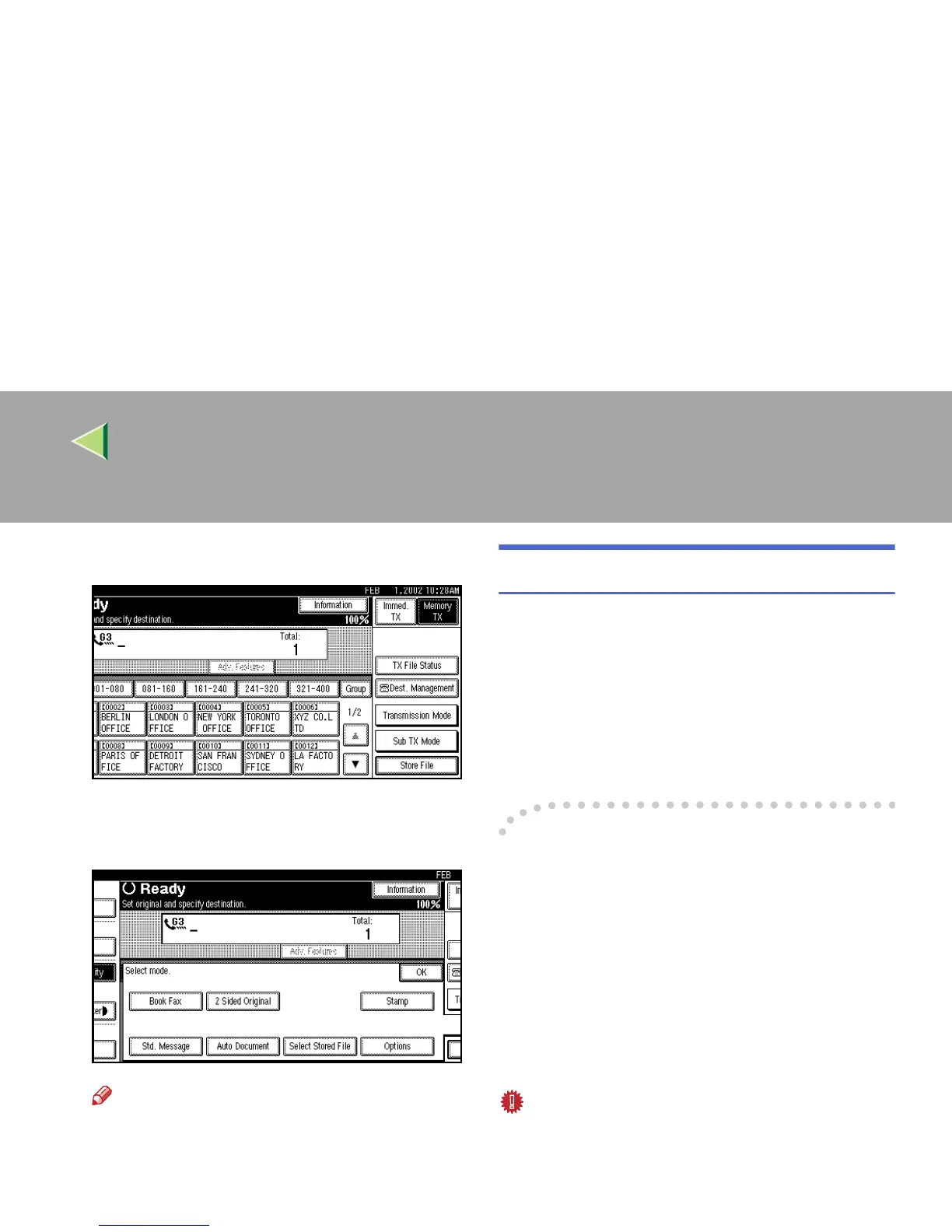
Press [Sub TX Mode].
The Sub Transmission menu is shown.
C
CC
C
Select [Stamp].
Note
❒
To cancel using stamp, press
[
Stamp
]
again.
D
DD
D
Press [OK].
The [Stamp] key is highlighted.
E
EE
E
Dial, and then press the {
{{
{Start}
}}
} key.
Transmission Options
This section describes various features that you
can switch on and off for any particular transmis-
sion by following the procedure at the end of this
section.
In addition, if you frequently use a certain option
configuration, you can change the default home
position (on or off) of each option.
-
--
-Fax Header Print
When the Fax Header is set to “ON”, the stored
name is printed on the receiver's paper.
You can store two Fax Headers: “First Name”
and “Second Name”.
For example, if you store your department name
in one and your organization name in the other,
you could use the first when sending internal fax-
es and the second for external faxes.
Important
❒ In the USA, this must contain the telephone
number of the line your machine is connected
to. It will be printed on the header of every
page you send. Required in the USA.



 To Next Page