Operating InstructionsFacsimile Reference (option) <Advanced Features>
265
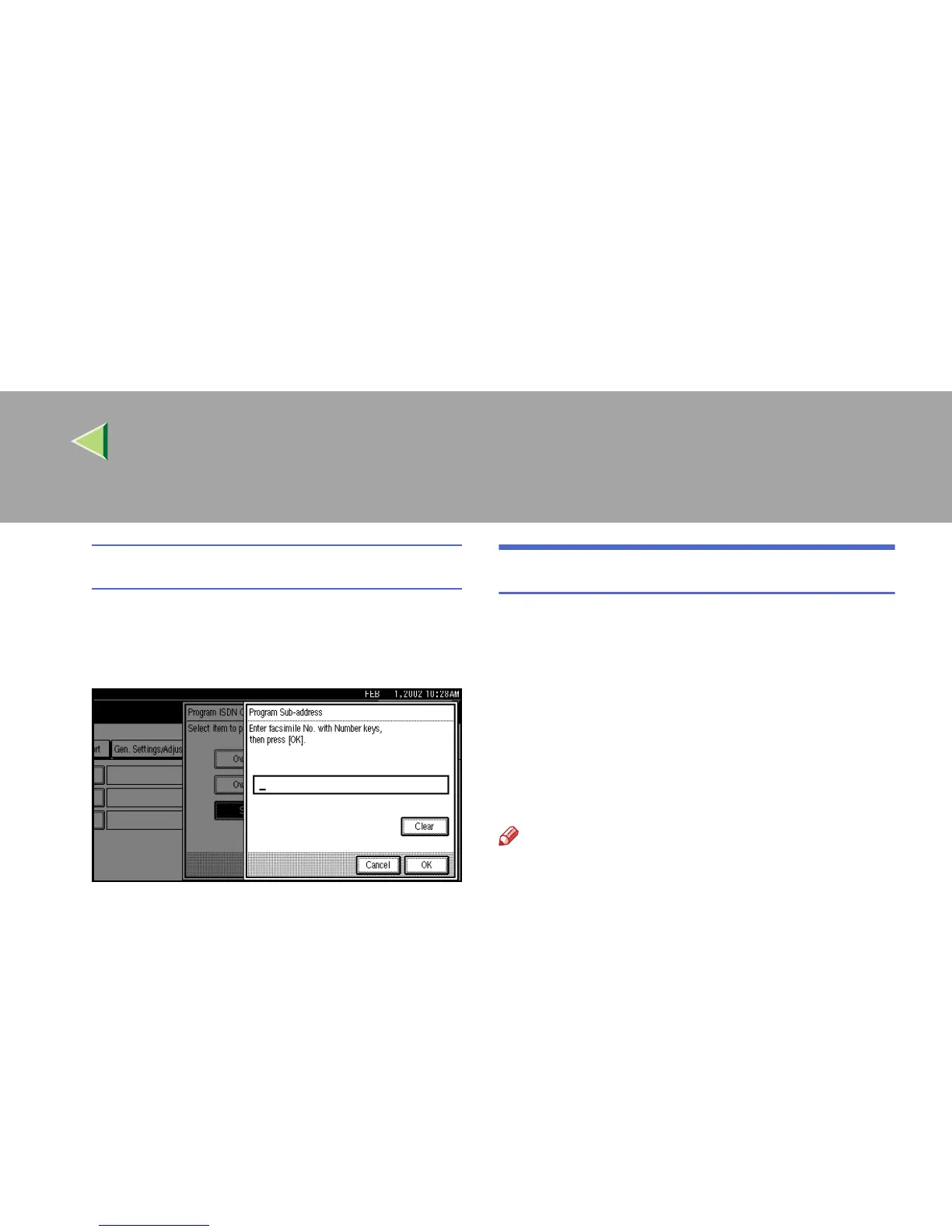
Programming a Sub-address
A
AA
A Select [Sub-address].
B
BB
B Enter a sub-address with the number
keys.
C
CC
C Press [OK].
F
FF
F
Press the {
{{
{User Tools/Counter}
}}
} key.
The initial display is shown.
Programming ISDN G4 Line
The optional ISDN Unit is required.
This function must be set when you connect the
machine to an ISDN G4 digital line.
You can program the following items.
• Own Fax Number 1
• Own Fax Number 2
• Sub-address ⇒ p.86 “Sub-address”
Note
❒ Program Own Fax Number 1 as your own dig-
ital number. Program Own Fax Number 2 as
another digital number which occupies a sin-
gle line.
❒ You should program Own Fax Number 1.
❒ ISDN allows two or more terminals (such as a
fax machine and digital telephone) to be con-
nected to a single line. These terminals are
identified by their sub-address numbers. If the
terminals connected to the line at a destina-
tion are assigned sub-addresses, dialing a
sub-address allows you to direct your fax
message to a particular terminal at the desti-
nation.
❒ Up to 4 digits (0 to 9999) are available for a
sub-address.



 To Next Page