Operating InstructionsFacsimile Reference (option) <Advanced Features>
114
Stamp
The optional Document Feeder (ADF) is re-
quired.
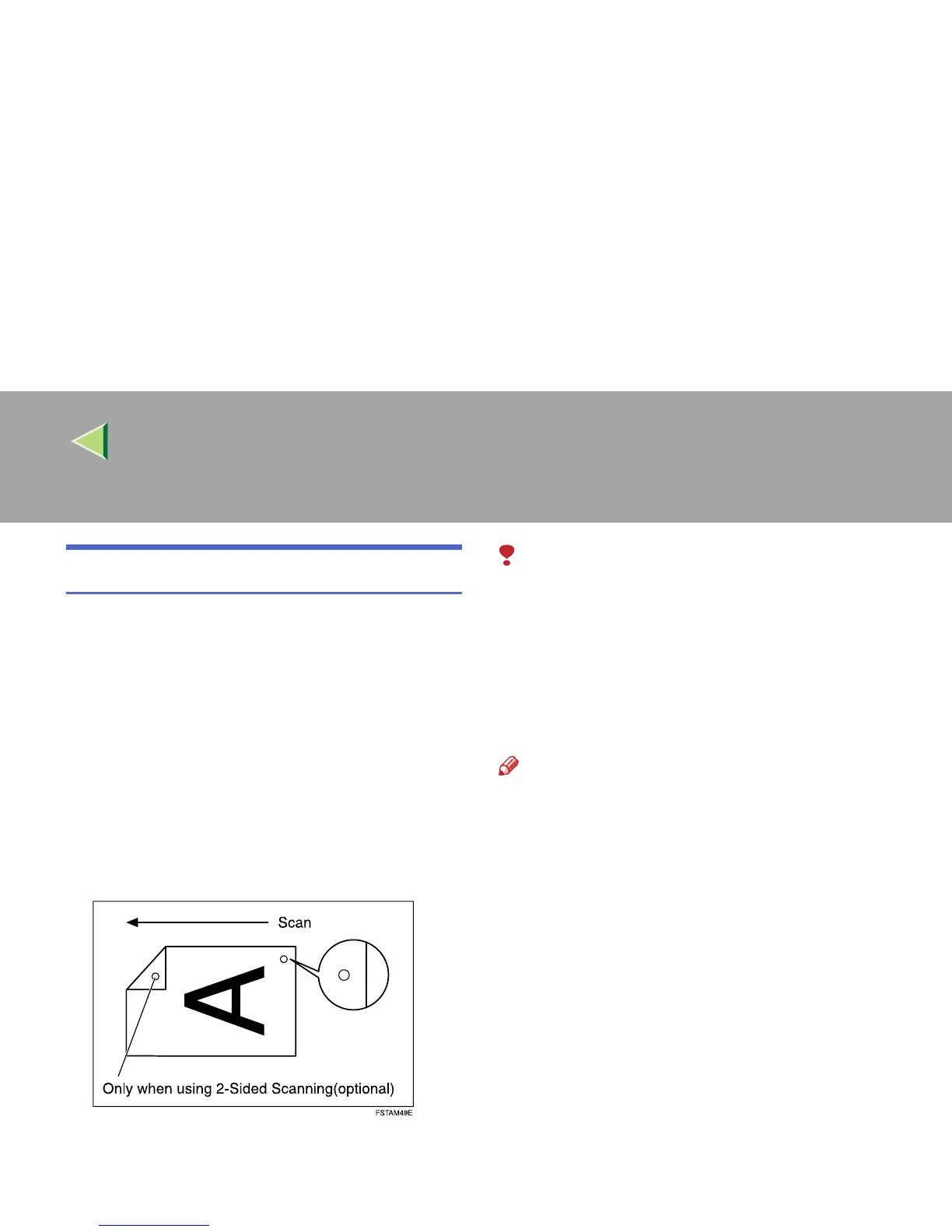
When sending a fax message using the optional
Document Feeder (ADF), the machine can stamp
a circle mark at the bottom of the original. When
sending a 2-sided document, the document is
marked at the bottom of the front page and top of
the rear page. This stamp indicates that the origi-
nal has been successfully stored in memory for
Memory Transmission, or that it has been suc-
cessfully sent for Immediate Transmission.
Limitation
❒ Stamp only works when scanning from the
optional Document Feeder (ADF).
❒ You cannot turn the Stamp feature on or off
while a document is being scanned.
❒ Do not open the optional Document Feeder
(ADF) while scanning a document. A docu-
ment jam could occur.
Note
❒ When the stamp starts getting lighter, replace
the cartridge. ⇒ p.281 “Replacing the Stamp
Cartridge”
❒ If a page was not stamped even though the
Stamp feature is turned on, you need to re-
send that page.
❒ If you use this function often, you can set the
default in p.189 “General Settings/Adjust-
ment” so that this feature is always on. In this
case, Stamp can easily be turned off for any
single transmission by pressing [Stamp].
A
AA
A
Place your original, and then select any
scan settings you require.



 To Next Page