Operating Instructions Maintenance Guide 2 Copier System Edition
36
D
DD
D
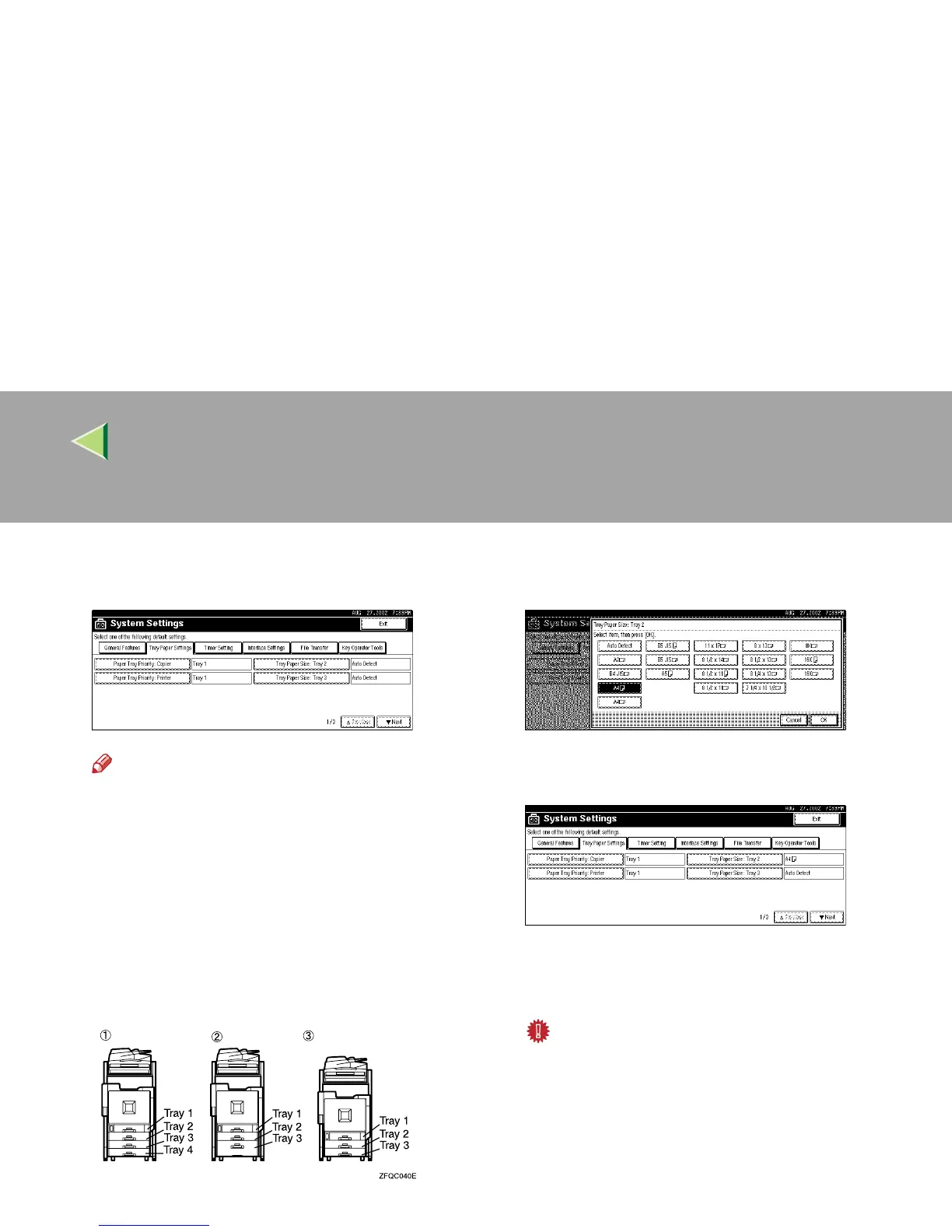
Select the tray for which you want to
change the paper settings.
Note
❒ When the optional paper trays are in-
stalled, [Tray Paper Size: Tray 3] and [Tray Pa-
per Size: Tray 4] are displayed.
A When the PAPER FEED UNIT Type
3800C (500 × 2) is installed
B When the PAPER FEED UNIT Type
3800C (500 × 1) is installed
C When the Paper Bank PS470 (2000-
sheet Large Capacity Tray) is installed
E
EE
E
Select the loaded paper size and feed direc-
tion, and then press [OK].
The set paper size and feed direction is dis-
played.
F
FF
F
Press the {
{{
{User Tools/Counter}
}}
} key.
The initial display is shown.
Important
❒ If you want to print on paper that is select-
ed automatically after printing on paper
with a size that is not selected automatical-
ly, you must return the setting to "Auto De-
tect". Reload the paper, repeat to step
A
to
D
, and select "Auto Detect" in step
E
. The
setting is returned to "Auto Detect".



 To Next Page