Faxing
28
2
C
CC
C
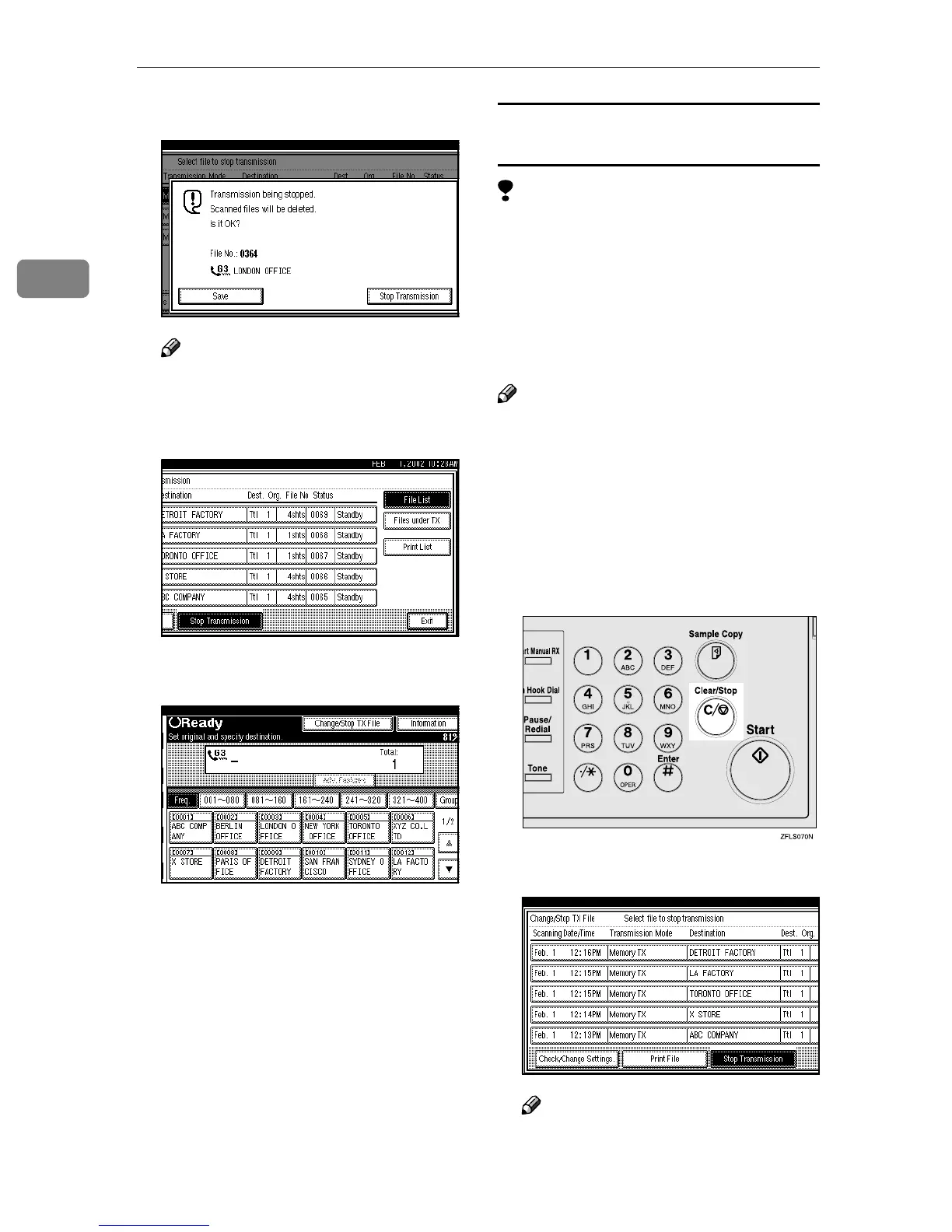
Press [Stop Transmission].
Note
❒ To cancel another file, repeat
steps
B
and
C
.
D
DD
D
Press [Exit].
The machine will return to the
standby mode.
Canceling a transmission using the
{
{{
{Clear/Stop}
}}
} key
Limitation
❒ You cannot cancel the pages which
already have been sent to the desti-
nation even if you cancel a trans-
mission.
❒ If the transmission finishes while
you are carrying out this proce-
dure, it will not be canceled.
Note
❒ If you cancel a message while it is
being sent, the transmission is halt-
ed as soon as you finish this proce-
dure. However, some pages of
your message may have already
been sent and may have been re-
ceived at the other end.
A
AA
A
Press the {
{{
{Clear/Stop}
}}
} key.
B
BB
B
Select the file you want to cancel.
Note
❒ If the desired file is not shown,
press [U
UU
U Prev.] or [T
TT
T Next].



 To Next Page