Copying from the Bypass Tray
33
1
C
CC
C
Gently insert the copy paper face
up until the beeper sounds.
The k
kk
k indicator on the display au-
tomatically goes on.
Note
❒ Do not stack paper over the lim-
it mark, otherwise a skewed im-
age or paper misfeeds might
occur.
❒ If the beeper is turned off, the
beeper does not sound. Gently
insert the copy paper until it
stops.
❒ Swing out the extender to sup-
port paper sizes larger than
A4L, 8
1
/
2
" × 11"L.
❒ Fan the paper to get air between
the sheets to avoid a multi-sheet
feed.
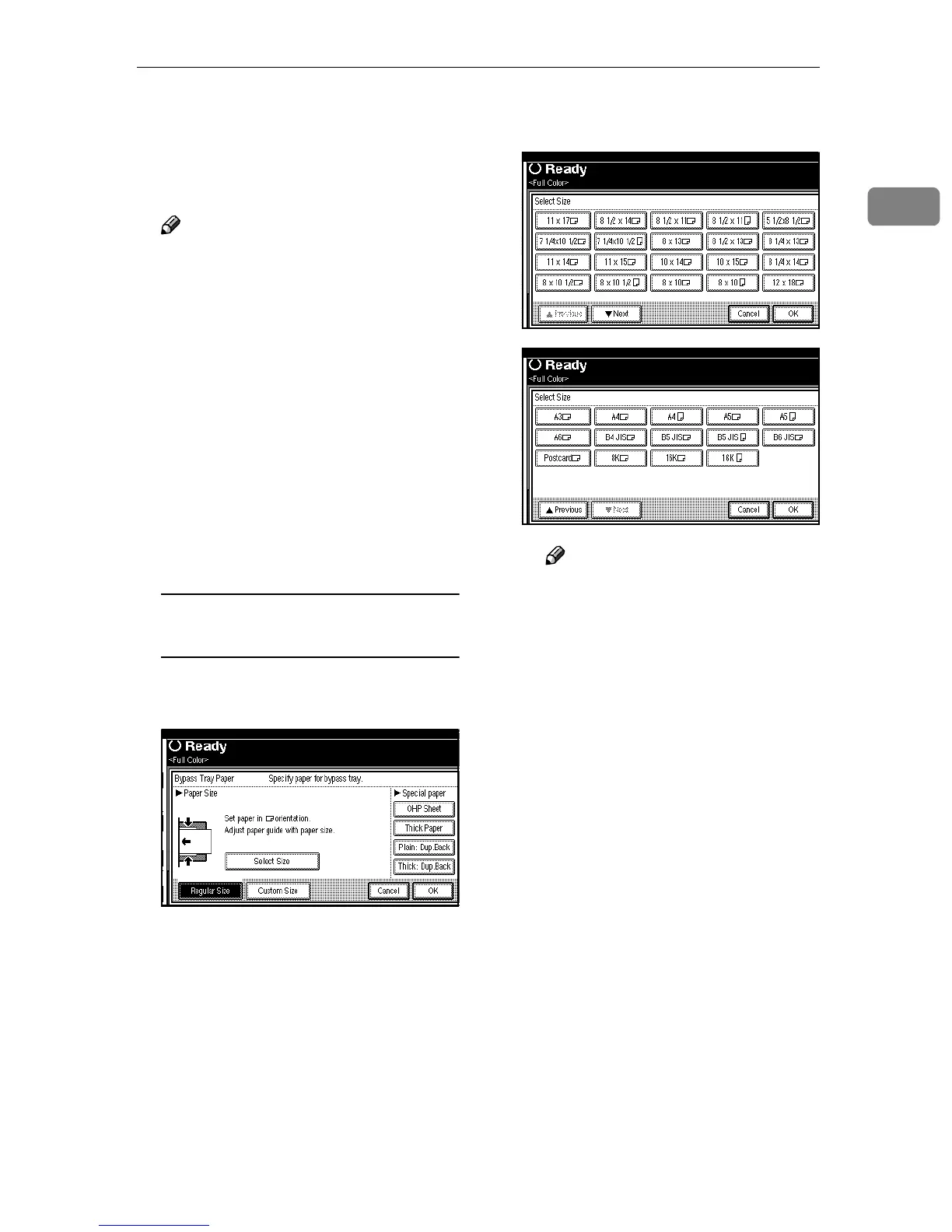
When copying onto standard size
paper
A Press the {
{{
{#}
}}
} key.
B Press [Select Size].
C Select the paper size, and then
press [OK].
Note
❒ The copy paper sizes that can
be selected are as follows:
•
A3L, A4KL, A5KL
,
A6L, B4 JISL, B5 JISKL,
B6L, PostcardL, 8KL,
16KKL, 11×17L, 8
1
/
2
×14L,
8
1
/
2
×11
KL, 5
1
/
2
×8
1
/
2
L,
7
1
/
4
×10
1
/
2
KL, 8×13L,
8
1
/
2
×13L, 8
1
/
4
×13L,
11×14L, 11×15L, 10×14L,
10× 15L, 8
1
/
4
× 14L,
8×10
1
/
2
KL, 8×10KL ,
12×18L
❒ When copying on 12×18
sized paper, the image will
be moved to the center and
copied.
D Press [OK] twice.
D
DD
D
Place your originals, and then
press the {
{{
{Start}
}}
} key.
E
EE
E
When your copy job is finished,
press the {
{{
{Clear Modes}
}}
} key to
clear the setting.



 To Next Page