Operating InstructionsFacsimile Reference (option) <Advanced Features>
191
❖
❖❖
❖ Quick Operation Key
Frequently used features that are programmed
as Quick Operation Keys are shown on the
menu immediately after the power is turned
on.
The Quick Operation Keys can be pro-
grammed with the following functions.
Journal, TX File Status, Print Conf. RX, Print
Memory Lock, Stored File, Send Later, Auto
Document, 2 Sided Original, Closed Net-
work, Polling TX, Polling RX, Fax Header
Print, Label Insertion, Dest. Management,
Forwarding, Transfer Request
Up to three functions can be programmed in
Quick Operation Keys.
A
AA
A
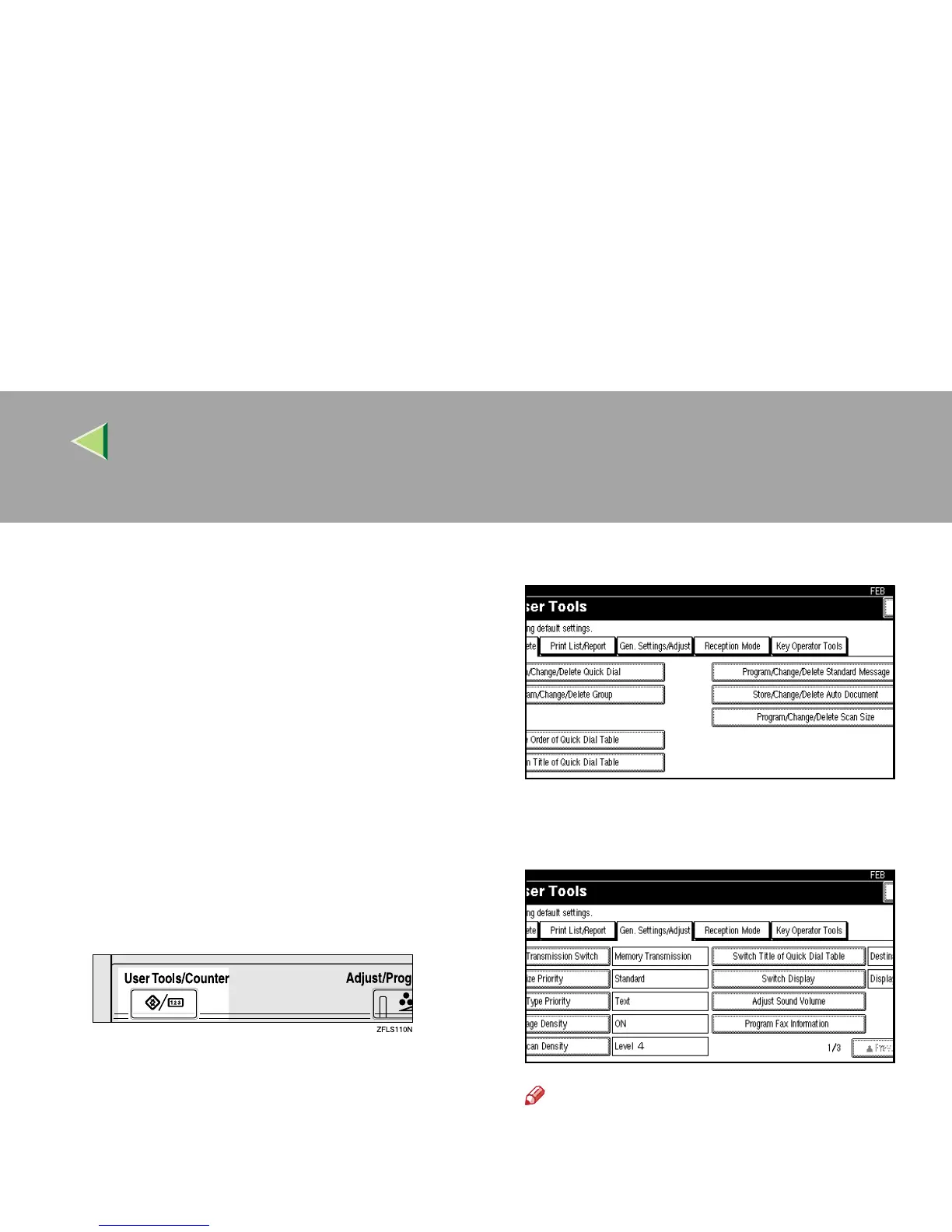
Press the {
{{
{User Tools/Counter}
}}
} key.
B
BB
B
Press [Facsimile Features].
The Facsimile Features menu is shown.
C
CC
C
Select [Gen. Settings/Adjust].
The General Settings/Adjust menu is shown.
D
DD
D
Select a function you want to specify.
Note
❒ If you make a mistake, press [Clear] or the
{
{{
{Clear/Stop}
}}
} key, and try again.
❒ If the function you want to specify is not
shown, press [U
UU
U Prev.
] or [T
TT
T Next
].



 To Next Page