Operating InstructionsFacsimile Reference (option) <Advanced Features>
83
Note
❒ Polling ID's of the Requesting Party (this ma-
chine) and Transfer Stations must be identi-
cal.
❒ You can specify up to 500 Transfer Stations in
a Transfer Request. However, you can only
specify up to 50 Transfer Stations from the
number keys.
❒ You can have up to 30 End Receivers per
Transfer Station. If you specify a Transfer Sta-
tion Group, the Group counts as a single re-
ceiver.
❒ The combined total of End Receivers and
Transfer Stations you specify with the number
keys cannot exceed 100. ⇒ Chapter 2, “Num-
ber keys” in the Basic Features manual
A
AA
A
Place your original, and then select any
scan settings you require.
B
BB
B
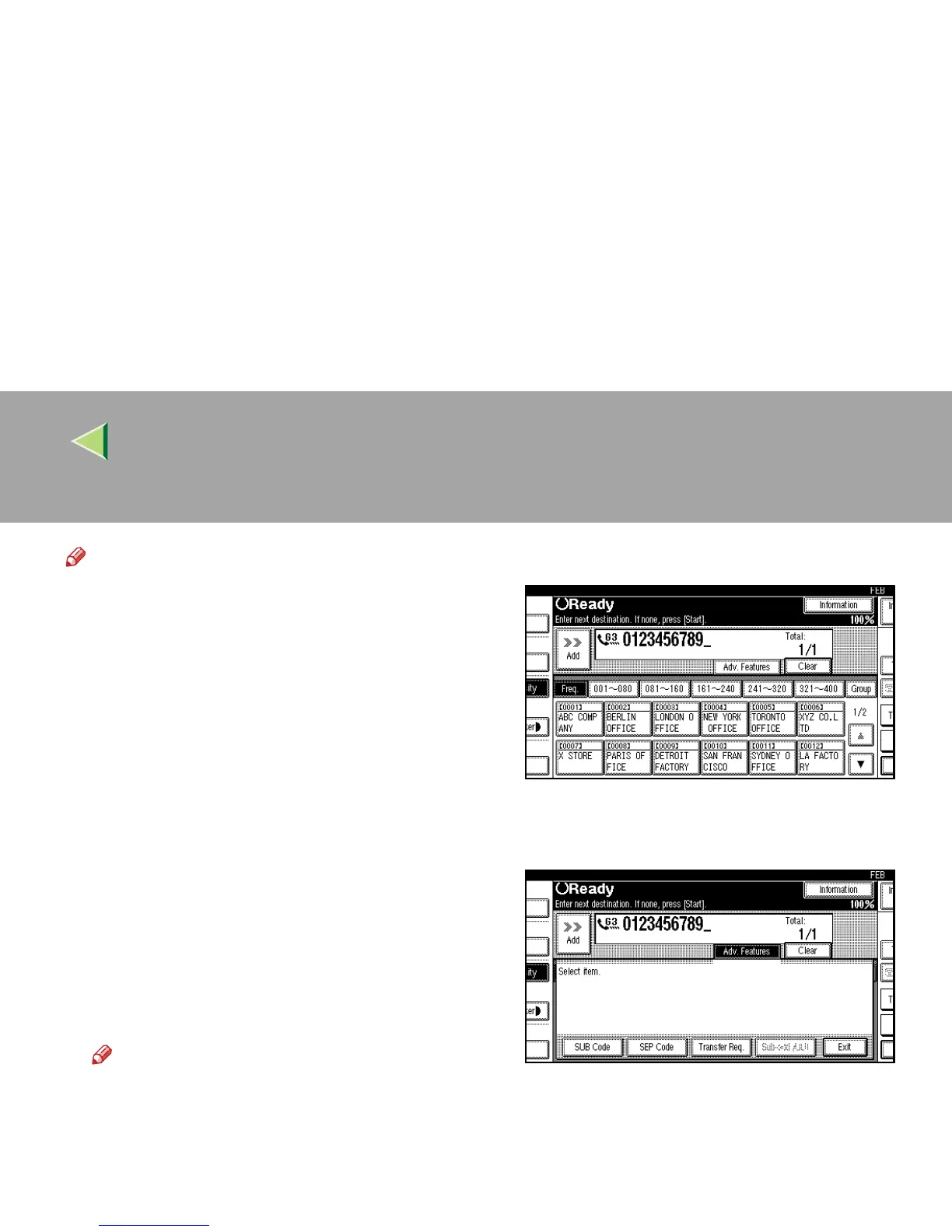
Dial a Transfer Station.
Note
❒ Enter the fax numbers of the Transfer Sta-
tions with either Quick Dials or the number
keys.
❒ If you make a mistake, press [Clear] or the
{
{{
{Clear/Stop}
}}
} key and try again.
C
CC
C
Press [Adv. Features].
The advanced features menu is shown.
D
DD
D
Select [Transfer Req.].



 To Next Page