Operating InstructionsFacsimile Reference (option) <Advanced Features>
97
D
DD
D
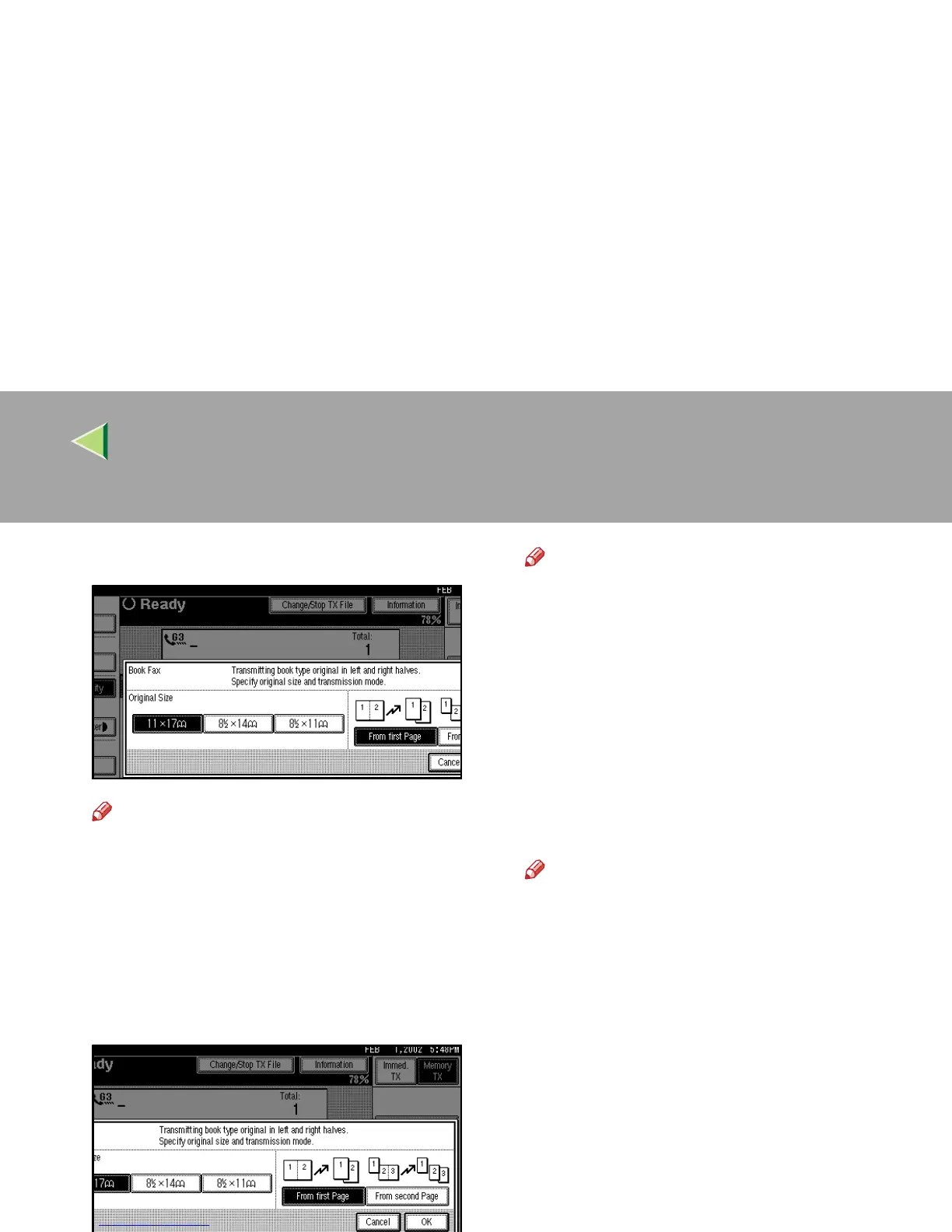
Select the size of the original.
Note
❒ To cancel this mode, press [
Cancel
]. The
display will return to step
C
.
❒ If you choose 11"×17", the original will be
sent using Image Rotation Transmis-
sion.⇒ p.125 “Transmission with Image
Rotation”
E
EE
E
Select [From first Page] or [From second
Page].
Note
❒ Select “From first Page” to send a book
original from the first page.
❒ Select “From second Page” if you want to
send a cover letter as the first page.
F
FF
F
Press [OK].
The [Book Fax] key is highlighted, and the se-
lected original size is shown.
G
GG
G
Press [OK].
H
HH
H
Dial, and then press the {
{{
{Start}
}}
} key.
Note
❒ With multiple originals, place the following
originals again, and then press the {
{{
{Start}
}}
}
key repeatedly.
❒ After the last original has been scanned,
press [#].
❒ If [#] is not pressed, the machine will auto-
matically start sending the documents, 60
seconds after the last original has been
scanned.



 To Next Page