Operating InstructionsFacsimile Reference (option) <Advanced Features>
104
B
BB
B
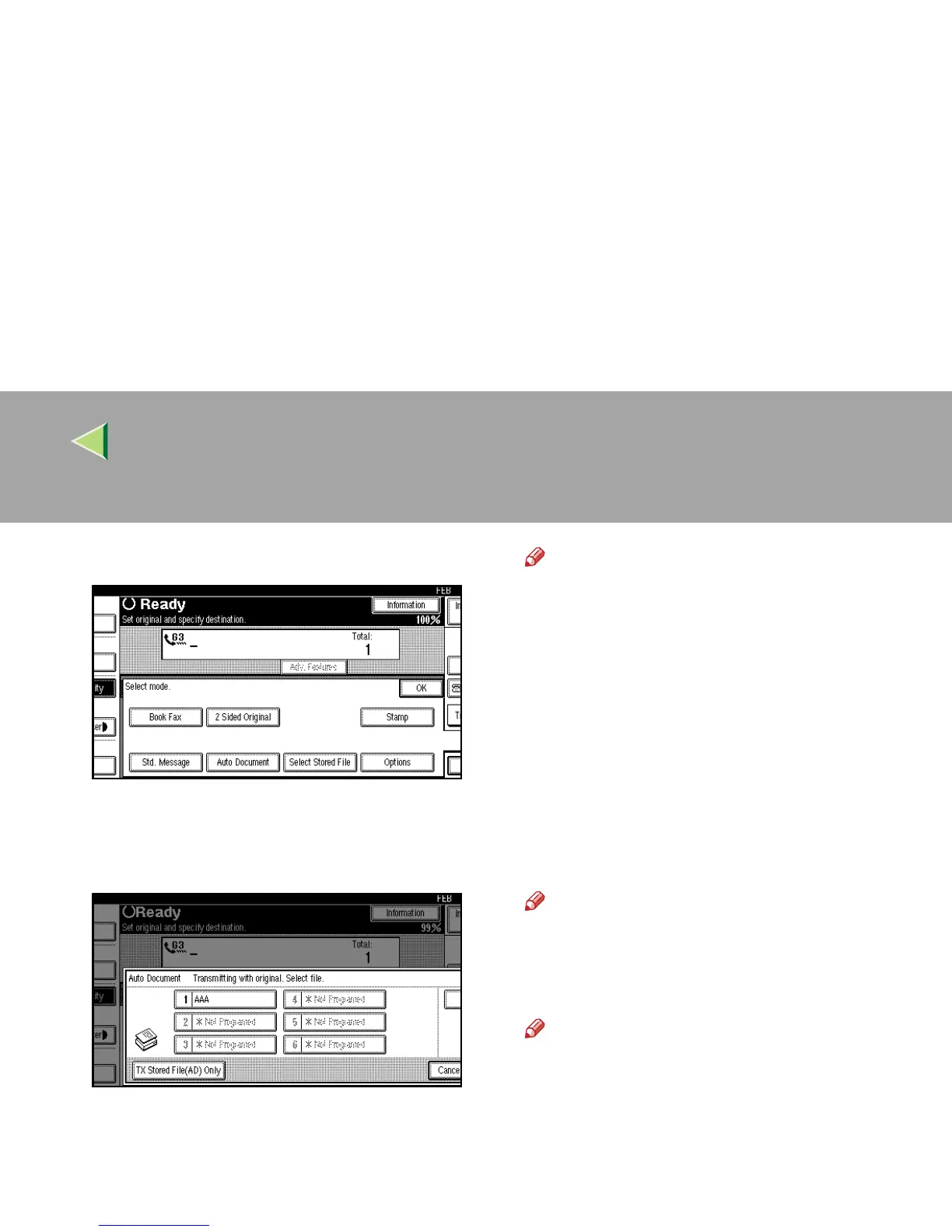
Select [Auto Document].
C
CC
C
Select Auto Document file to be printed.
When you fax an Auto Document by itself,
press [TX Stored File(AD) Only].
Note
❒ Programmed Auto Documents are shown
in the keys. If there are none programmed,
the message “*Not Programed” is shown.
❒ If a desired file is not shown, press [U
UU
U
Prev.] or [T
TT
T Next].
❒ To cancel the Auto Document, press [Can-
cel]. The display will return to step
B
.
D
DD
D
Press [File Print].
E
EE
E
Press the {
{{
{Start}
}}
} key.
Once the printing has been completed, the dis-
play will return to step
C
.
Note
❒ To cancel printing, press [Cancel]. The dis-
play will return to step
C
.
F
FF
F
Press [Cancel].
Note
❒ You can also send Auto Documents. ⇒
p.101 “Sending an Auto Document”
G
GG
G
Press [OK].
The initial display is shown.



 To Next Page