Operating InstructionsFacsimile Reference (option) <Advanced Features>
162
B
BB
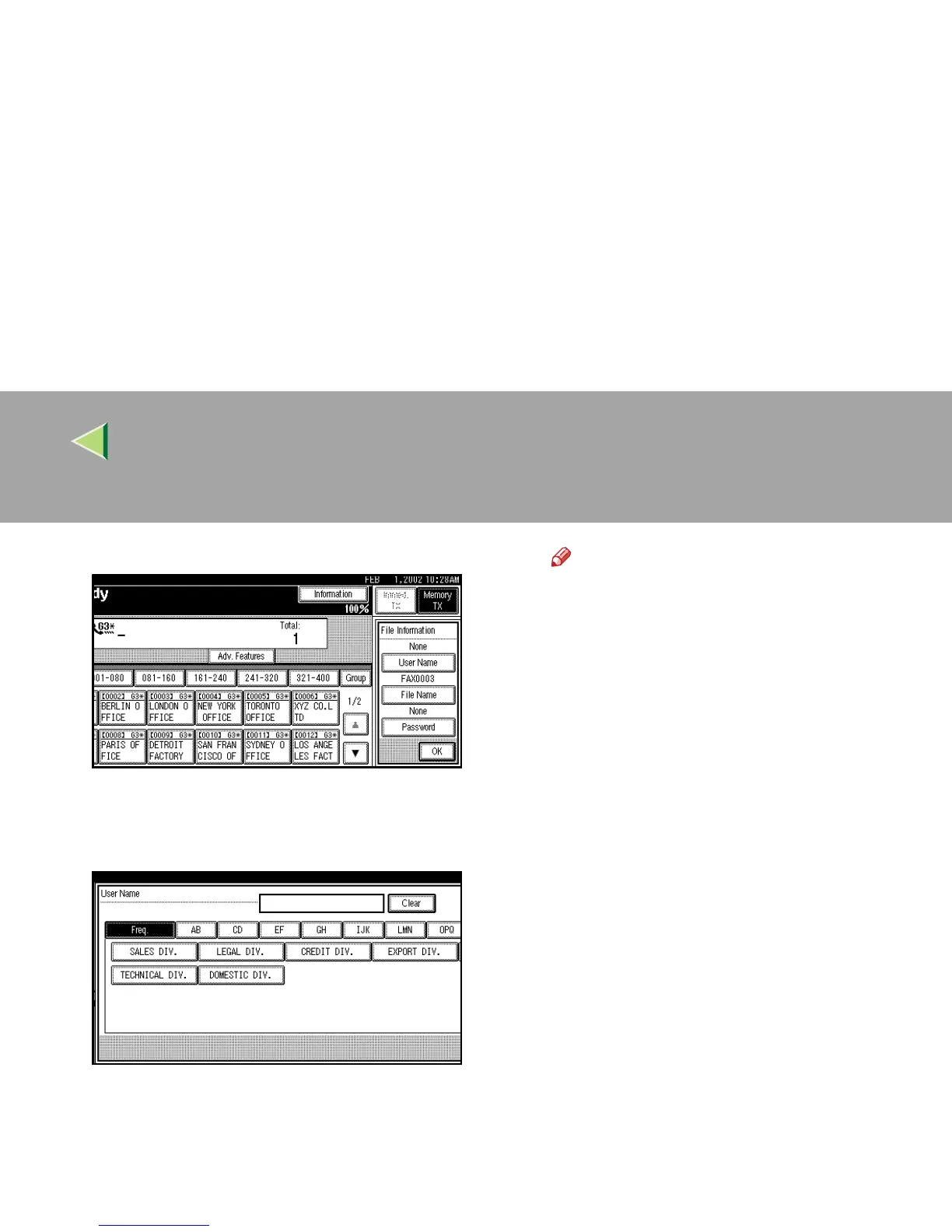
B Press [User Name].
The User Name change menu is shown.
C
CC
C Press the User Name to be pro-
grammed.
The User Names that are programmed in
the User Code are shown.
Note
❒ Press [U
UU
U Prev.
] or [T
TT
T Next
] to search for
the set User Name when it is not dis-
played.
❒ Press the title key to switch between ti-
tles.
❒ To set an unprogrammed User Name,
press [Non-programed Name], and then
enter the name. User Names that are
entered by pressing the [Non-programed
Name] key are not programmed into the
User Code.
D
DD
D Press [OK].
The specified User Name is shown.
E
EE
E Press [OK].



 To Next Page