Operating InstructionsFacsimile Reference (option) <Advanced Features>
168
C
CC
C
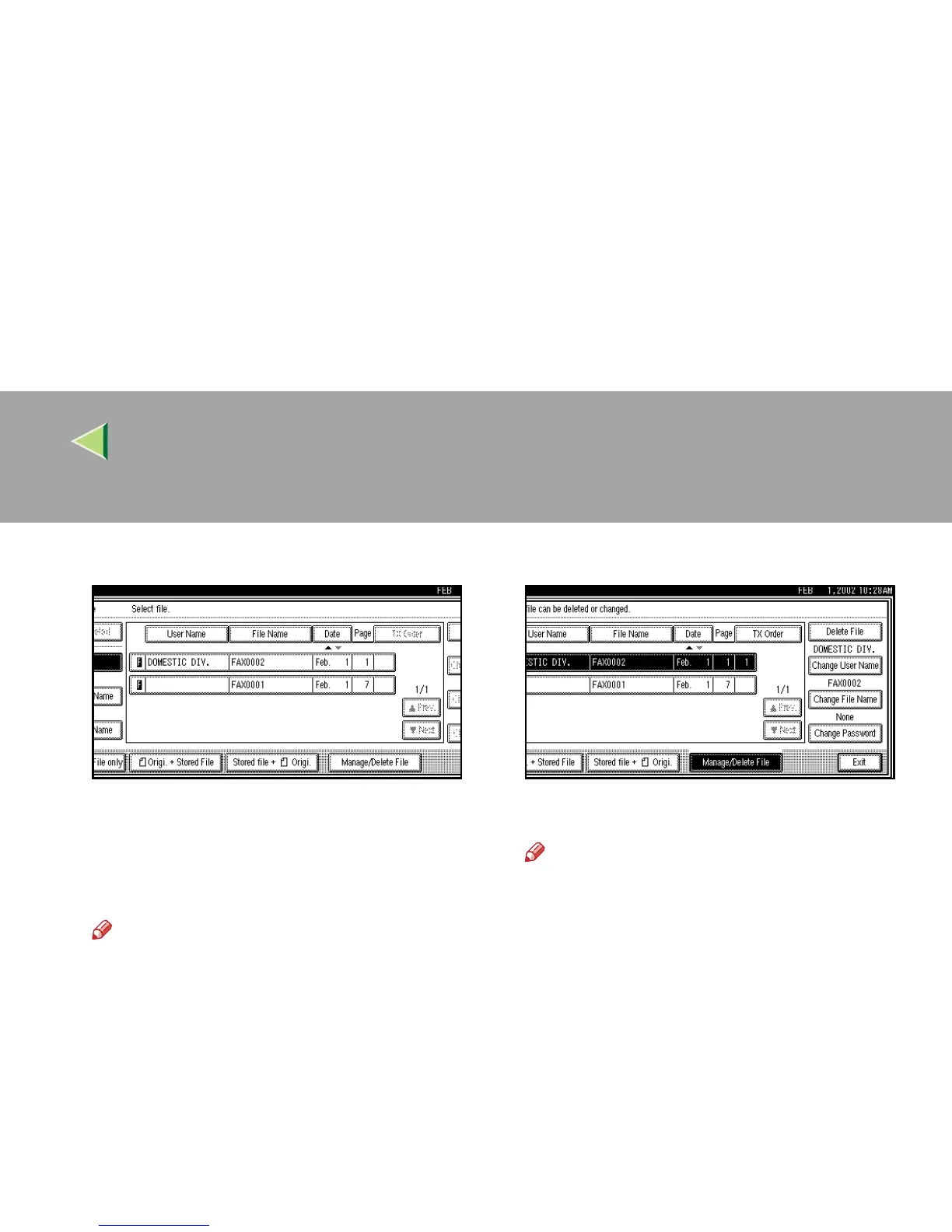
Select [Manage/Delete File].
D
DD
D
Press the document you want to delete.
Press [U
UU
U Prev.] or [T
TT
T Next] to search for the
User Name to be changed when it is not dis-
played.
Note
❒ Enter the password when the Password
setting menu is shown.
E
EE
E
Press [Delete File].
F
FF
F
Press [Delete].
Note
❒ If you do not want to delete the document,
press [Do not Delete.].
G
GG
G
Press [Exit].
H
HH
H
Press [OK].
The initial display is shown.



 To Next Page