Operating InstructionsFacsimile Reference (option) <Advanced Features>
243
D
DD
D
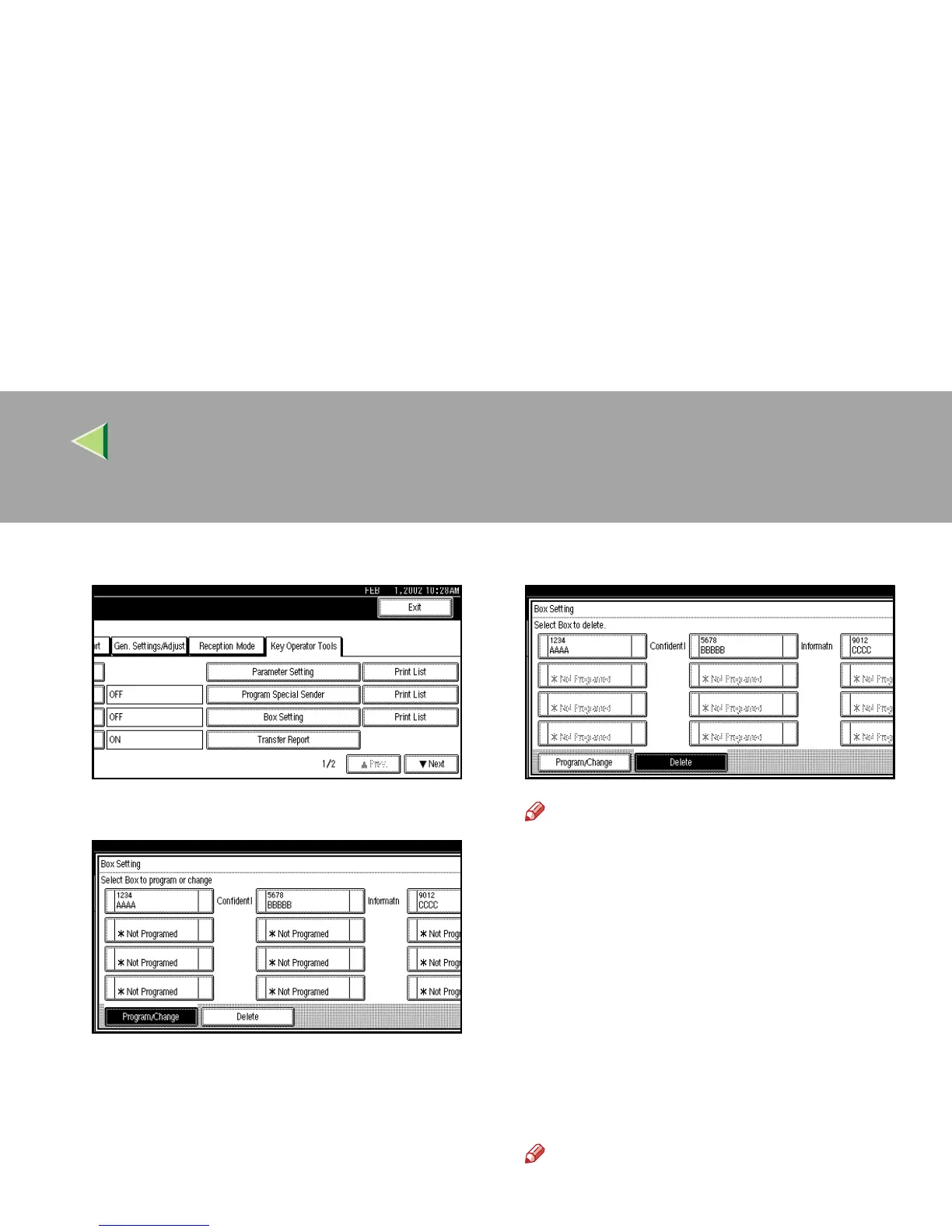
Select [Box Setting].
E
EE
E
Press [Delete].
F
FF
F
Select a box you want to delete.
Note
❒ If the desired box is not shown, press [U
UU
U
Prev.
] or [T
TT
T Next
].
❒ When selecting a file set with a password,
the password input screen is displayed.
Enter the password using the number keys
and press [
OK
]. If you enter an incorrect
number, press [
Clear
] or the {
{{
{Clear/Stop}
}}
}
key to delete the entered numbers. Press
[Cancel] to cancel file selection.
G
GG
G
Press [Delete].
The box is deleted and “*Not Programed” is
shown.
Note
❒ To cancel deleting a box, press [
Do not De-
lete
]. The display will return to step
F
.



 To Next Page