Operating InstructionsFacsimile Reference (option) <Advanced Features>
245
D
DD
D
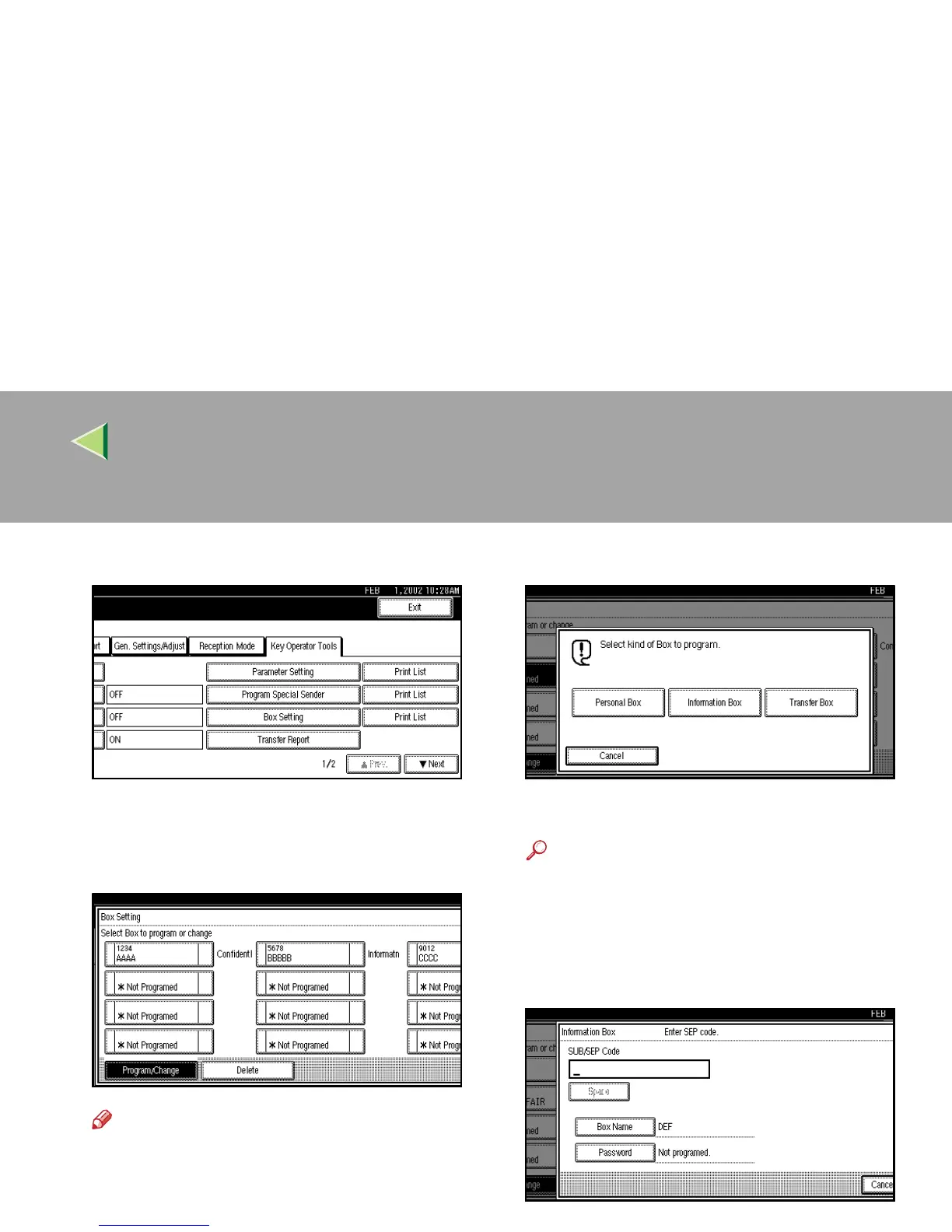
Select [Box Setting].
E
EE
E
Select a box to program.
When programming a new box, press “*Not
Programed”.
Note
❒ To change a box already programmed,
press it, and then go to step
I
.
❒ If the desired box is not shown, press [U
UU
U
Prev.] or [T
TT
T Next].
F
FF
F
Press [Information Box].
G
GG
G
Enter a Box Name.
Reference
❒ ⇒ Chapter 3, “Entering Text” in the Basic
Features manual
H
HH
H
Press [OK].
I
II
I
Enter a SEP Code.



 To Next Page