Operating Instructions Maintenance Guide 2 Copier System Edition
88
C
CC
C
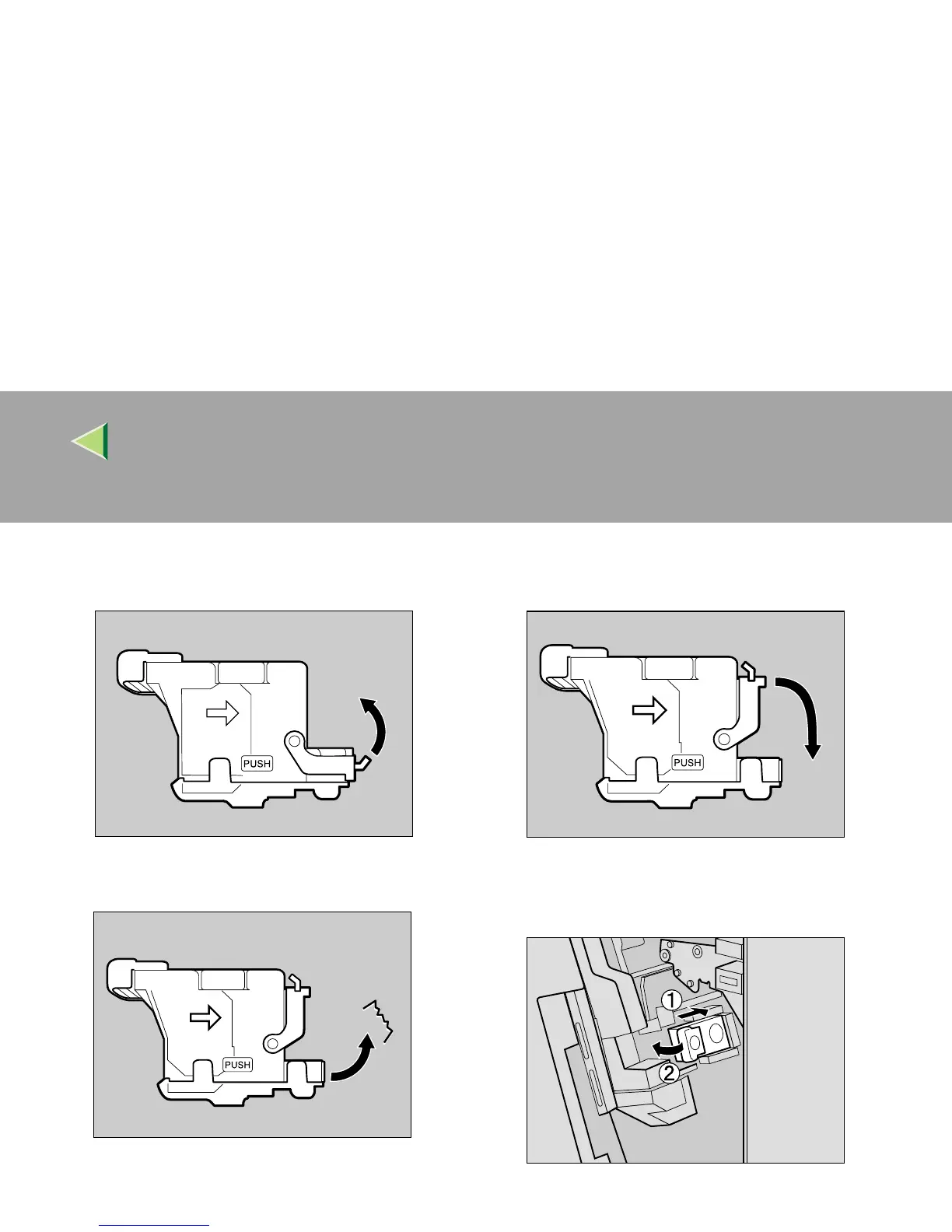
Open the face plate of the cartridge to un-
lock it.
D
DD
D
Remove the jammed staples.
E
EE
E
Close the face plate of the cartridge until it
clicks into place.
F
FF
F
Slant and insert the cartridge (A
AA
A), and
push in until it clicks into place (B
BB
B).
G
GG
G
Close the front cover of the 2 Tray Finish-
er.
ZDJP227J
ZDJP228J
ZDJP229J
ZDJP218J



 To Next Page