Basic Copying
28
1
Note
❒ You can replace all the original
type keys with [Original Type]. ⇒
“Original Type Display”, Advanced
Features manual
❒ You can adjust the quality level for
each original type. ⇒ “Copy Qual-
ity”, Advanced Features manual
A
AA
A
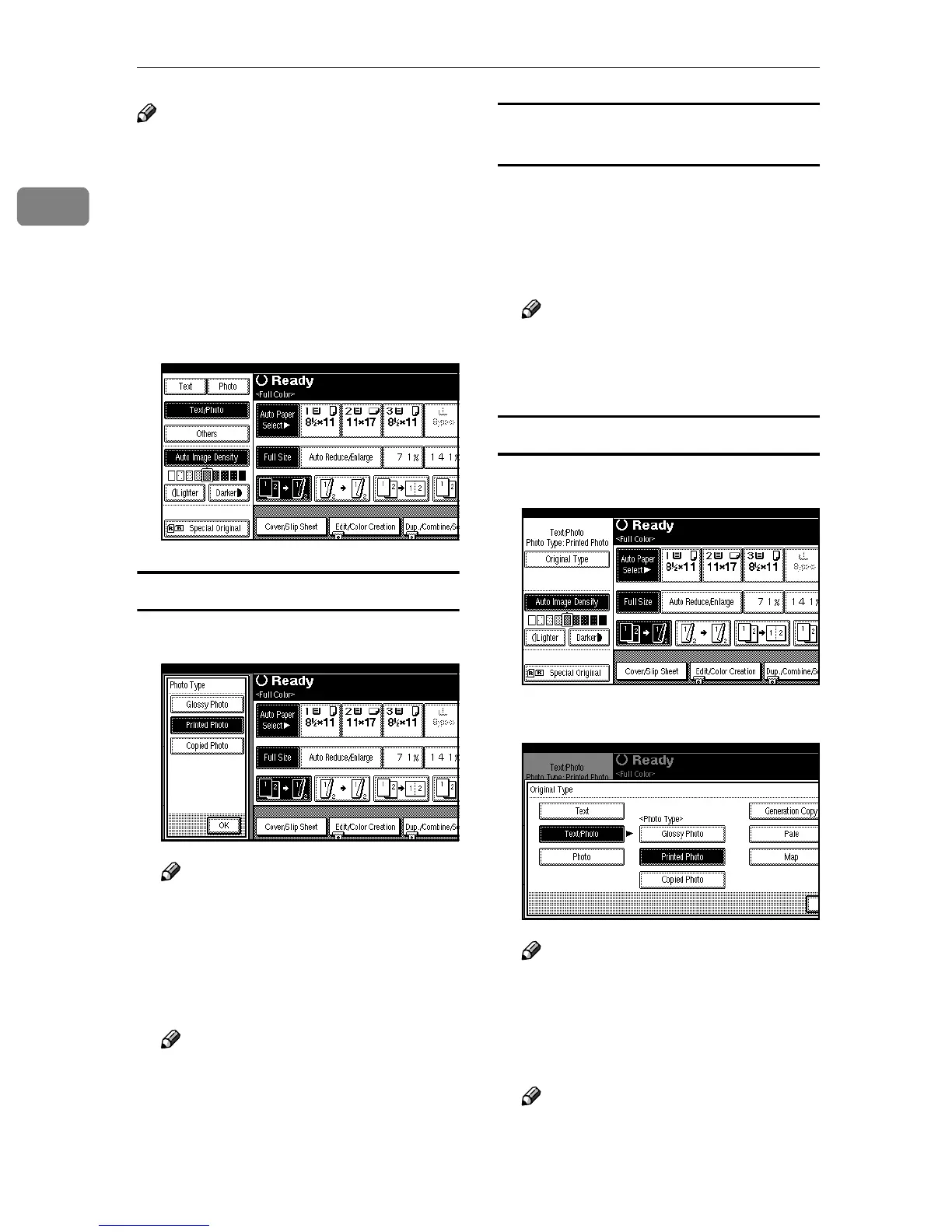
Press the appropriate key to select
the original type.
Selecting Photo or Text/Photo
A
AA
A
Select the type of photo.
Note
❒ You can also set the type of pho-
to to be prioritized. ⇒ “Original
Type Priority”, Advanced Fea-
tures manual
B
BB
B
Press [OK].
Note
❒ If you do not wish to set any
other functions, press the
{
{{
{Start}
}}
} key to start copying.
Selecting Maps, Pale and Generation
Copies
A
AA
A
Press [Others].
B
BB
B
Select the type of original.
C
CC
C
Press [OK].
Note
❒ If you do not wish to set any
other functions, press the
{
{{
{Start}
}}
} key to start copying.
Displaying the Hidden Original Type
A
AA
A
Press [Original Type].
B
BB
B
Select the type of original.
Note
❒ You can also select the type of
photo when selecting Photo,
Text/Photo.
C
CC
C
Press [OK].
Note
❒ If you do not wish to set any
other functions, press the
{
{{
{Start}
}}
} key to start copying.



 To Next Page