EasyManua.ls Logo

Lanier Copier System Edition - Page 540

Default Icon
1270 pages
Print Icon
To Next Page IconTo Next Page
To Previous Page IconTo Previous Page
Loading...
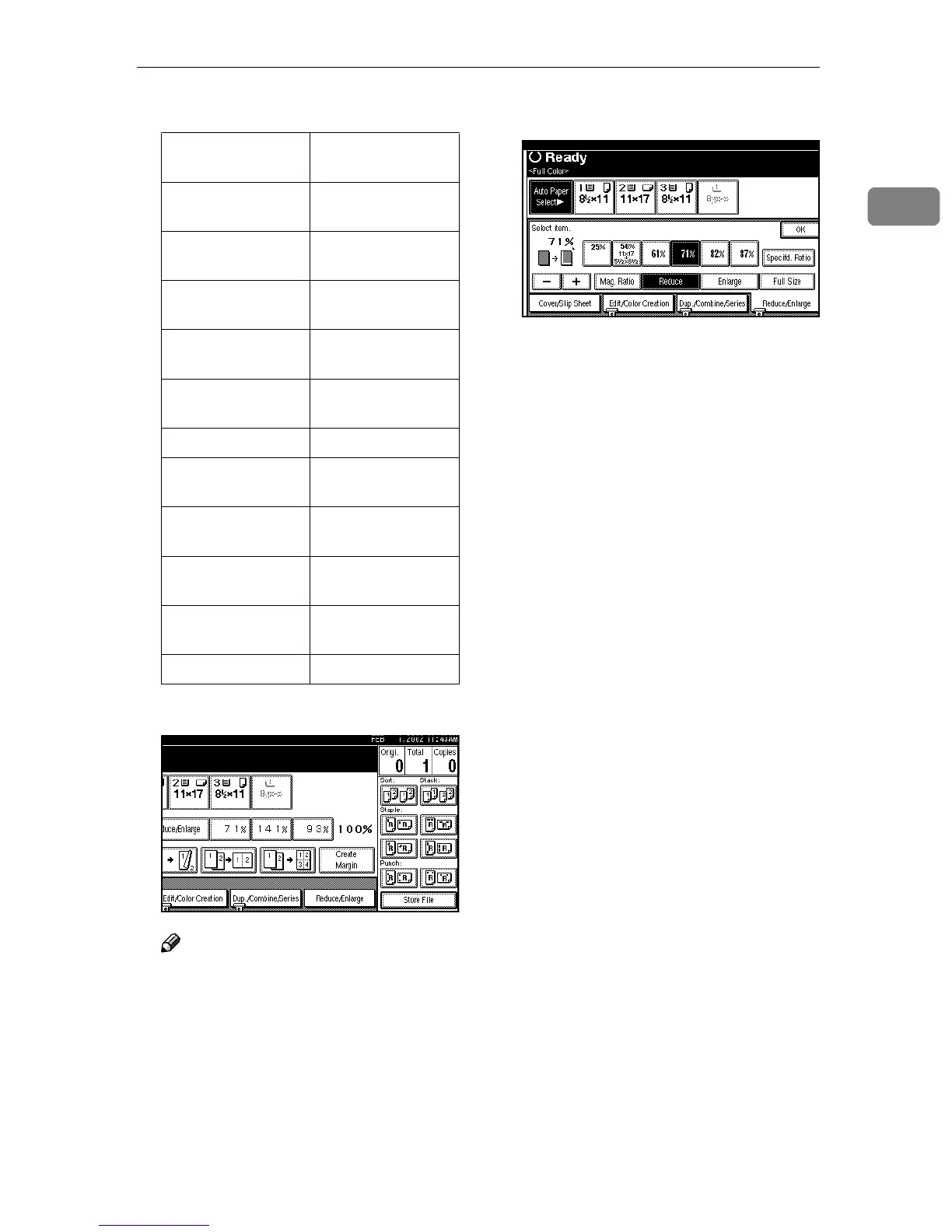
Preset Reduce/Enlarge
39
1
Inch version
A
AA
A
Press [Reduce/Enlarge].
Note
To select a preset ratio on the
initial display, press the short-
cut reduce/enlarge key and go
to step
E
.
B
BB
B
Press [Enlarge] or [Reduce].
C
CC
C
Select a ratio.
D
DD
D
Press [OK].
E
EE
E
Place your originals, and then
press the {
{{
{Start}
}}
} key.
Ratio (%) Original
Copy
paper size
400 (enlarge area
by 16)
--
200 (enlarge area
by 4)
5
1
/
2
" × 8
1
/
2
"11" ×
17"
155 (enlarge area
by 2)
5
1
/
2
" ×
8
1
/
2
"8
1
/
2
" × 14"
129 8
1
/
2
" × 11"11" ×
17"
121 8
1
/
2
" × 14"11" ×
17"
85 F8
1
/
2
" × 11"
78 8
1
/
2
" × 14"8
1
/
2
" ×
11"
73 11" × 15"8
1
/
2
" ×
11"
65 11" × 17"8
1
/
2
" ×
11"
50 (reduce area by
1
/
4
)
11" × 17"5
1
/
2
" ×
8
1
/
2
"
25 --

Table of Contents

Related product manuals