Adjusting the Registration of the Trays
51
2
F
FF
F
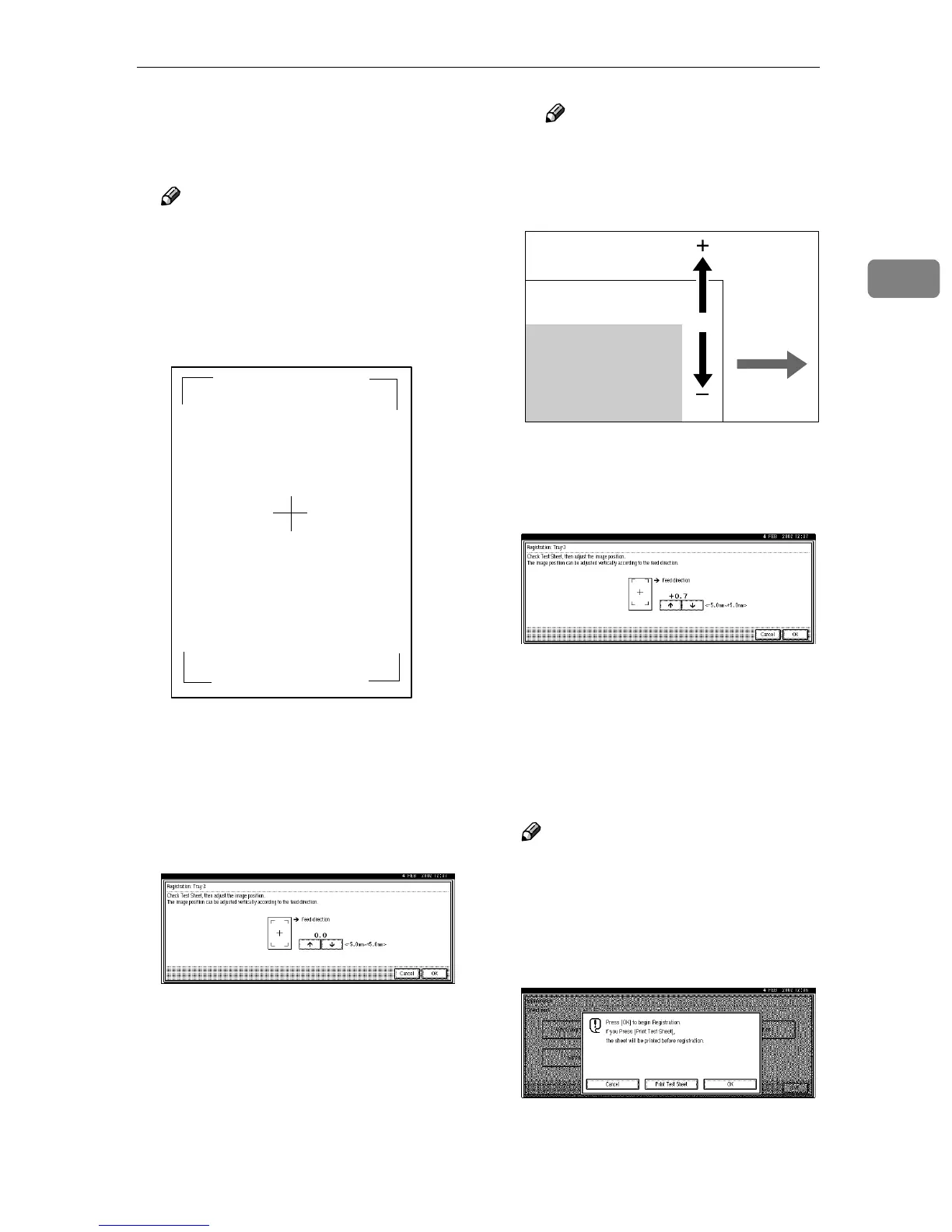
Check the position of the image
on the test sheet, and then adjust
the registration.
Note
❒ When checking the registration,
use the feeding direction as a
reference. Since the feeding di-
rection is the same as the deliv-
ery direction, be sure to check
the feeding direction.
The following procedure makes
the margins on the Print Test Sheet
equal.
A Press [↑
↑↑
↑] or [↓
↓↓
↓] to increase or
decrease the registration value
(mm).
Note
❒
Increase the value to shift the
print area in the positive direc-
tion, decrease it to shift the print
area in the negative direction.
Pressing [↑
↑↑
↑] or [↓
↓↓
↓] increases or de-
creases the value by 1.0 mm step.
B Press [OK].
The display returns to the one
that appeared in step
D
.
G
GG
G
Print the Print Test Sheet in the
same way as in step
D
DD
D
, and then
check whether the registration is
correct or not.
Note
❒ If the registration is still not cor-
rect, repeat the procedure from
step
E
.
H
HH
H
If the registration is correct, press
[Cancel].
I
II
I
After making all the settings,
press the {
{{
{User Tools/Counter}
}}
} key.
The initial display is shown.
Feed Direction
Printable area
ZDJX900J



 To Next Page