Operating Instructions Copy Reference <Advanced Features>
50
• Blank
Note
❒ When placing OHP transparencies in the
Bypass Tray, press the {
{{
{#}
}}
} key, and then
select [OHP Sheet] in Special Paper. ⇒
“When Copying onto OHP Transparencies
or Thick Paper”, Basic Features manual
❒ You cannot specify anything but “1” for the
copy amount, when inserting slip sheets
between OHP transparencies.
A
AA
A
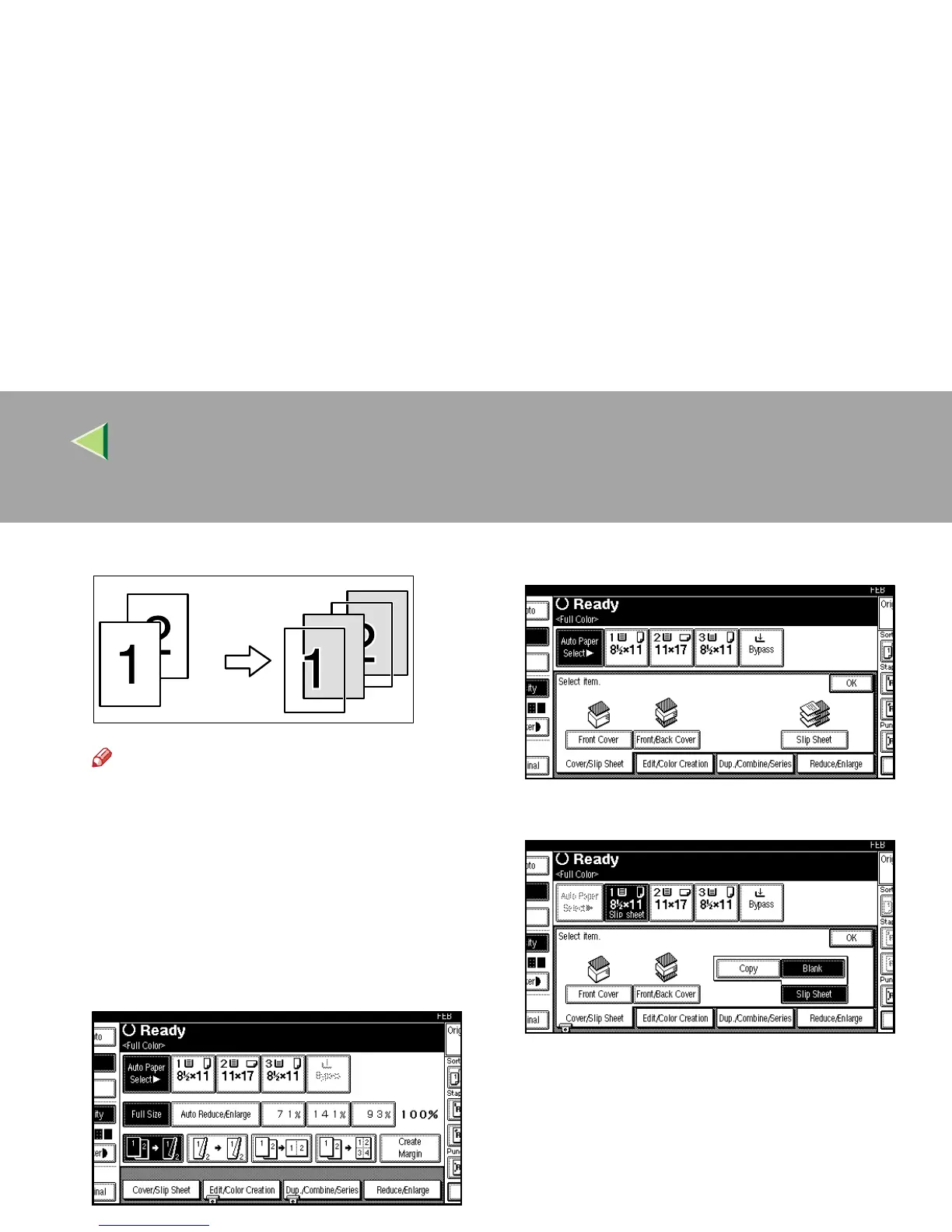
Press [Cover/Slip Sheet].
B
BB
B
Press [
Slip Sheet
].
C
CC
C
Select [Copy] or [Blank] for a slip sheet.
D
DD
D
Press [OK].
E
EE
E
Select the paper tray containing the non-
slip sheet paper.
When using OHP transparencies, open the
Bypass Tray.
F
FF
F
Place your originals, and then press the
{
{{
{Start}
}}
} key.



 To Next Page