Operating Instructions Copy Reference <Advanced Features>
119
❖
❖❖
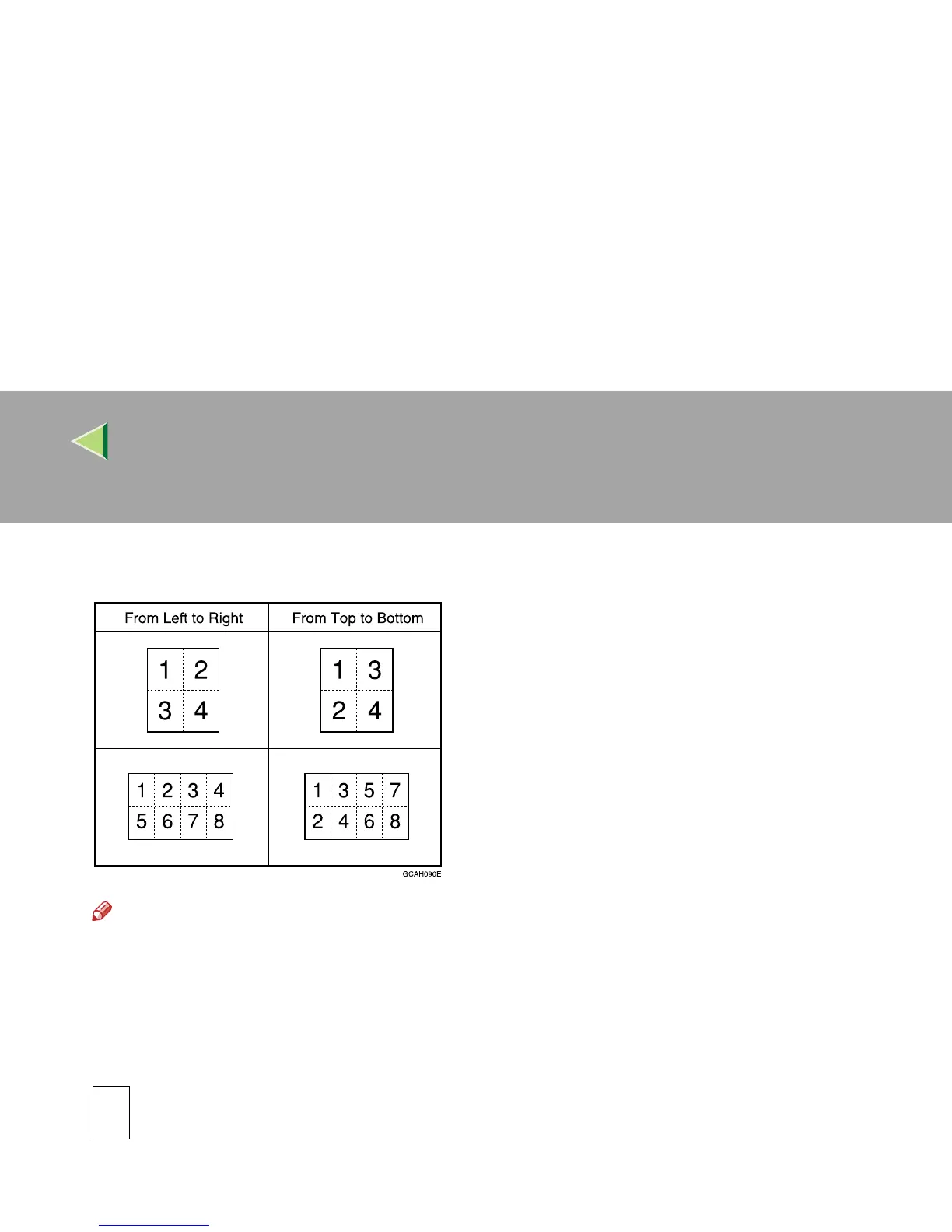
❖ Copy Order in Combine
You can set the copy order in Combine mode to “Left to Right” or “Top to Bottom”.
Note
❒ Default: From Left to Right
❖
❖❖
❖ Image Repeat Separation Line
You can select a separation line in Image Repeat mode from None, Solid, Broken A, Broken B or
Crop Marks. ⇒ p.35 “Image Repeat”.
• None



 To Next Page