Registering
60
3
B
BB
B
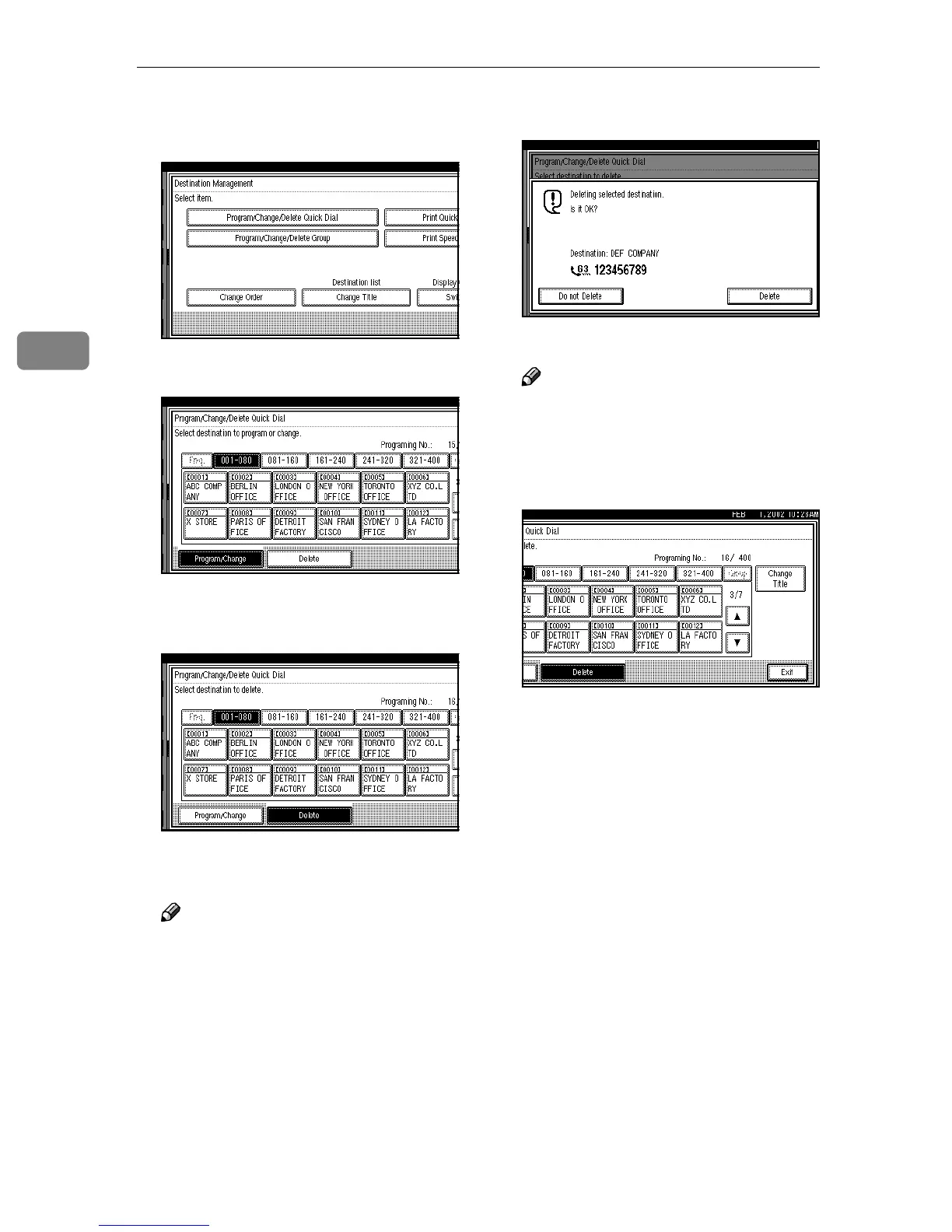
Press [Program/Change/Delete Quick
Dial].
C
CC
C
Press [Delete].
D
DD
D
Select a Quick Dial key to be de-
leted.
The information for the Quick Dial
key is shown.
Note
❒ If the Quick Dial key you re-
quire is not shown, press [U
UU
U]
and [T
TT
T].
❒ Press [Change Title] to display
another title.
E
EE
E
Press [Delete].
The destination has been deleted.
Note
❒ If you press [Do not Delete], the
destination is not deleted. The
display appears as in step
D
.
F
FF
F
Press [Exit] twice.
The machine will return to standby
mode.



 To Next Page