Operating InstructionsFacsimile Reference (option) <Advanced Features>
16
C
CC
C
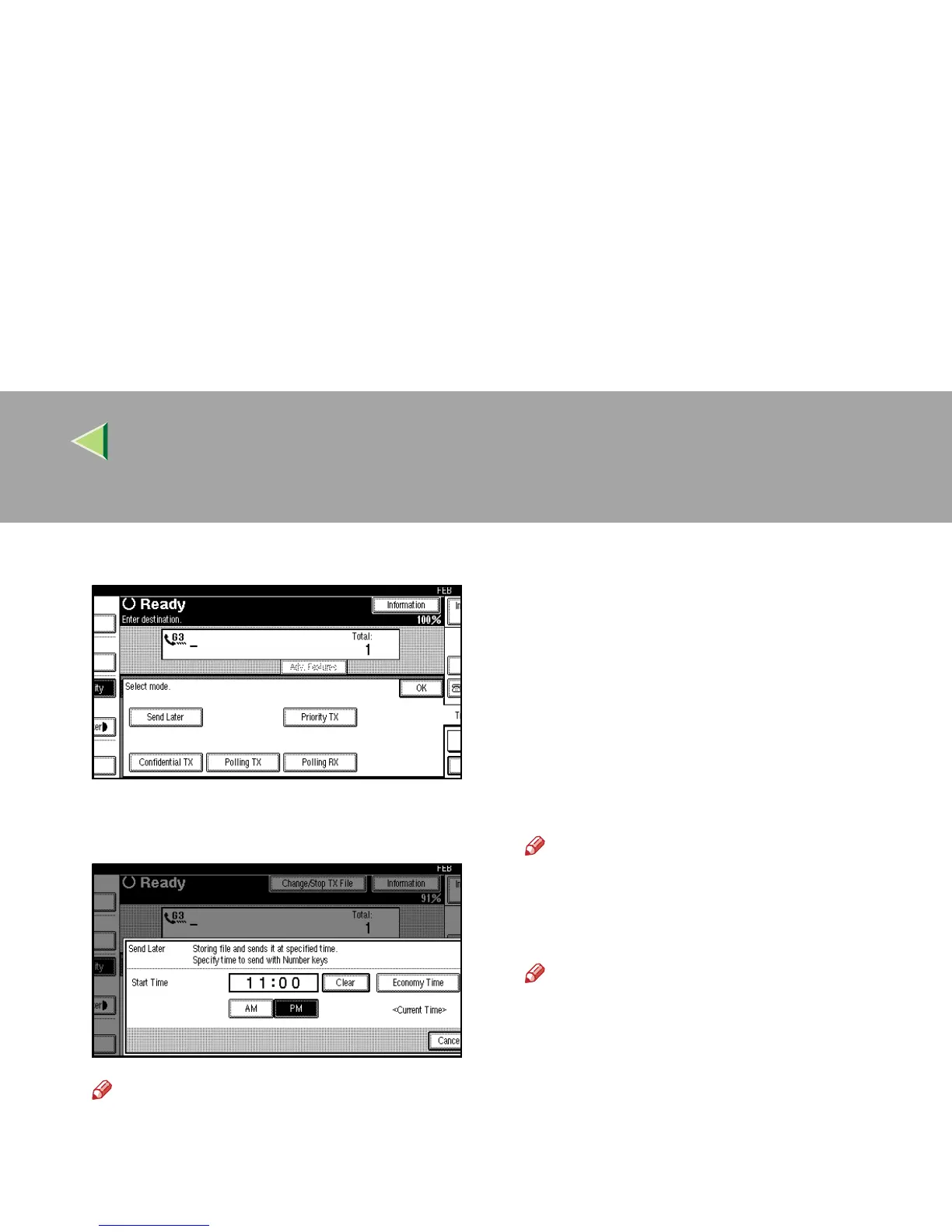
Select [Send Later].
D
DD
D
Enter the time with the number keys, and
press [AM] or [PM] to change AM/PM.
Note
❒ Press [Economy Time] to specify the econo-
my time.
❒ When entering numbers smaller than 10,
add a zero at the beginning.
❒ If you make a mistake, press [
Clear
] or the
{
{{
{Clear/Stop}
}}
} key and try again.
❒ To cancel Send Later, press [Cancel] and
the display will return to step
C
.
E
EE
E
Press [OK].
The Transmission Mode menu is shown on
the display. The [Send Later] key is highlight-
ed, and the specified time is shown above.
F
FF
F
Press [OK].
The initial display is shown.
Note
❒ To check settings, press [Transmission
Mode].
G
GG
G
Dial and press the {
{{
{Start}
}}
} key.
Note
❒ You can cancel a message transmission
set up for Send Later. ⇒ p.32 “Canceling
a Transmission”



 To Next Page