Operating InstructionsFacsimile Reference (option) <Advanced Features>
23
Note
❒ Free Polling and Default ID Transmission al-
low only one file to be stored in memory.
❒ ID Override Polling Transmission allows a file
to be stored in memory for each ID; a total of
up to 400 files (800 with the optional Fax
Function Upgrade unit) for varying ID's can be
stored.
❒ Before using “Default ID Transmission”, you
need to program the Polling ID. ⇒ p.259 “Pro-
gramming a Polling ID”
❒ You can set whether a Polling Transmission
file is deleted after transmitting in “User Pa-
rameters”. To save the file to transmit repeat-
edly, set to “Standby (Save)”.⇒ p.216
“Changing the User Parameters” (Switch 11,
Bit7)
❒ A Polling ID may be any string of four num-
bers (0 to 9) and characters (A to F) except
0000 and FFFF.
❒ The communication fee is charged to the re-
ceiver.
A
AA
A
Place your original, and then select any
scan settings you require.
B
BB
B
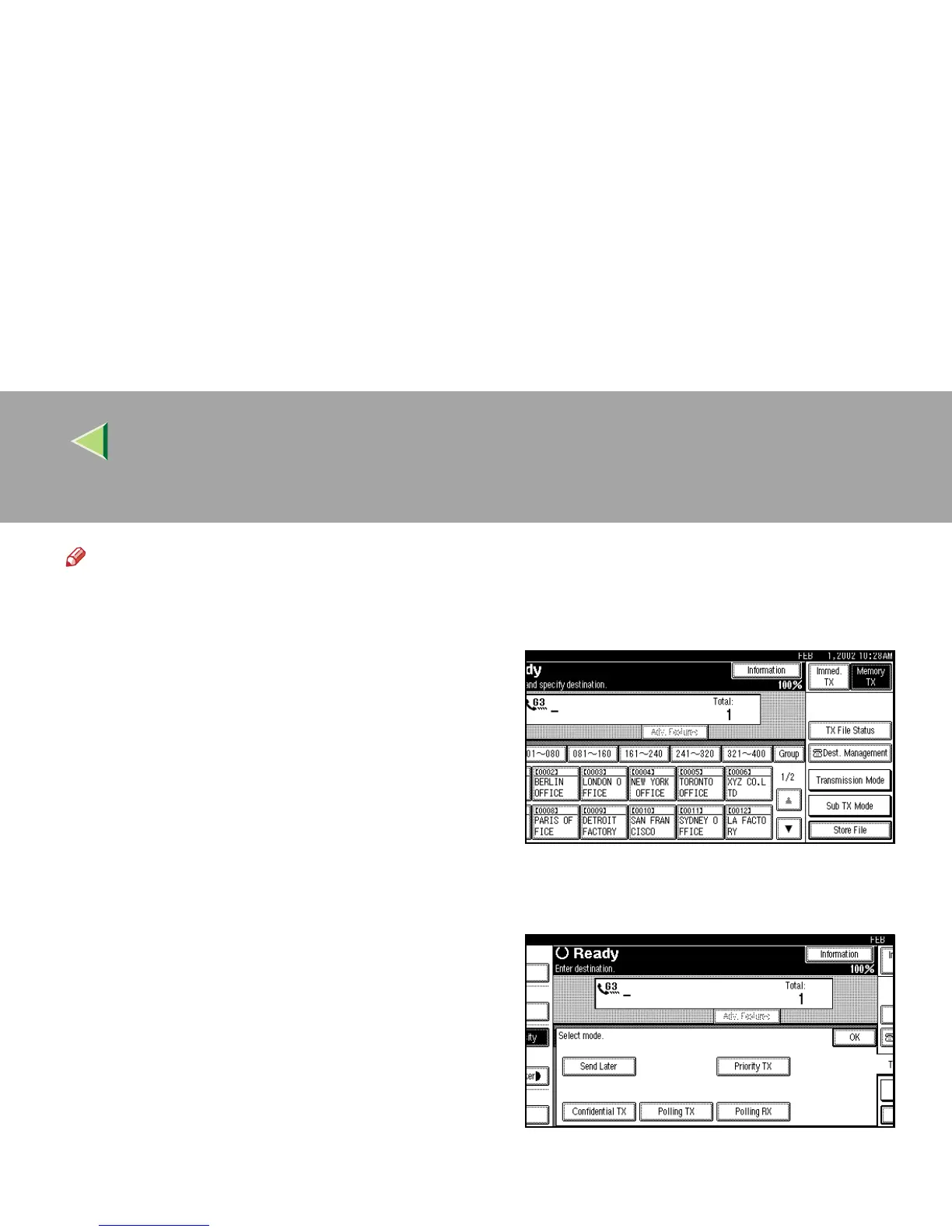
Press [Transmission Mode].
The Transmission Mode menu appears.
C
CC
C
Select [Polling TX].



 To Next Page