Operating InstructionsFacsimile Reference (option) <Advanced Features>
59
B
BB
B
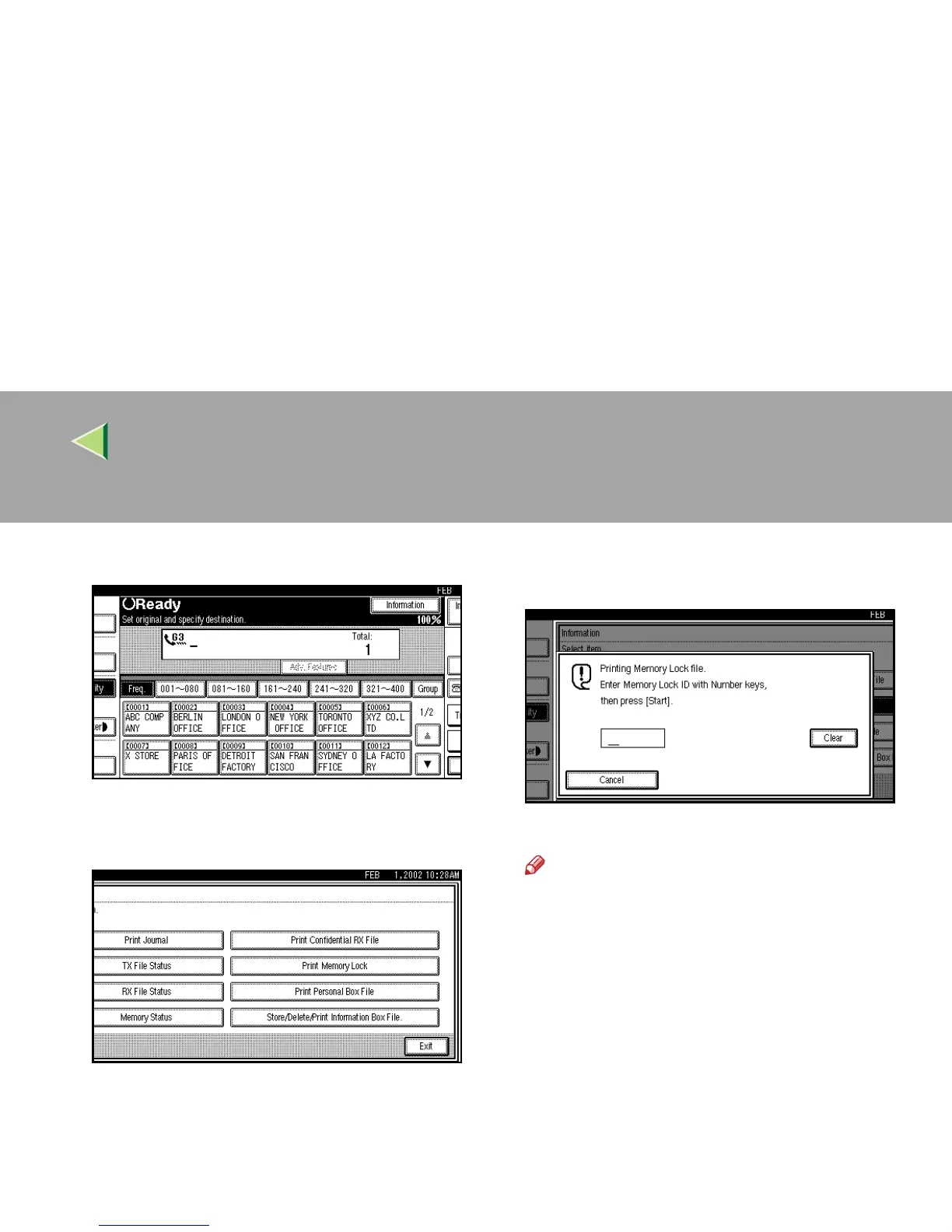
Press [Information].
The Information menu is shown.
C
CC
C
Select [Print Memory Lock].
D
DD
D
Enter a 4 digit Memory Lock ID with the
number keys.
The Memory Lock ID is not shown on the display.
Note
❒
If no messages were received while Memory
Lock was switched on, the message “
No
reception file.
” is shown. Press
[
Exit
]
.
❒ If the Memory Lock ID does not match, the
message “
Specified code does not
correspond to programed Memory
Lock ID.
” is shown. Press
[
Exit
]
and retry
after checking the Memory Lock ID.
E
EE
E
Press the {
{{
{Start}
}}
} key.
The received messages are printed. When the
printing is completed, the Information menu
is shown.
F
FF
F
Press [Exit].
The initial display is shown.



 To Next Page