Operating Instructions Maintenance Guide 2 Copier System Edition
32
B
BB
B
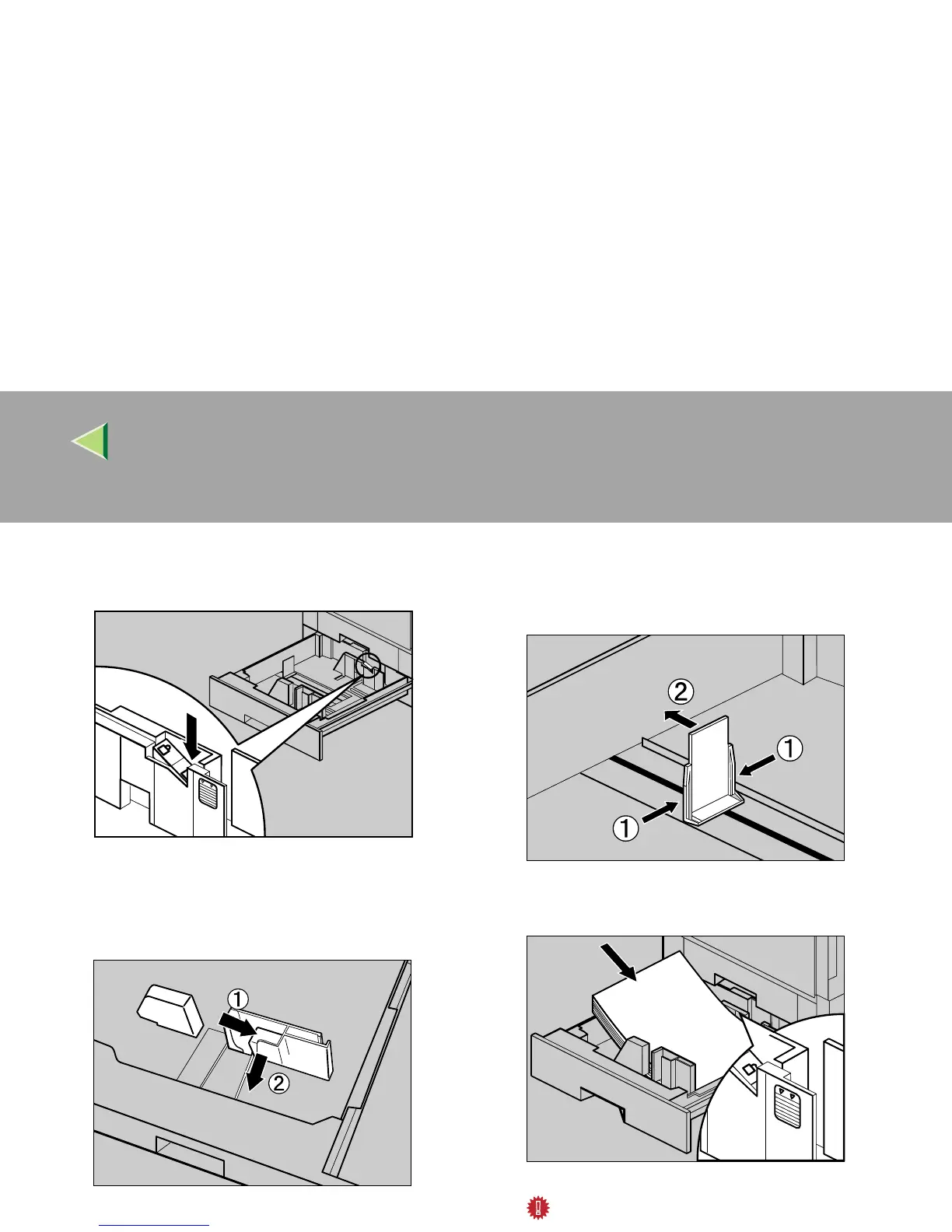
Set the paper guide lock to the "unlocked"
position.
C
CC
C
Pushing the green lever of the side guide
(A
AA
A), move the side guide toward you to
open it (B
BB
B).
D
DD
D
Pinching both sides of the end guide (A
AA
A),
move the end guide in the direction of the
arrow to open it.
E
EE
E
Load paper in the same direction.
Important
❒ Confirm that the top of the stack is not
higher than the limit mark inside the tray.
ZDJY003J
ZDJY802J
ZDJY801J
ZDJY002J



 To Next Page