Operating InstructionsFacsimile Reference (option) <Advanced Features>
106
A
AA
A
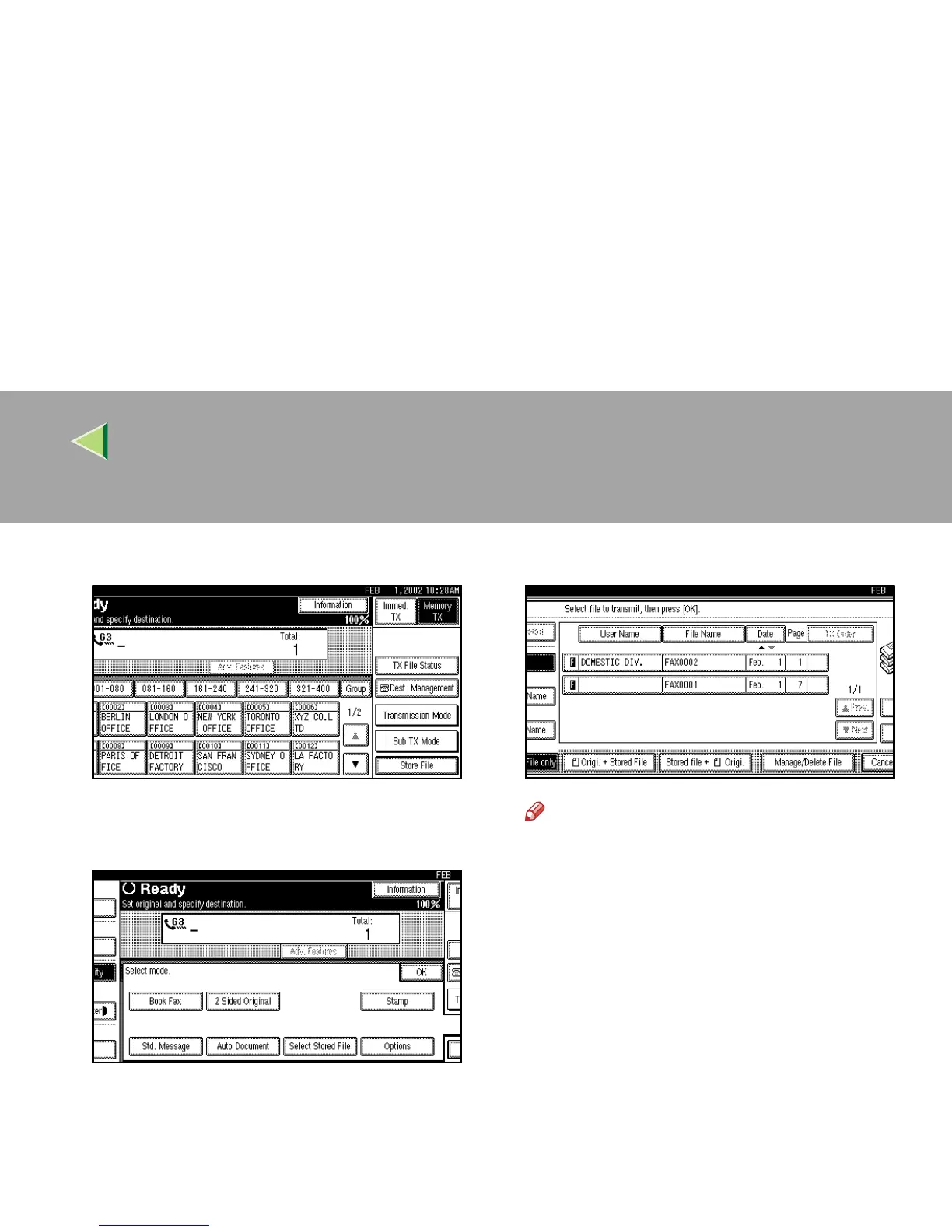
Press [Sub TX Mode].
The Sub TX Mode menu is shown.
B
BB
B
Select [Select Stored File].
C
CC
C
Select the documents to be sent.
Note
❒ When multiple documents are selected,
they are sent in the order of selection.
❒ Press [
TX Order
] to arrange the order of the
documents to be sent.
❒ Press [
File Name
] to place the documents in
alphabetical order.
❒ Press [
User Name
] to place the documents
in order by the programmed User Name.
❒ Press [Date] to place the documents in or-
der by the programmed date.



 To Next Page