Operating InstructionsFacsimile Reference (option) <Advanced Features>
121
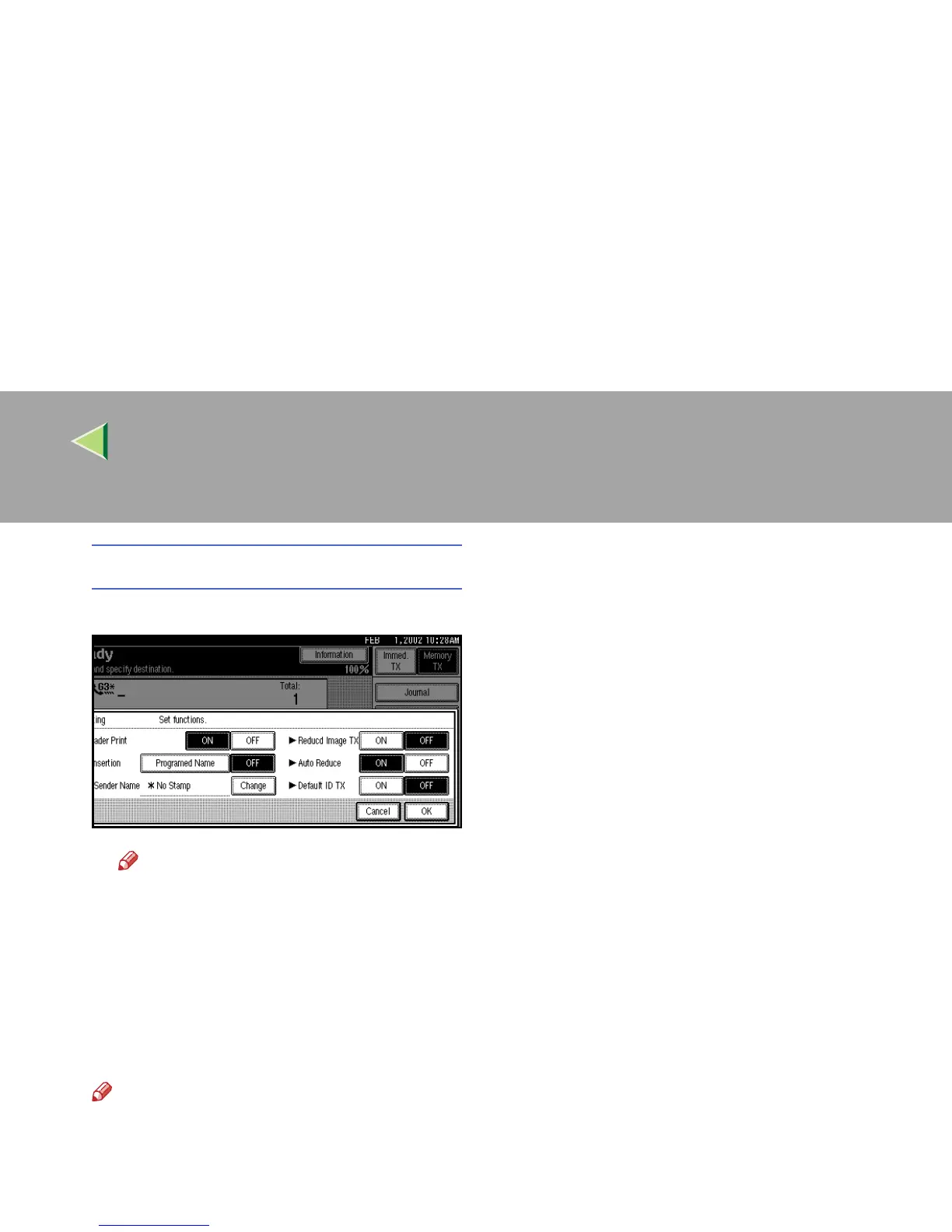
Programming the Default ID TX
A
AA
A Press [ON] in “Default ID TX”.
Note
❒ Press [
OFF
] if you do not want to use ID
transmission.
❒ To close the option settings, go to step
E
.
E
EE
E
Press [OK].
The screen returns to the Sending menu
screen.
Note
❒ When changing the settings, the [Option
Settings] will be highlighted in dark.
F
FF
F
Press [OK].
G
GG
G
Set the destination, and then press the
{
{{
{Start}
}}
} key.
H
HH
H
Press [OK].
The Sub Transmission menu is shown.
I
II
I
Press [OK].
J
JJ
J
Dial, and then press the {
{{
{Start}
}}
} key.



 To Next Page