Operating InstructionsFacsimile Reference (option) <Advanced Features>
208
D
DD
D
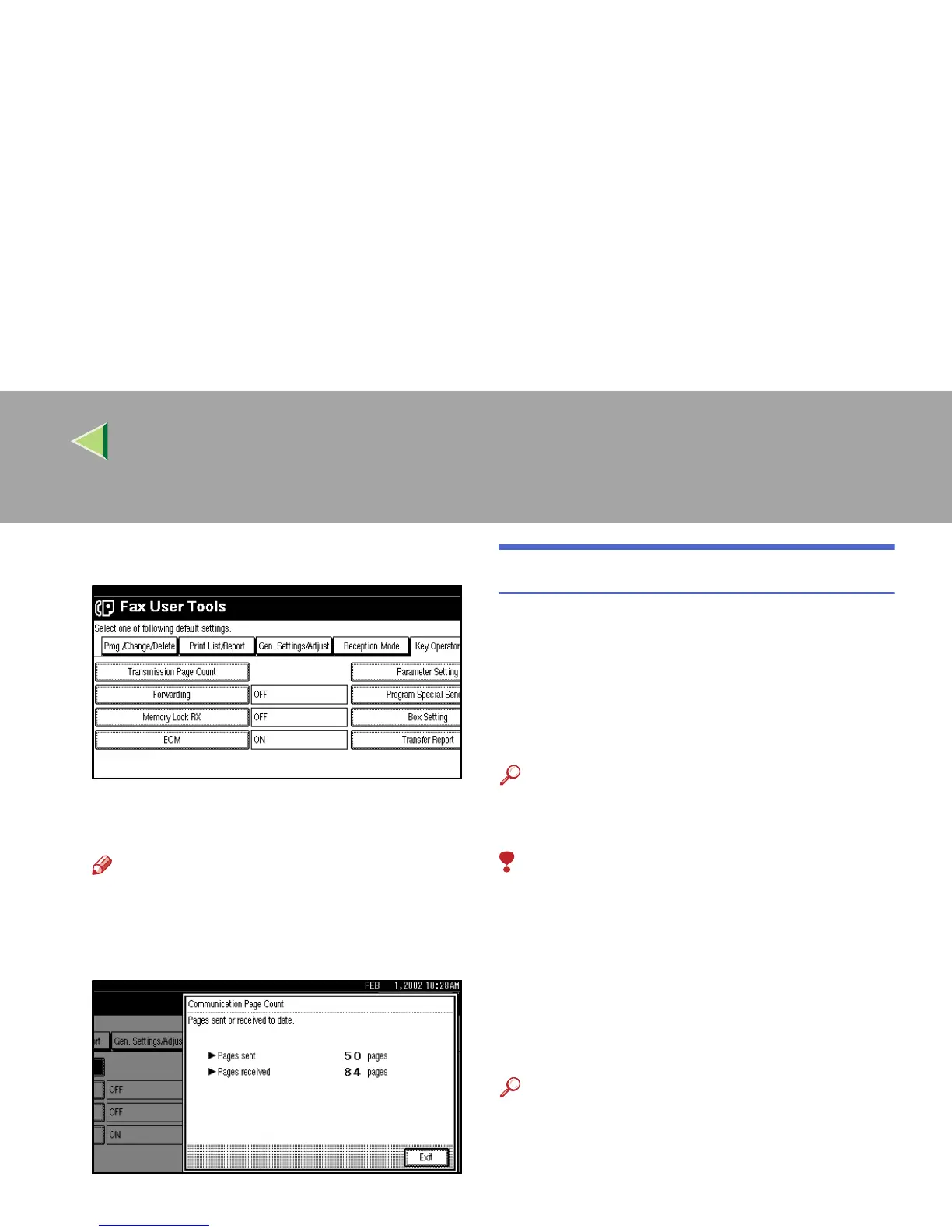
Select [Transmission Page Count].
The totals for the number of pages transmitted
and received are shown.
Note
❒ If “Transmission Page Count” is not
shown, press [U
UU
U Prev.] or [T
TT
T Next].
E
EE
E
After checking the display, press [Exit].
F
FF
F
Press the {
{{
{User Tools/Counter}
}}
} key.
The initial display is shown.
Forwarding
Using this feature, you can select messages from
Specified Senders to be printed on your machine,
and then sent on to another fax machine.
This is useful if, for example, you are visiting an-
other office and would like a copy of your mes-
sages sent to that office so you can read them.
Reference
❒ ⇒ p.223 “Special Senders to Treat Different-
ly”
Limitation
❒ The Forwarding function does not forward
messages received with Confidential Recep-
tion, Memory Lock, Polling Reception mode,
or messages received by Transfer Request.
❒ You can program senders with Quick Dial Ta-
ble and Groups. You cannot program a send-
er with a Group that has destinations
specified as Transfer Stations.
Reference
❒ ⇒ Chapter 3, “Quick Dial”, “Groups” in the Ba-
sic Features manual



 To Next Page