Operating InstructionsFacsimile Reference (option) <Advanced Features>
235
E
EE
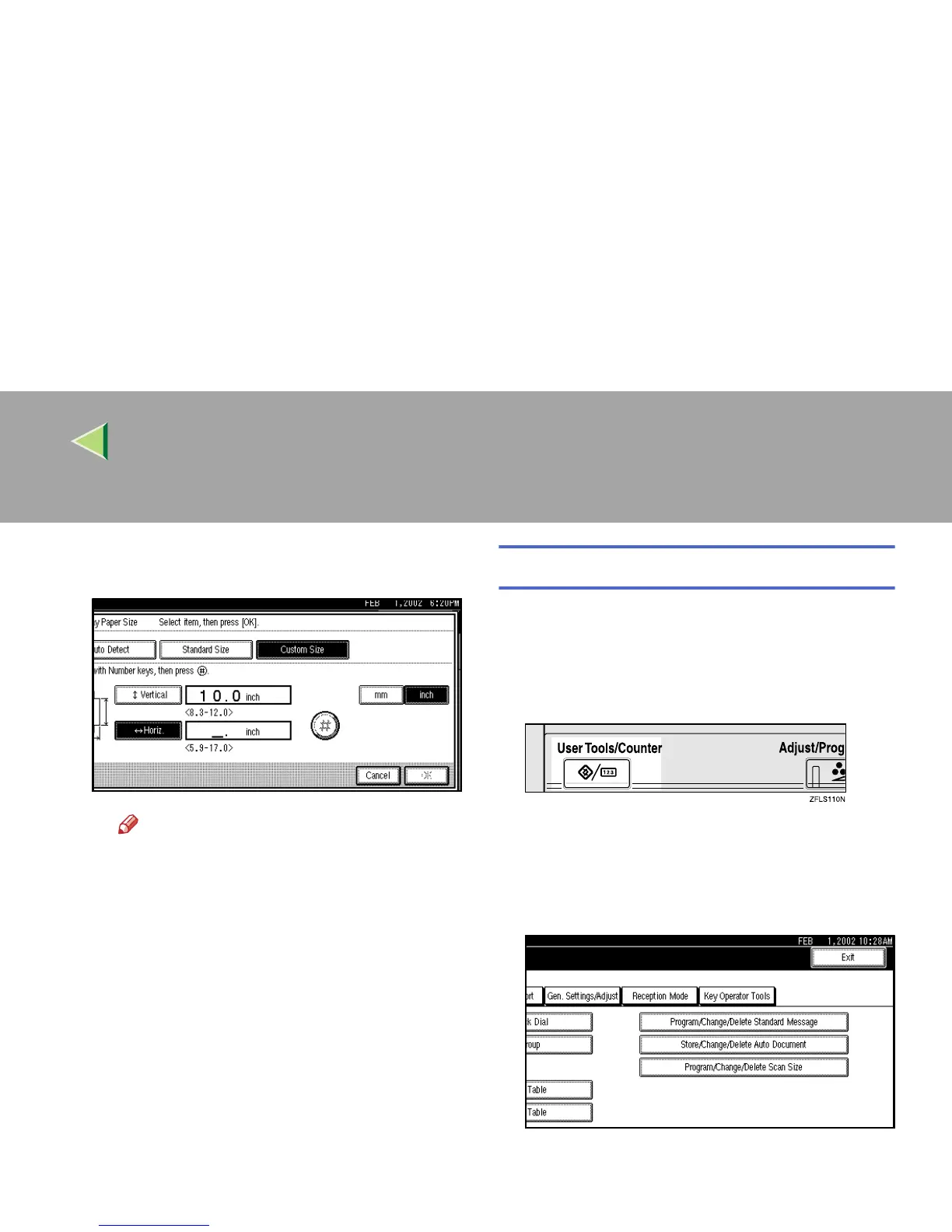
E Enter the horizontal size of the paper
with the number keys.
Note
❒ You can specify a horizontal size from
148mm (5.9 inch) to 432mm (17.0
inch). You cannot enter a size smaller
than 148mm or larger than 432mm.
❒ Each time you press [mm] or [inch], the
units change between “mm” and “inch”
alternately. If you enter a length and
change the unit by pressing [mm] or
[inch], the length is converted automat-
ically according to the unit (fractions
are rounded off).
F
FF
F Press [#
##
#].
G
GG
G Press [OK].
G
GG
G
Press the {
{{
{User Tools/Counter}
}}
} key.
The initial display is shown.
Deleting a Special Sender
Use this function to program “Initial Set Up” of a
Special Sender. Also the Bypass Tray Paper Size
can be specified.
A
AA
A
Press the {
{{
{User Tools/Counter}
}}
} key.
B
BB
B
Press [Facsimile Features].
The Facsimile Features menu is shown.
C
CC
C
Select [Key Operator Tools].



 To Next Page