Operating InstructionsFacsimile Reference (option) <Advanced Features>
234
B
BB
B Press [OK].
Programming “Bypass Tray Paper
Size”
A
AA
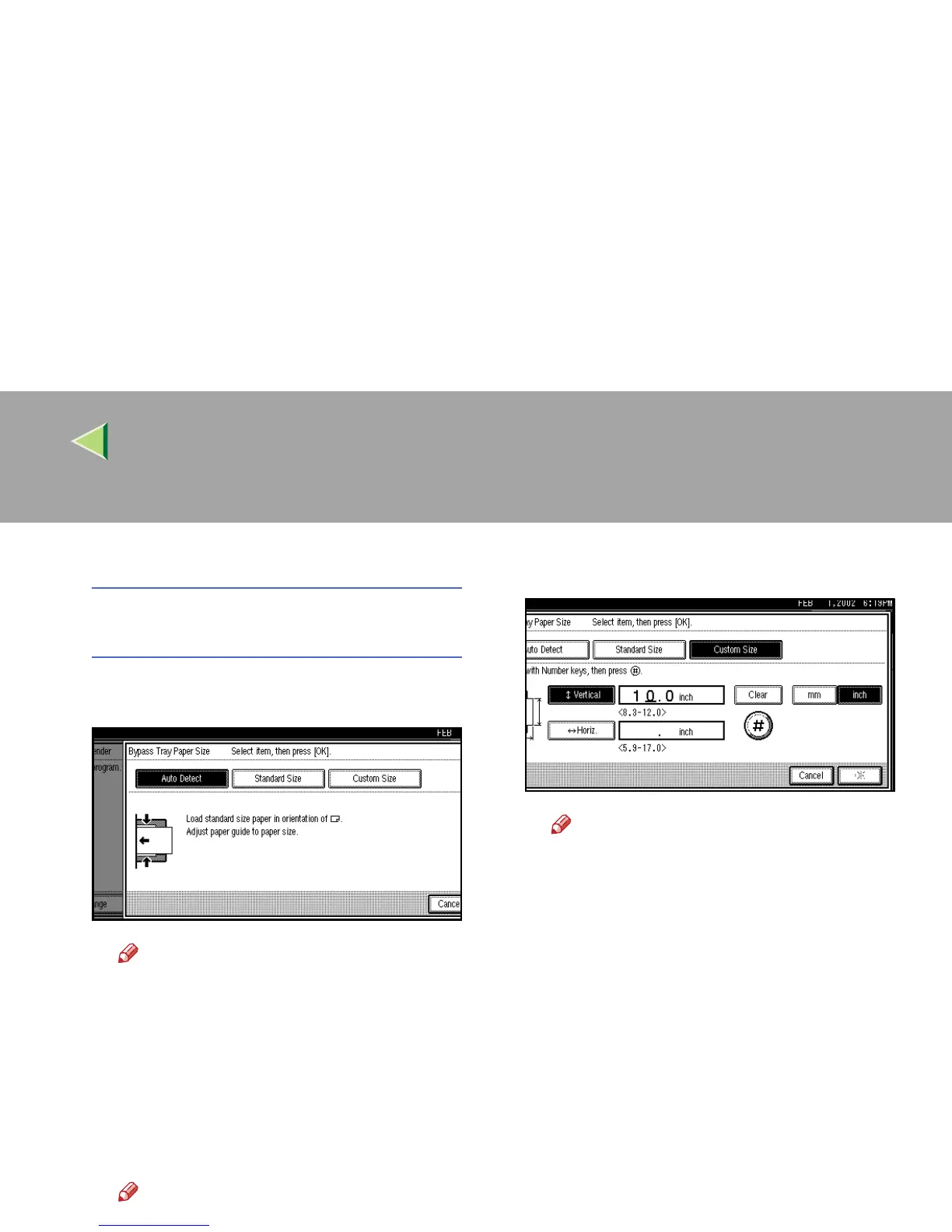
A Select [Auto Detect], [Standard Size] or
[Custom Size] to program.
Note
❒ If you select [
Auto Detect
], the machine
shows a paper size automatically.
❒ If you select [
Standard Size
], select a pa-
per size displayed, and then go to step
G.
❒ If you select [
Custom Size
], go to step
B.
B
BB
B Make sure that [Vertical] is selected.
Note
❒
If
[
Vertical
]
is not selected, press
[
Vertical
]
.
C
CC
C Enter the vertical size of the paper with
the number keys.
Note
❒ You can specify a vertical size from
210mm (8.3 inch) to 305mm (12.0
inch). You cannot enter a size smaller
than 210mm or larger than 305mm. ⇒
p.150 “Having Incoming Messages
Printed on Paper from the Bypass
Tray”
❒ Each time you press [mm] or [inch], the
units change between “millimeter” and
“inch” alternately. If you enter a length
and change the unit by pressing [mm]
or [inch], the length is converted auto-
matically according to the unit (frac-
tions are rounded off).
D
DD
D Press [#
##
#].
The programmed size is shown.



 To Next Page