Operating Instructions Maintenance Guide 2 Copier System Edition
78
D
DD
D
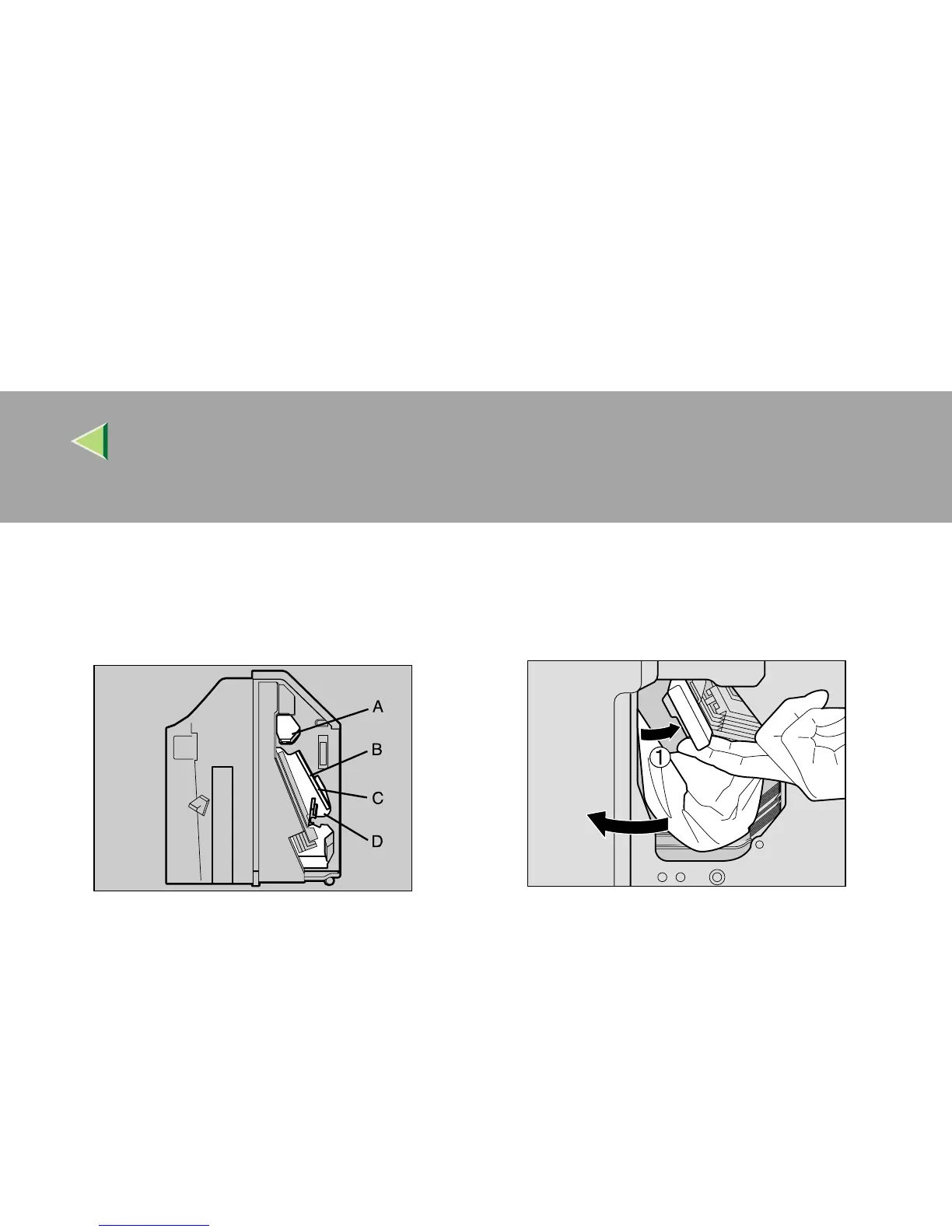
Open the front cover for the 2 Tray Finish-
er.
Check to see if there is misfed paper in areas
A, B, C, and D.
E
EE
E
Check area A of step
D
. Lift the lever (A
AA
A),
and while supporting it with your hand to
keep it from lowering, pull out the misfed
paper slowly.
F
FF
F
Lower the lever slowly to return it into
place.
ZDJP209J
ZDJH016J
ZDJP210J



 To Next Page