Operating Instructions Maintenance Guide 2 Copier System Edition
79
G
GG
G
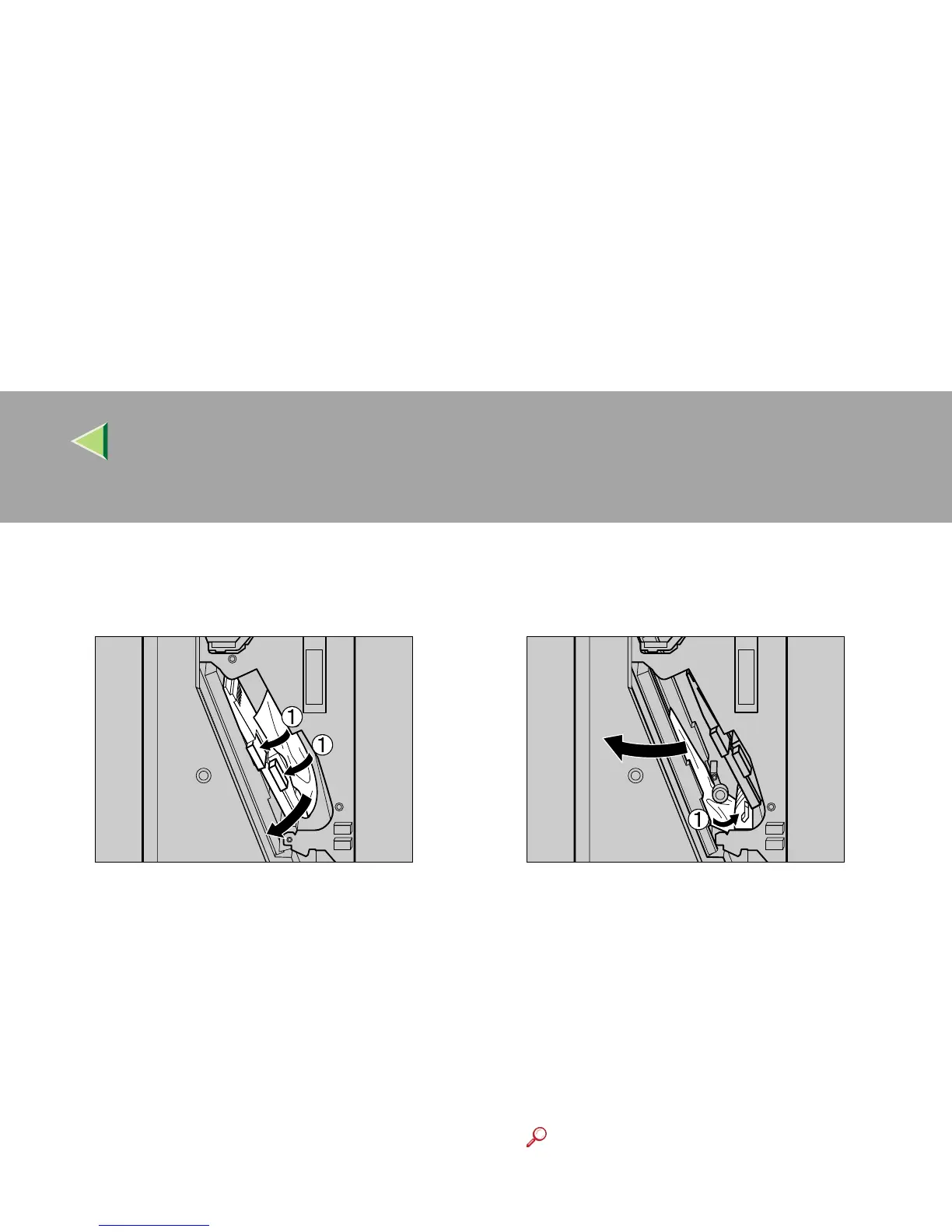
Check areas B and C of step
D
. Lower the
lever in the direction of the arrows (A
AA
A),
and pull out the misfed paper slowly.
H
HH
H
Lift the lever slowly to return it into place.
I
II
I
Check area D of step
D
. Lift the lever in the
direction of the arrow (A
AA
A), and pull out the
misfed paper slowly.
J
JJ
J
Lower the lever slowly to return it into
place.
K
KK
K
Close the front cover for the 2 Tray Finish-
er.
If the error message does not clear even after
the misfed paper is removed, detach the 2
Tray Finisher from the printer to check for
misfed paper there.
Reference
See p.69 “Detaching the 2 Tray Finisher”
for details about how to detach/reattach
the 2 Tray Finisher from/to the printer.
ZDJP211J
ZDJP212J



 To Next Page