Operating Instructions Maintenance Guide 2 Copier System Edition
85
H
HH
H
Hold the blue parts of the panel and move
the panel back into place.
If you cannot remove the misfed paper, go to
step
I
.
I
II
I
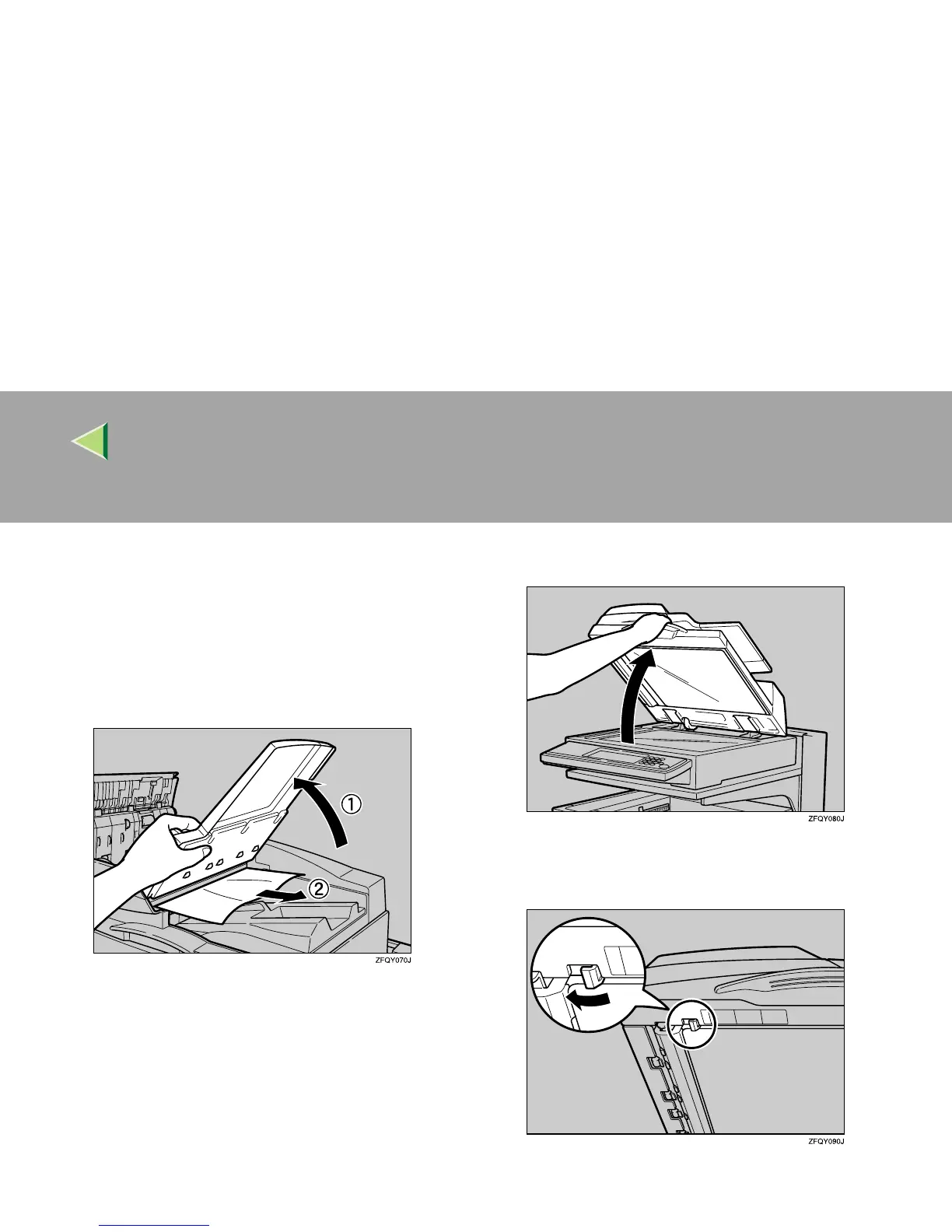
Hold the ADF external cover (A
AA
A), and then
slowly remove the misfed paper (B
BB
B).
J
JJ
J
Lower the ADF external cover back into
place.
K
KK
K
Close the upper cover.
If you cannot remove the misfed paper, go to
step
L
.
L
LL
L
Open the Auto Document Feeder.
M
MM
M
Move the blue hook to the left and loosen
the white cover.



 To Next Page