Operating Instructions Maintenance Guide 2 Copier System Edition
90
C
CC
C
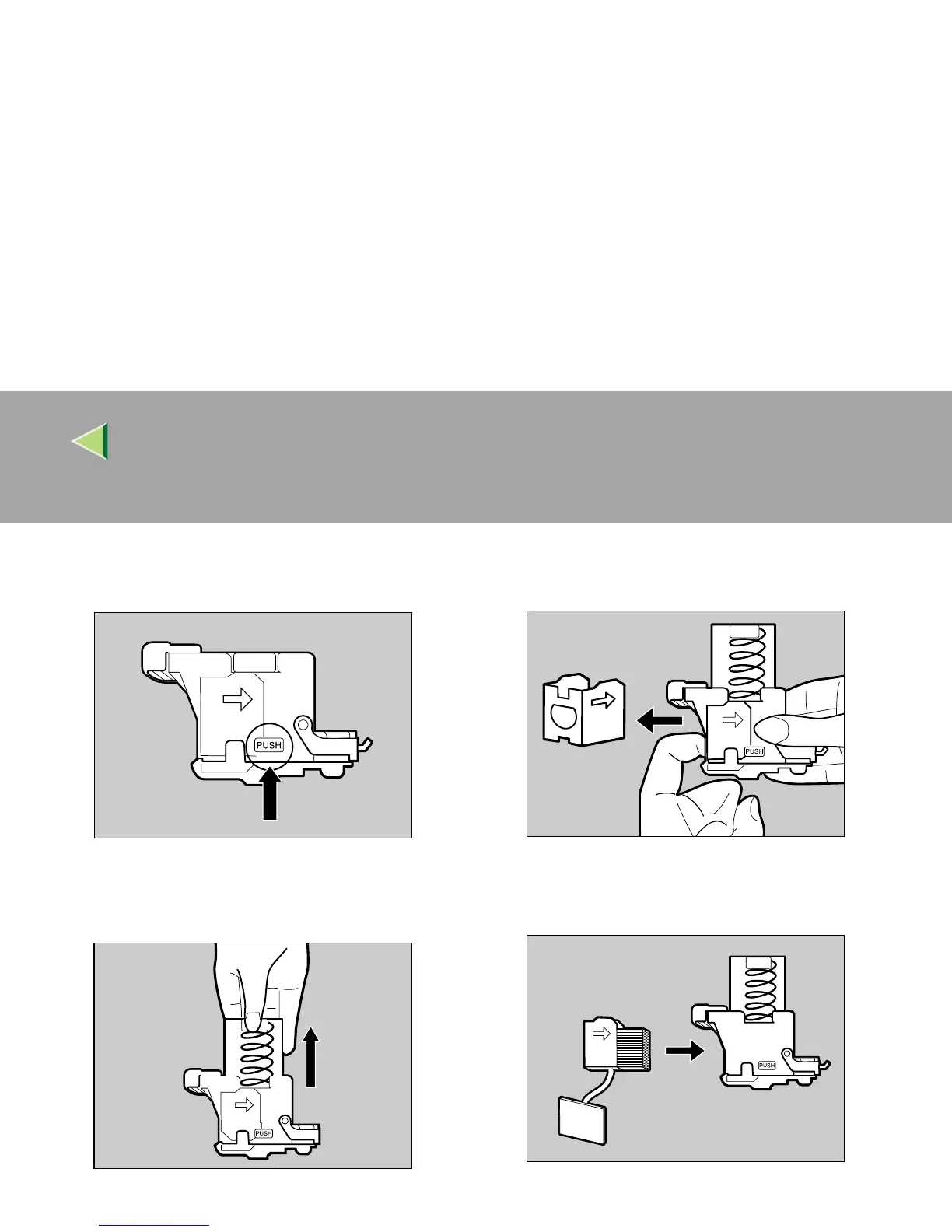
Push the areas labeled "PUSH" located on
both sides of the stapler.
The case cover at top floats up.
D
DD
D
Pull the case cover up.
E
EE
E
Hook your finger in the hole of the empty
refill case to pull it out.
F
FF
F
Insert the new refill case in the direction of
the arrow until it clicks into place.
ZDJP222J
ZDJP223J
ZDJP224J
ZDJP225J



 To Next Page