Configuring the Network
27
2
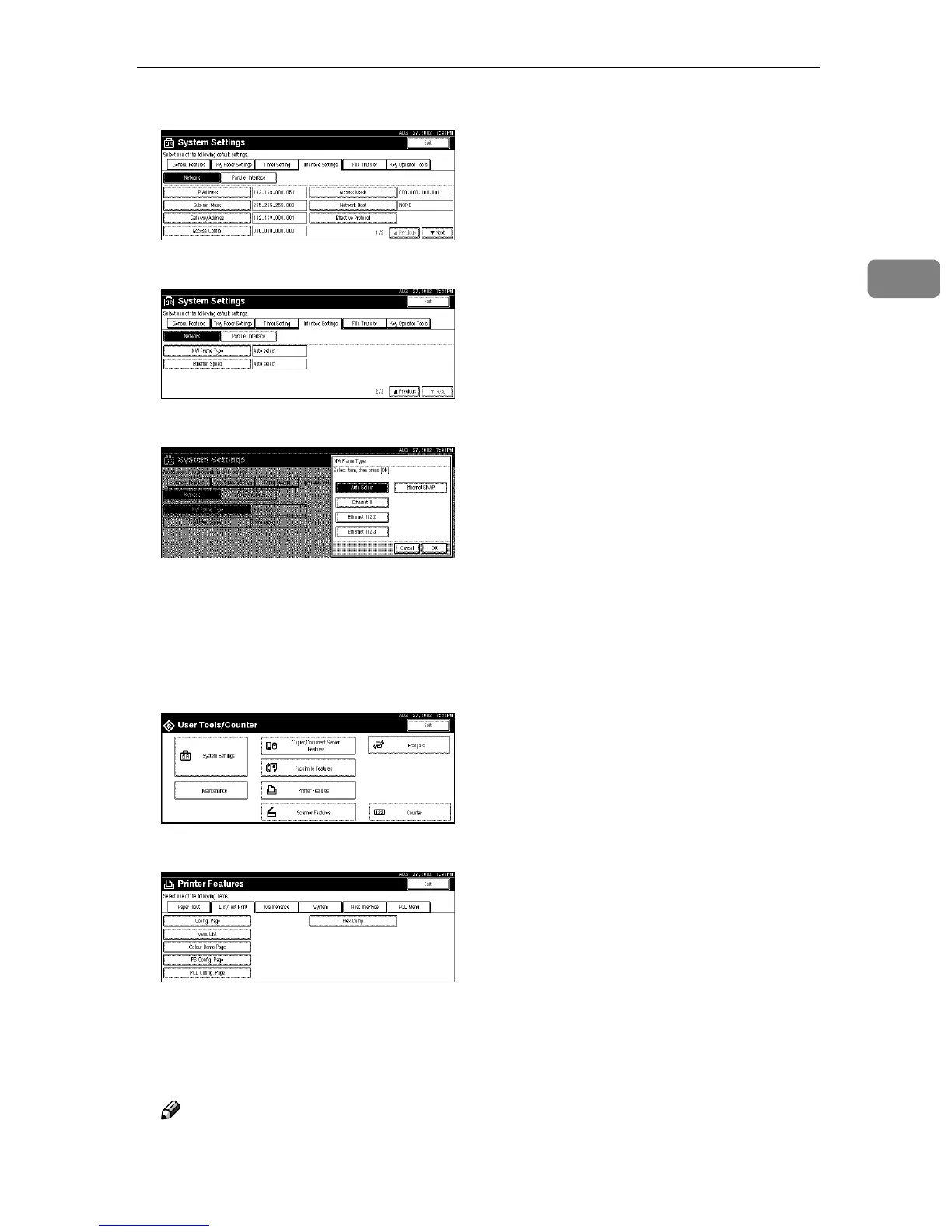
A Make sure that [Network] is selected, and then press [T
TT
TNext].
B Press [NW Frame Type].
C Select the frame type, and then press [OK].
F
FF
F
Press [Exit].
Returns to the [User Tools/Counter] display.
G
GG
G
Press [List/Test Print] to print out the settings.
A Press [Printer Features].
B Press [List/Test Print].
C Press [Config. Page].
The configuration page will be printed.
H
HH
H
Press the {
{{
{User Tools/Counter}
}}
} key.
Note
❒ The settings are applied and the initial display is shown.



 To Next Page