Getting Started
26
2
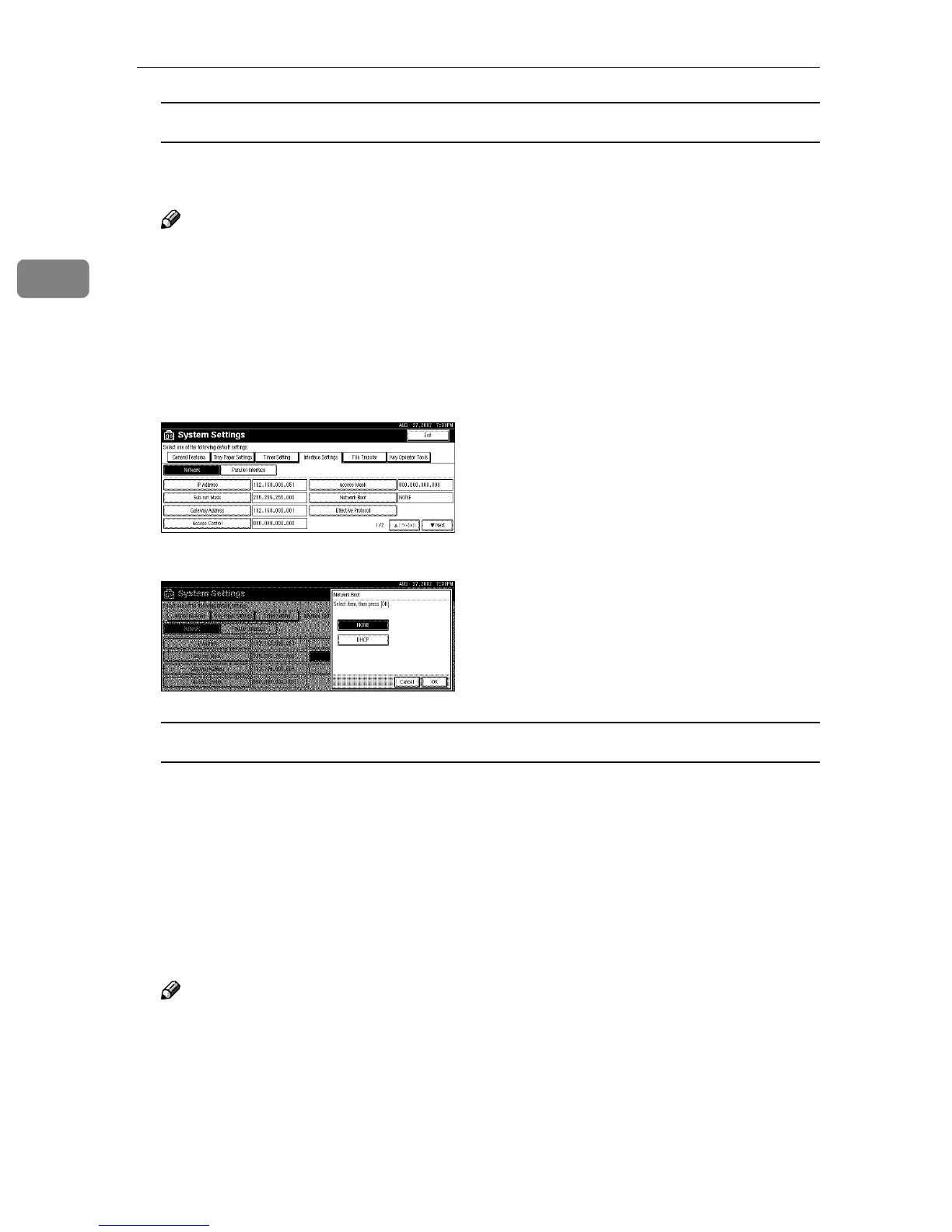
Acquiring the IP Address from the DHCP Server
To use the DHCP server to acquire the IP address, select [DHCP] from [Network
Boot].
Note
❒ You need to set the server when you use DHCP. See "Appendix" in Admin-
istrator Reference 2 Copier System Edition.
❒ To always assign the same IP address to the machine, reserve the IP ad-
dress for the machine on the DHCP server. See "Appendix" in Administra-
tor Reference 2 Copier System Edition.
❒ Use the default IP address.
A Make sure that [Network] is selected, and then press [Network Boot].
B Press [DHCP], and then press [OK].
When using NetWare
To use the machine on NetWare, be sure to select the type of [NW Frame Type].
You can select the following frame types:
• Auto select (Default)
• Ethernet II
• Ethernet 802.2
• Ethernet 802.3
• Ethernet SNAP
Note
❒ Select the same frame type which the file server uses.
❒ To use the machine in a Pure IP environment on NetWare 5/5.1, select [Ef-
fective] for the TCP/IP protocol in step
E
.



 To Next Page