Configuring the Network
25
2
Note
❒ Consult the network administrator for help with these settings.
❒ You must configure IP Address to use the TCP/IP protocol. You don't
have to configure it if Network Boot is DHCP.
❒ Press [Invalid] for protocols that you don't use.
❒ Press [Effective] for the TCP/IP protocol when you use Pure IP of NetWare
5/5.1.
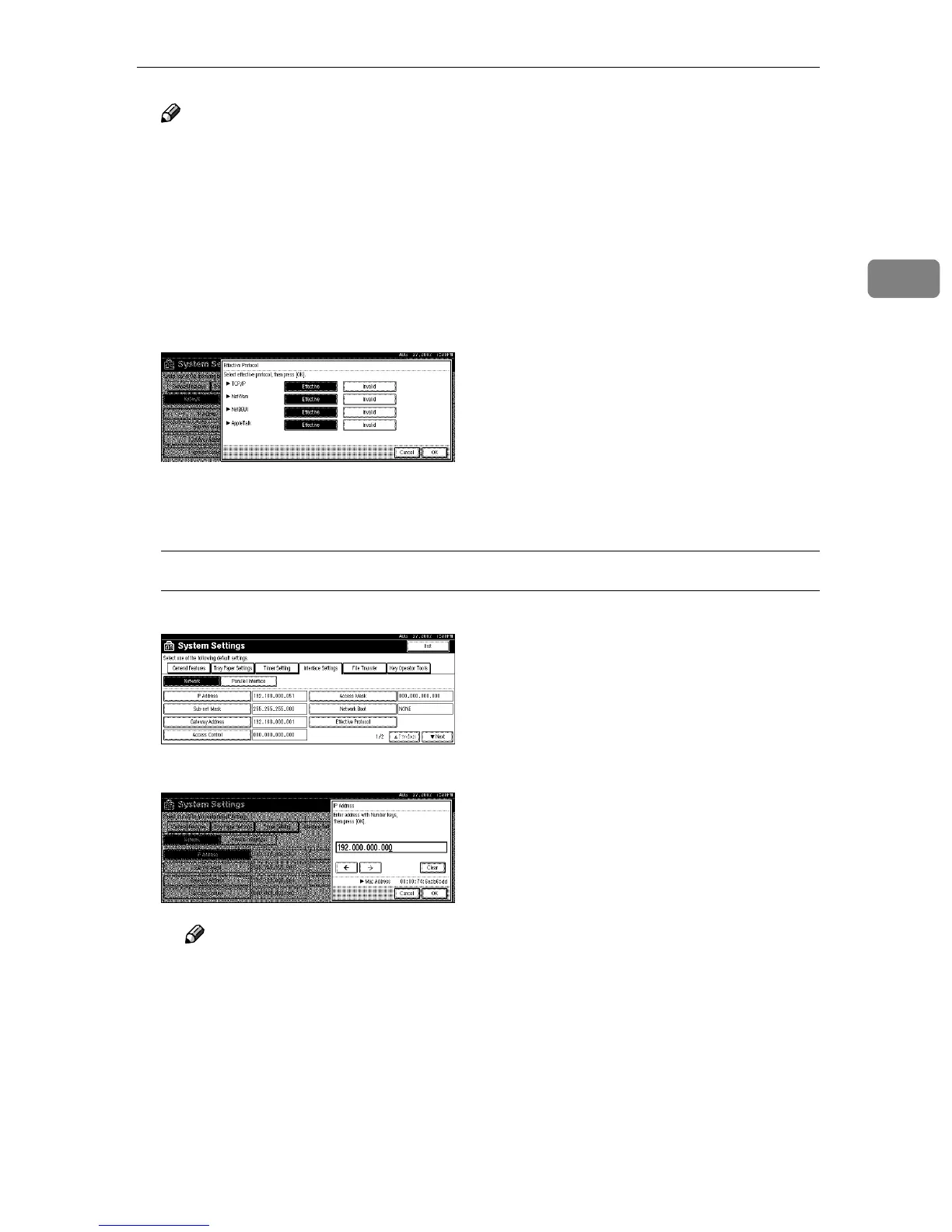
A Make sure that the [Effective Protocol] key is pressed.
B Select [Invalid] or [Effective] for each protocol.
C Press [OK].
The following operation will be different, according to each protocol.
When Using TCP/IP
A Make sure that [Network] is selected, and then press [IP Address].
B Use the number keys to enter the IP address.
Note
❒ Press the [←
←←
←] and [→
→→
→] keys to move to the next entry field.
❒ If you enter the wrong IP address, press [Clear] and reenter the IP ad-
dress.
C Press [OK].
D Make the [Sub-net Mask], [Gateway Address], [Access Control], and [Access
Mask] settings. For each item, press the corresponding button on the
screen shown in step A
AA
A, and then perform the same procedure as de-
scribed in steps B
BB
B and C
CC
C.



 To Next Page