Replacing Consumables and Maintenance Kit
12
1
F
FF
F
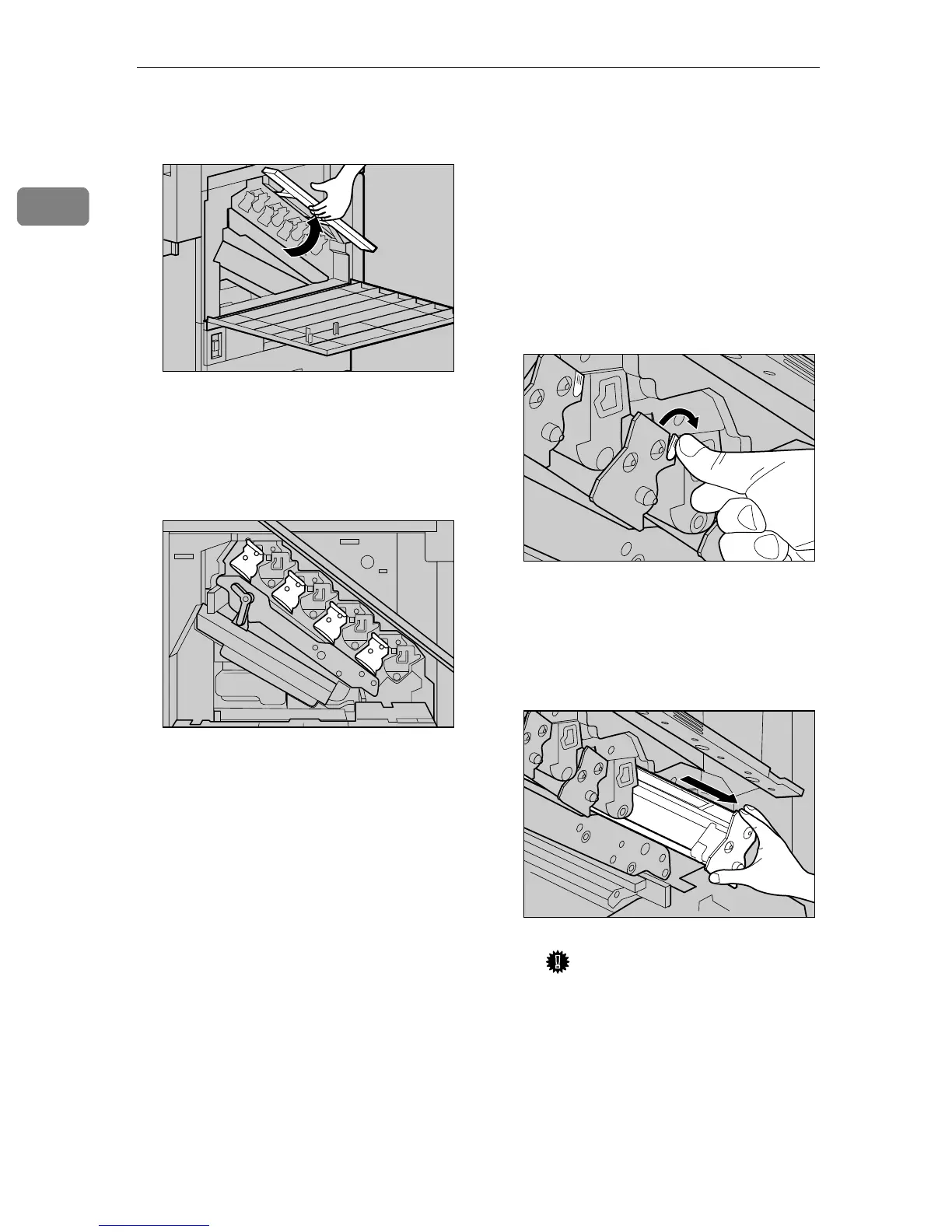
Lift the inner cover until it clicks
into place and holds.
The Photoconductor Units are in-
stalled as shown in the illustration.
The black Photoconductor Unit is
the upper left one. The other three
are color Photoconductor Units.
G
GG
G
Remove the Photoconductor Unit
you want to replace.
For black, remove the upper left
one, and for color, remove the
three on the right.
A Move the green hook slowly to
the right as shown in the illus-
tration. The green hook is lo-
cated on the upper right of the
Photoconductor Unit.
B Grip the green areas at the top
and bottom of the Photocon-
ductor Unit, and pull slowly
until you can see all of the
green handle.
Important
❒ Pulling out the Photoconduc-
tor Unit quickly might cause
it to drop.
ZDJH016J
ZDJH045J
ZDJX701J
ZDJH211J



 To Next Page