Replacing the Photoconductor Unit
13
1
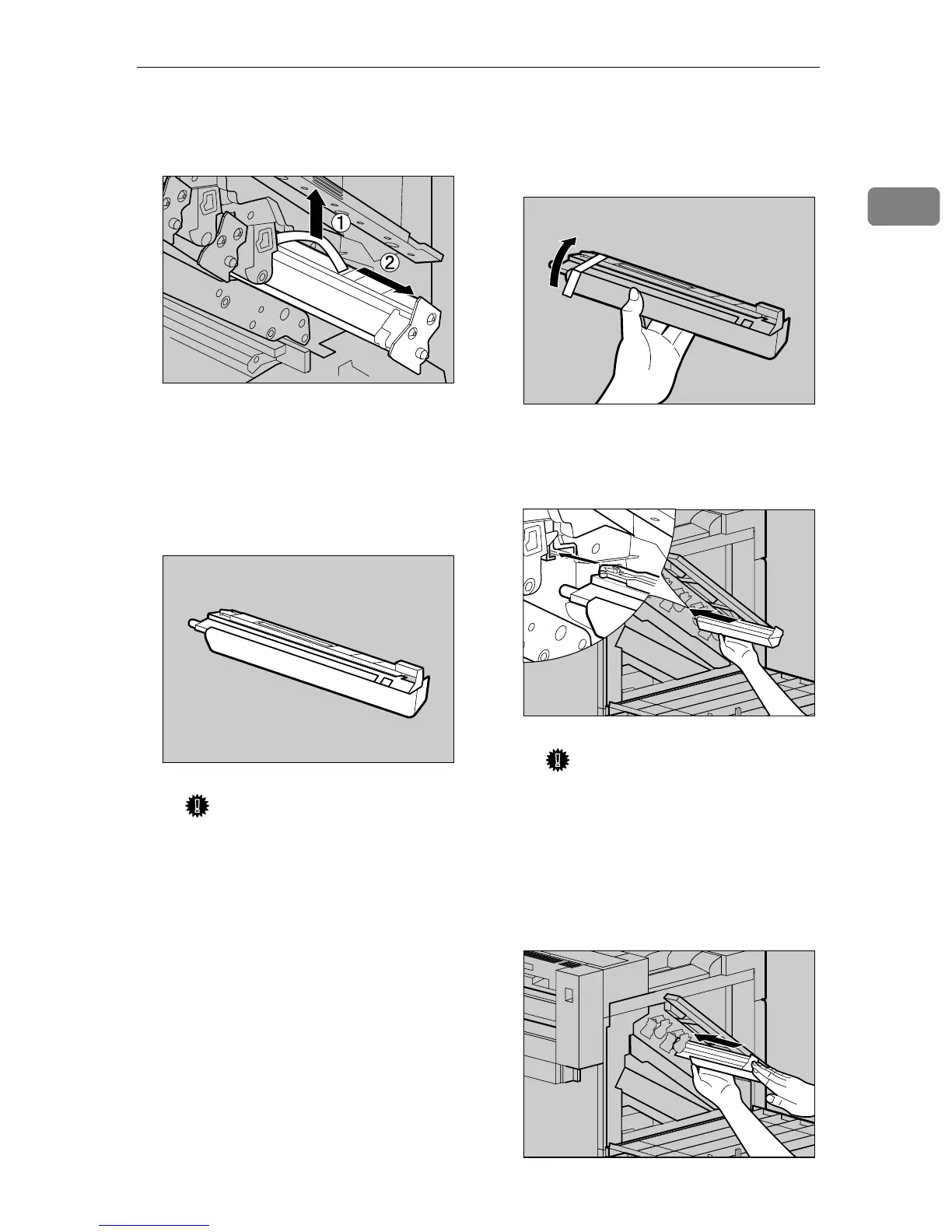
C Lift and hold the green handle
at the top (A
AA
A), and pull out the
unit slowly (B
BB
B).
H
HH
H
Install the new Photoconductor
Unit.
For black, install one, and for color,
install three.
A Take the unit out from the bag.
Important
❒ Do not remove the cover that
is attached to the bottom of
the Photoconductor Unit at
this time.
B Place the Photoconductor Unit
in your hand, and remove the
adhesive tape at the tip of the
unit.
C Match the green arrow at the
tip of the Photoconductor Unit
to the rail inside the printer.
Important
❒ Make sure the green arrow
fits securely on the rail before
proceeding to the next step.
D Push the front of the Photocon-
ductor Unit slowly, slide the
unit on the cover, and push in
until it stops.
ZDJH210J
ZDJH221J
ZDJH222J
ZDJH223J
ZDJH224J



 To Next Page